The same footage across codecs, containers, and pixel formats
One source encoded as H.264, HEVC, AV1, VP9, MJPEG, and a ProRes-compatible mezzanine, across 8/10/12-bit and 4:2:0/4:2:2/4:4:4 — for testing decoder support, transcode pipelines, and container remuxing.
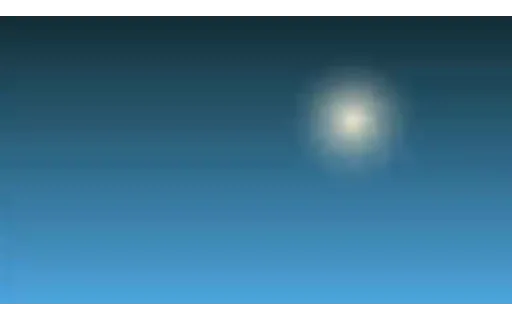
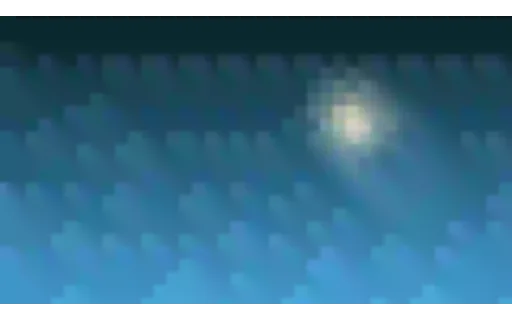
A smooth vertical gradient whose hue drifts across the clip, with one soft glow for structure. Almost no high-frequency detail, so it provokes banding and blocking in exactly the way flat skies do in real footage — the hardest case for a low-bitrate encoder. One of eight shared base plates: every AI-video suite in this library degrades one of these rather than inventing its own footage, so results across suites are comparable. Encoded at CRF 14 — well above the house CRF 30 — because a reference compressed as hard as the material under test puts the measurement floor above the effect being measured.
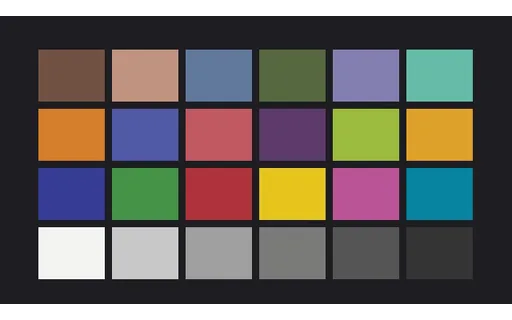
A 24-patch chart drifting slowly so it is genuinely moving footage rather than a still. Patch values are fixed and documented, so colourisation and colour-management output can be measured per patch. The values are fictional and not a reproduction of any licensed reference chart. One of eight shared base plates: every AI-video suite in this library degrades one of these rather than inventing its own footage, so results across suites are comparable. Encoded at CRF 14 — well above the house CRF 30 — because a reference compressed as hard as the material under test puts the measurement floor above the effect being measured.
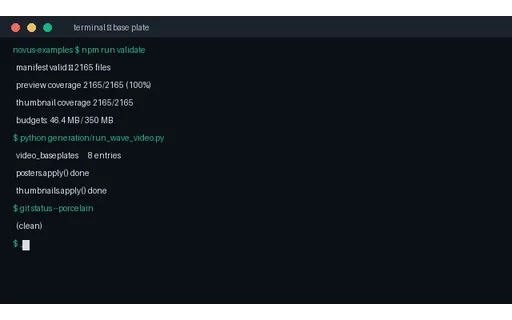
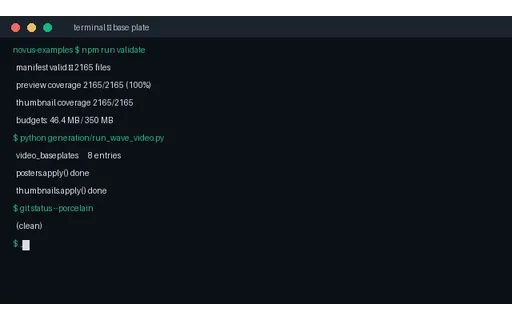
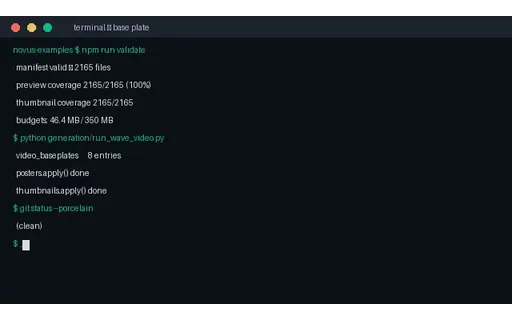
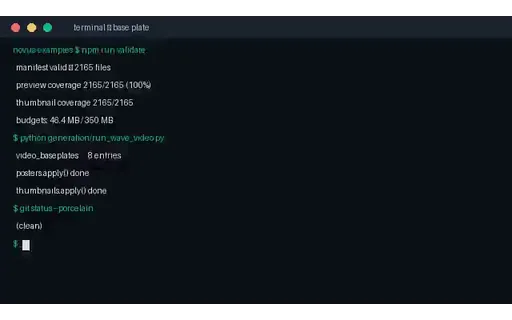
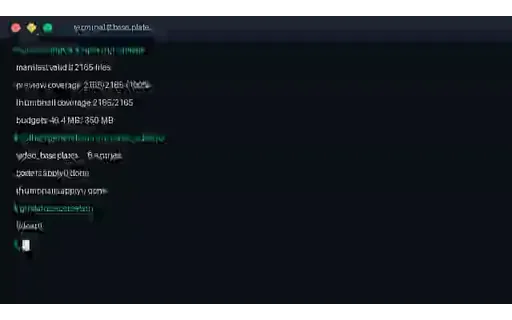
Scrolling monospaced terminal output with a blinking cursor. Thin high-contrast glyph edges are what chroma subsampling and low bitrates destroy first, and legibility after processing is a pass/fail signal that needs no metric. One of eight shared base plates: every AI-video suite in this library degrades one of these rather than inventing its own footage, so results across suites are comparable. Encoded at CRF 14 — well above the house CRF 30 — because a reference compressed as hard as the material under test puts the measurement floor above the effect being measured.
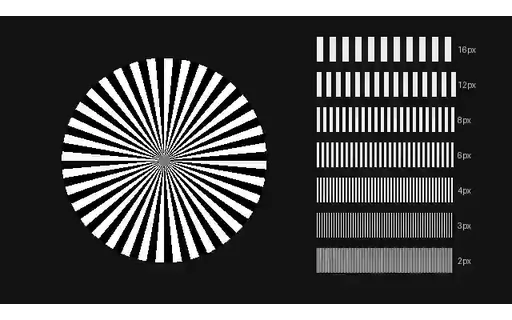
The high-quality reference for the gradient-sky compression ladder, at CRF 14. Each clip in this group is the SAME source frames encoded at a progressively higher quantiser, so the only variable is the encoder setting. Useful both for artefact-removal models and for calibrating a quality metric against settings whose visual cost is already known.
The gradient-sky plate at CRF 28 — mild artefacts. Encoded from the original frames rather than transcoded from the reference, so it carries exactly one generation of loss and the comparison is clean. On this plate the damage shows as banding across the smooth gradient, which is the artefact viewers notice first and metrics score most poorly.
The gradient-sky plate at CRF 36 — clearly visible artefacts. Encoded from the original frames rather than transcoded from the reference, so it carries exactly one generation of loss and the comparison is clean. On this plate the damage shows as banding across the smooth gradient, which is the artefact viewers notice first and metrics score most poorly.
The gradient-sky plate at CRF 44 — severe artefacts. Encoded from the original frames rather than transcoded from the reference, so it carries exactly one generation of loss and the comparison is clean. On this plate the damage shows as banding across the smooth gradient, which is the artefact viewers notice first and metrics score most poorly.
The gradient-sky plate at CRF 51 — extreme — the codec's limit artefacts. Encoded from the original frames rather than transcoded from the reference, so it carries exactly one generation of loss and the comparison is clean. On this plate the damage shows as banding across the smooth gradient, which is the artefact viewers notice first and metrics score most poorly.
The high-quality reference for the text-motion compression ladder, at CRF 14. Each clip in this group is the SAME source frames encoded at a progressively higher quantiser, so the only variable is the encoder setting. Useful both for artefact-removal models and for calibrating a quality metric against settings whose visual cost is already known.
The text-motion plate at CRF 28 — mild artefacts. Encoded from the original frames rather than transcoded from the reference, so it carries exactly one generation of loss and the comparison is clean. On this plate the damage shows as ringing around glyph edges, where legibility gives a pass/fail signal that needs no metric.
The text-motion plate at CRF 36 — clearly visible artefacts. Encoded from the original frames rather than transcoded from the reference, so it carries exactly one generation of loss and the comparison is clean. On this plate the damage shows as ringing around glyph edges, where legibility gives a pass/fail signal that needs no metric.
The text-motion plate at CRF 44 — severe artefacts. Encoded from the original frames rather than transcoded from the reference, so it carries exactly one generation of loss and the comparison is clean. On this plate the damage shows as ringing around glyph edges, where legibility gives a pass/fail signal that needs no metric.
The text-motion plate at CRF 51 — extreme — the codec's limit artefacts. Encoded from the original frames rather than transcoded from the reference, so it carries exactly one generation of loss and the comparison is clean. On this plate the damage shows as ringing around glyph edges, where legibility gives a pass/fail signal that needs no metric.
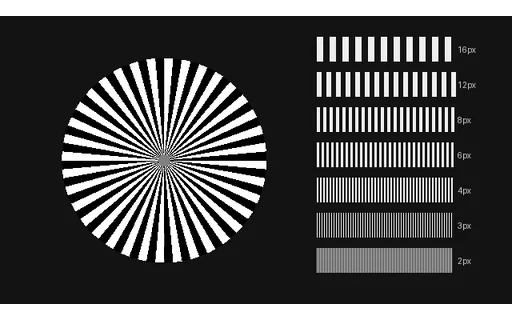
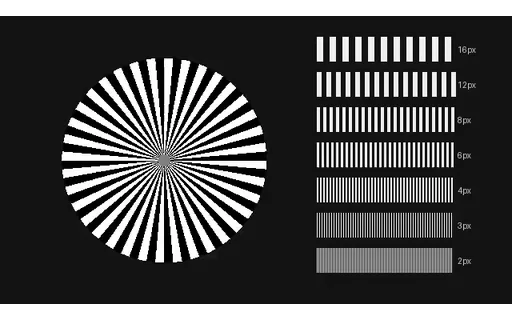
The high-quality reference for the detail-chart compression ladder, at CRF 14. Each clip in this group is the SAME source frames encoded at a progressively higher quantiser, so the only variable is the encoder setting. Useful both for artefact-removal models and for calibrating a quality metric against settings whose visual cost is already known.
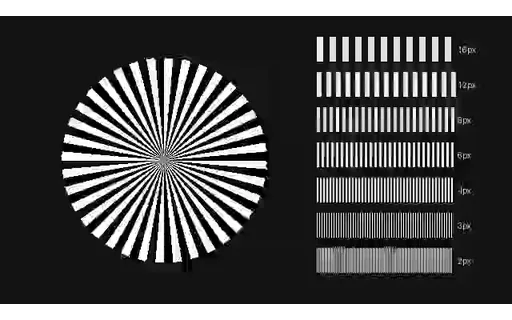
The detail-chart plate at CRF 28 — mild artefacts. Encoded from the original frames rather than transcoded from the reference, so it carries exactly one generation of loss and the comparison is clean. On this plate the fine wedges collapse first, showing exactly which spatial frequencies the quantiser discarded.
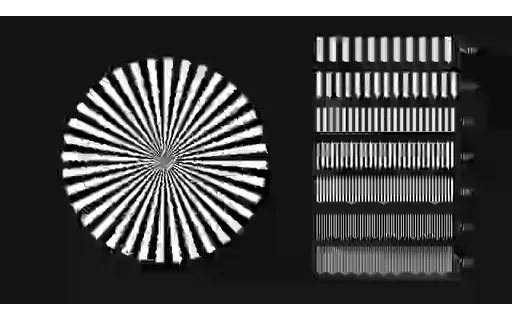
The detail-chart plate at CRF 36 — clearly visible artefacts. Encoded from the original frames rather than transcoded from the reference, so it carries exactly one generation of loss and the comparison is clean. On this plate the fine wedges collapse first, showing exactly which spatial frequencies the quantiser discarded.
The detail-chart plate at CRF 44 — severe artefacts. Encoded from the original frames rather than transcoded from the reference, so it carries exactly one generation of loss and the comparison is clean. On this plate the fine wedges collapse first, showing exactly which spatial frequencies the quantiser discarded.
The detail-chart plate at CRF 51 — extreme — the codec's limit artefacts. Encoded from the original frames rather than transcoded from the reference, so it carries exactly one generation of loss and the comparison is clean. On this plate the fine wedges collapse first, showing exactly which spatial frequencies the quantiser discarded.
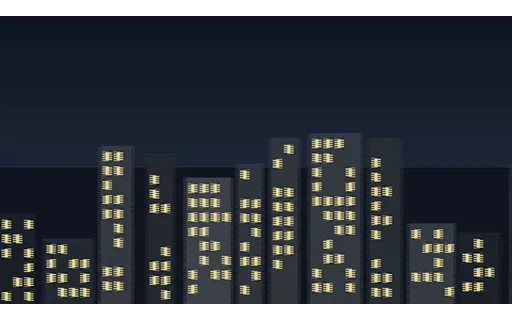
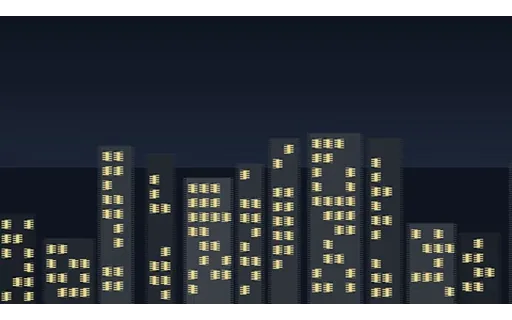
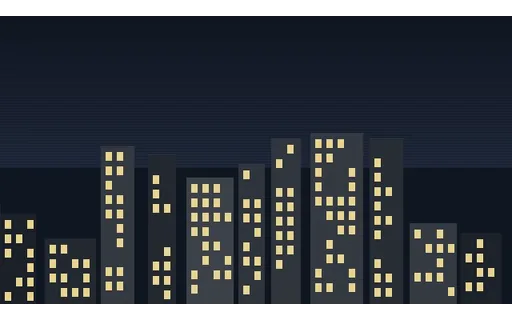
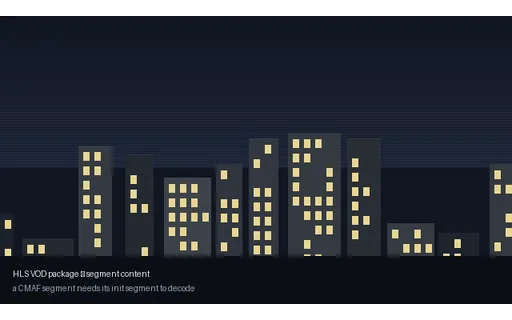
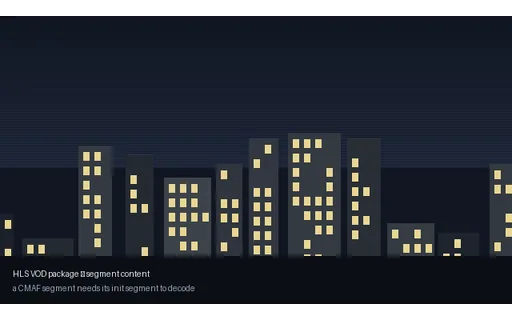
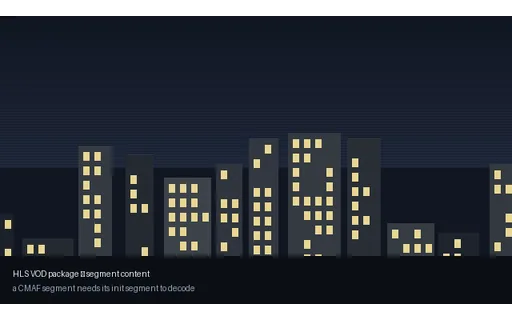
The shared pan-city base plate encoded with H.264 (libx264). The universal baseline — decodes everywhere, hardware-accelerated on essentially every device shipped this decade. If a pipeline handles only one codec, this is it. Every clip in this group carries the identical picture, so a decoder-support matrix built from them isolates the codec as the only variable.
The shared pan-city base plate encoded with HEVC (libx265). Roughly half the bitrate of H.264 at the same quality, but patent licensing kept it out of browsers. Tagged hvc1 rather than hev1, which is what Safari and QuickTime require — the wrong tag is a common cause of a file that plays everywhere except on Apple hardware. Every clip in this group carries the identical picture, so a decoder-support matrix built from them isolates the codec as the only variable.
The shared pan-city base plate encoded with AV1 (libaom-av1). Royalty-free and now decoded by every current browser. Encoding is far slower than H.264, which is why this fixture uses a fast preset; the bitstream is standard regardless. Every clip in this group carries the identical picture, so a decoder-support matrix built from them isolates the codec as the only variable.
The shared pan-city base plate encoded with VP9 (libvpx-vp9). Google's royalty-free predecessor to AV1, and still the workhorse of WebM delivery. Plays natively in every major browser. Every clip in this group carries the identical picture, so a decoder-support matrix built from them isolates the codec as the only variable.
The shared pan-city base plate encoded with VP8 (libvpx). The first WebM codec, now legacy but still what MediaRecorder emits by default in several browsers — so it turns up in user-generated uploads far more often than its age suggests. Every clip in this group carries the identical picture, so a decoder-support matrix built from them isolates the codec as the only variable.
The shared pan-city base plate encoded with Theora (libtheora). The original open web video codec, in an Ogg container. Largely historical, but still the fallback path in older HTML5 players and a good test of whether a pipeline's format detection is driven by content rather than by a hardcoded list. Every clip in this group carries the identical picture, so a decoder-support matrix built from them isolates the codec as the only variable.
The shared pan-city base plate encoded with MPEG-4 Part 2 (DivX/Xvid-compatible). The DivX/Xvid era, tagged XVID in an AVI. Predates H.264 and is still what a great deal of archived material is stored as, so ingest pipelines meet it constantly. Every clip in this group carries the identical picture, so a decoder-support matrix built from them isolates the codec as the only variable.
The shared pan-city base plate encoded with MPEG-2 (mpeg2video). The DVD and broadcast codec. Intra-heavy and inefficient by modern standards, but it is the format broadcast and archive workflows are still built around. Every clip in this group carries the identical picture, so a decoder-support matrix built from them isolates the codec as the only variable.
The shared pan-city base plate encoded with MJPEG. Every frame is an independent JPEG, with no inter-frame prediction at all. Large, but it makes any frame a clean cut point, which is why cameras and capture cards still emit it. Every clip in this group carries the identical picture, so a decoder-support matrix built from them isolates the codec as the only variable.
The shared pan-city base plate encoded with FFV1 level 3 (lossless). Mathematically lossless: decoding reproduces the source pixels bit for bit. Used for archival preservation, and the right reference when you need to prove a processing step, not a codec, caused a change. Every clip in this group carries the identical picture, so a decoder-support matrix built from them isolates the codec as the only variable.
The shared pan-city base plate encoded with FFmpeg prores_ks, profile 0 (proxy). An intra-only 10-bit 4:2:2 mezzanine written by FFmpeg's prores_ks encoder — the interchange shape editorial workflows expect. Described as ProRes-COMPATIBLE deliberately: this is FFmpeg's independent implementation, not Apple's encoder. Every clip in this group carries the identical picture, so a decoder-support matrix built from them isolates the codec as the only variable.
The shared pan-city base plate encoded with WMV2. Windows Media in an ASF container. Long obsolete, but it is what a large amount of corporate and archival material was encoded as, and few non-FFmpeg tools read it. Every clip in this group carries the identical picture, so a decoder-support matrix built from them isolates the codec as the only variable.
The shared pan-city base plate encoded with FLV1 / Sorenson Spark. The Flash video codec. Entirely historical for delivery, but FLV files persist throughout media archives and legacy CMS exports. Every clip in this group carries the identical picture, so a decoder-support matrix built from them isolates the codec as the only variable.
The shared pan-city base plate encoded with MS-MPEG-4 v3 (msmpeg4v3). Microsoft's non-standard MPEG-4 Part 2 variant — the 'DivX 3' bitstream. Deliberately incompatible with the standard decoder, which makes it a sharp test of whether a pipeline identifies codecs from the bitstream or from the FourCC. Every clip in this group carries the identical picture, so a decoder-support matrix built from them isolates the codec as the only variable.
One H.264 elementary stream wrapped in MP4 (ISO BMFF). Every file in this group was produced from the SAME encode with a stream copy, so the compressed video bytes are identical and the container is genuinely the only difference. The ISO base media format, and the default for web delivery. Supports faststart, which moves the index to the front so playback can begin before the file has finished downloading.
One H.264 elementary stream wrapped in Matroska. Every file in this group was produced from the SAME encode with a stream copy, so the compressed video bytes are identical and the container is genuinely the only difference. The most permissive container in common use: any codec, unlimited tracks, chapters, attachments. Not natively playable in Safari, which is its main practical limitation.
One H.264 elementary stream wrapped in QuickTime. Every file in this group was produced from the SAME encode with a stream copy, so the compressed video bytes are identical and the container is genuinely the only difference. Apple's container, and the direct ancestor of MP4 — the two share the same atom structure, which is why remuxing between them is nearly free.
One H.264 elementary stream wrapped in AVI. Every file in this group was produced from the SAME encode with a stream copy, so the compressed video bytes are identical and the container is genuinely the only difference. Microsoft's 1992 container. No B-frame timestamp support and a 4 GB practical limit, but enormous amounts of archived material still live in it.
One H.264 elementary stream wrapped in MPEG Transport Stream. Every file in this group was produced from the SAME encode with a stream copy, so the compressed video bytes are identical and the container is genuinely the only difference. The broadcast and HLS-segment container. Fixed 188-byte packets and no global index, so it can be cut at any packet boundary and still decode — which is exactly why streaming uses it.
One H.264 elementary stream wrapped in M4V. Every file in this group was produced from the SAME encode with a stream copy, so the compressed video bytes are identical and the container is genuinely the only difference. MP4 under Apple's alternative extension. Byte-identical structure; the extension exists purely so iTunes could distinguish video, and it is a good test of extension-driven format detection.
One H.264 elementary stream wrapped in 3GP. Every file in this group was produced from the SAME encode with a stream copy, so the compressed video bytes are identical and the container is genuinely the only difference. The mobile profile of MP4, from the feature-phone era. Still emitted by some Android capture paths, so it turns up in user uploads.
8-bit 4:2:0 HEVC. The universal delivery format. Chroma is stored at quarter resolution, which is invisible on photographic content and very visible on saturated text and thin graphic edges. Shipped in Matroska rather than MP4 on purpose: an exotic pixel format in an .mp4 would be advertised as browser-playable and then fail to decode. Every clip in this group is the same picture, so the pixel format is the only variable.
8-bit 4:2:2 HEVC. Chroma at half horizontal resolution — the broadcast and mezzanine standard. Survives one round of chroma keying and colour correction far better than 4:2:0. Shipped in Matroska rather than MP4 on purpose: an exotic pixel format in an .mp4 would be advertised as browser-playable and then fail to decode. Every clip in this group is the same picture, so the pixel format is the only variable.
8-bit 4:4:4 HEVC. No chroma subsampling at all. Necessary for screen content and graphics, and the only format where coloured text stays clean, but unsupported by most hardware decoders. Shipped in Matroska rather than MP4 on purpose: an exotic pixel format in an .mp4 would be advertised as browser-playable and then fail to decode. Every clip in this group is the same picture, so the pixel format is the only variable.
10-bit 4:2:0 HEVC. Ten bits per component gives 1024 levels instead of 256, which is what removes banding from smooth gradients. Now the norm for HDR and for high-quality SDR encodes. Shipped in Matroska rather than MP4 on purpose: an exotic pixel format in an .mp4 would be advertised as browser-playable and then fail to decode. Every clip in this group is the same picture, so the pixel format is the only variable.
10-bit 4:2:2 HEVC. The professional acquisition and mezzanine format — enough chroma for keying and enough bit depth for grading. Shipped in Matroska rather than MP4 on purpose: an exotic pixel format in an .mp4 would be advertised as browser-playable and then fail to decode. Every clip in this group is the same picture, so the pixel format is the only variable.
10-bit 4:4:4 HEVC. Full chroma at 10 bits. Effectively an intermediate format only; almost nothing decodes it in hardware. Shipped in Matroska rather than MP4 on purpose: an exotic pixel format in an .mp4 would be advertised as browser-playable and then fail to decode. Every clip in this group is the same picture, so the pixel format is the only variable.
12-bit 4:2:0 HEVC. Twelve bits, at the top of what HEVC's Main 12 profile supports. Cinema and scientific capture; included as the limit case that finds decoders which silently truncate to 8 bits. Shipped in Matroska rather than MP4 on purpose: an exotic pixel format in an .mp4 would be advertised as browser-playable and then fail to decode. Every clip in this group is the same picture, so the pixel format is the only variable.
Every frame is an I-frame, so any frame is an independent cut point. Much larger, and the shape editing and frame-accurate seeking want. Same picture and same codec as every other clip in this group — only the GOP and frame-type structure differ, so the effect on size and seekability is directly attributable.
A keyframe every 8 frames with scene-cut detection disabled, so the GOP length is exactly what it says. Short GOPs cost bitrate but bound seek latency — the trade-off streaming packagers make explicitly. Same picture and same codec as every other clip in this group — only the GOP and frame-type structure differ, so the effect on size and seekability is directly attributable.
One keyframe per second — the delivery default, and the setting that determines HLS/DASH segment boundaries, since a segment must start on a keyframe. Same picture and same codec as every other clip in this group — only the GOP and frame-type structure differ, so the effect on size and seekability is directly attributable.
Exactly one keyframe, at the start. Maximally efficient and nearly unseekable: a player must decode from frame zero to reach any position, which is what makes long-GOP archives painful to scrub. Same picture and same codec as every other clip in this group — only the GOP and frame-type structure differ, so the effect on size and seekability is directly attributable.
I and P frames only. Required by some low-latency and legacy decoders, and it removes the reordering that makes decode order differ from display order. Same picture and same codec as every other clip in this group — only the GOP and frame-type structure differ, so the effect on size and seekability is directly attributable.
Eight consecutive B-frames with a B-pyramid, so decode order and display order diverge sharply and DTS runs well behind PTS. The case that breaks naive timestamp handling and any code that assumes frames arrive in display order. Same picture and same codec as every other clip in this group — only the GOP and frame-type structure differ, so the effect on size and seekability is directly attributable.
The moov index is relocated to the front of the file, so a player can begin playback after the first few kilobytes. Required for progressive download to work at all. Byte-for-byte the same encode as its twin in this group; only the atom order differs, which is why comparing the two is the clean way to demonstrate the effect.
The default MP4 layout, with the index written last. A progressive-download player must fetch the entire file before it can start — the classic 'video buffers forever' bug, and invisible unless you look at the atom order. Byte-for-byte the same encode as its twin in this group; only the atom order differs, which is why comparing the two is the clean way to demonstrate the effect.
Fragmented MP4: an empty moov followed by independent moof/mdat fragment pairs, rather than one monolithic index. This is what CMAF streaming actually delivers, and what makes a segment playable without the rest of the file. Parsers written against progressive MP4 frequently fail here, because there is no sample table to read up front.
Whole frames, captured and displayed at once — the reference for this group and how essentially all modern video is shot. In Matroska rather than MP4 so the catalog renders a poster instead of advertising an inline player — combing artefacts are best judged from a still anyway.
Alternate lines carry alternate instants, with the top field displayed first — the HD broadcast convention. Shown progressively it combs on every moving edge. In Matroska rather than MP4 so the catalog renders a poster instead of advertising an inline player — combing artefacts are best judged from a still anyway.
The same interlacing with the opposite field order, the DV and SD convention. Deinterlacing with the wrong field order makes motion jitter backwards — a subtle, very common bug that this pair makes reproducible. In Matroska rather than MP4 so the catalog renders a poster instead of advertising an inline player — combing artefacts are best judged from a still anyway.
A 90-degree rotation carried in the container's display matrix while the coded pixels stay in their original orientation — exactly what a phone writes when you record holding it sideways. A player that ignores the matrix shows this 270x480 clip as 480x270, on its side. Thumbnailers and transcoders that read dimensions from the video stream rather than the display matrix get this wrong constantly.
A 180-degree rotation carried in the container's display matrix while the coded pixels stay in their original orientation — exactly what a phone writes when you record holding it sideways. A player that ignores the matrix shows it upside down. Thumbnailers and transcoders that read dimensions from the video stream rather than the display matrix get this wrong constantly.
A 270-degree rotation carried in the container's display matrix while the coded pixels stay in their original orientation — exactly what a phone writes when you record holding it sideways. A player that ignores the matrix shows this 270x480 clip as 480x270, on its side. Thumbnailers and transcoders that read dimensions from the video stream rather than the display matrix get this wrong constantly.
Video with a real per-pixel alpha channel: VP9 yuva420p in WebM, the one alpha path browsers decode natively. Composite it over a page background and the transparency is genuine, not a chroma key. Roughly 90% of each frame is fully transparent.
Two traps this file exists to expose. First, auto-alt-ref must be disabled at encode time or libvpx silently drops the alpha plane, producing a valid file with no transparency and no error. Second, WebM stores VP9 alpha in BlockAdditional and signals it with AlphaMode=1, so FFmpeg's NATIVE vp9 decoder reports pix_fmt yuv420p and decodes fully opaque — you must force `-c:v libvpx-vp9` to see the alpha at all. Probing this file with default settings and concluding it has no alpha is the expected mistake.
The same codec and container with NO alpha plane, as the control for the alpha clip in this group. Useful for checking that alpha detection reads the pixel format rather than assuming every WebM is transparent — and for confirming a compositing bug is in the alpha handling rather than in the player.
The HD standard, and what a player assumes when a file says nothing. The reference member of this group: every other clip carries identical pixels and different signalling. Every clip in this group carries the SAME picture and differs only in its colour signalling, so any difference in how a player renders them is entirely a metadata-handling difference.
The standard-definition matrix. Decoding BT.601 content as BT.709 (or the reverse) shifts every colour subtly — greens and reds most visibly. It is the single most common colour bug in transcode pipelines, and this pair reproduces it on demand. Every clip in this group carries the SAME picture and differs only in its colour signalling, so any difference in how a player renders them is entirely a metadata-handling difference.
Wide-gamut primaries with a conventional SDR transfer — wide colour without HDR. Frequently mishandled because tooling assumes BT.2020 always implies PQ or HLG. Every clip in this group carries the SAME picture and differs only in its colour signalling, so any difference in how a player renders them is entirely a metadata-handling difference.
HDR10 signalling: BT.2020 primaries with the SMPTE ST 2084 perceptual quantiser, 10-bit. Be clear about what this fixture is — the picture is ordinary SDR content TAGGED as HDR, so it is a test of metadata handling and tone-mapping paths, not a reference for HDR image quality. A player that ignores the transfer function will render it washed out and far too dark, which is precisely the failure worth reproducing. Every clip in this group carries the SAME picture and differs only in its colour signalling, so any difference in how a player renders them is entirely a metadata-handling difference.
Hybrid Log-Gamma, the broadcast HDR transfer designed to stay watchable on an SDR display. As with the HDR10 fixture, the picture itself is SDR content carrying HLG signalling, so this tests transfer-function detection and the SDR fallback path rather than HDR rendering. Every clip in this group carries the SAME picture and differs only in its colour signalling, so any difference in how a player renders them is entirely a metadata-handling difference.
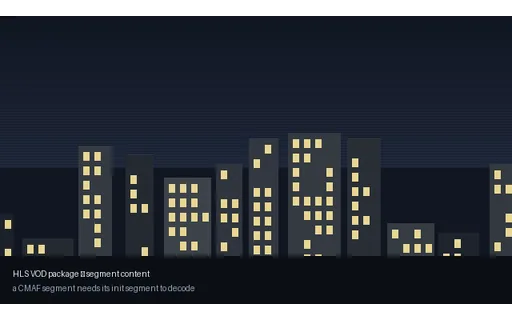
A CMAF initialisation segment: the moov box carrying codec configuration and track metadata, with no media samples. A player must fetch this before any media segment of the same rendition, and switching renditions mid-stream means fetching the new rendition's init first — the step ABR implementations most often get wrong.
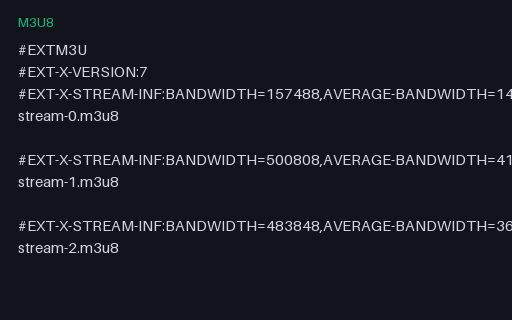
The entry point to a COMPLETE and genuinely playable HLS package: a 3-rung ladder (320x180 at 300 kbps, 480x270 at 700 kbps, 640x360 at 1400 kbps) with real CMAF segments alongside it in this group. Point hls.js or Safari at this URL and it plays — it is served inline with permissive CORS from /files/stream/, so it works cross-origin without re-hosting. Unlike the hand-authored HLS fixtures elsewhere in the catalog, which are parser tests that reference placeholder segment names on purpose, everything this playlist references actually exists.
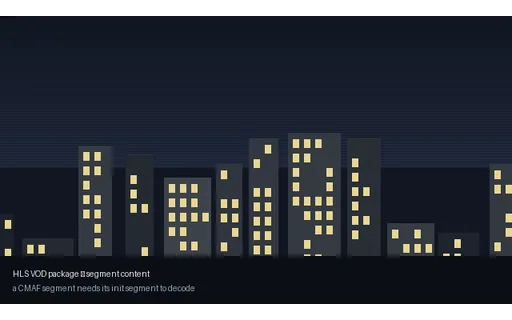
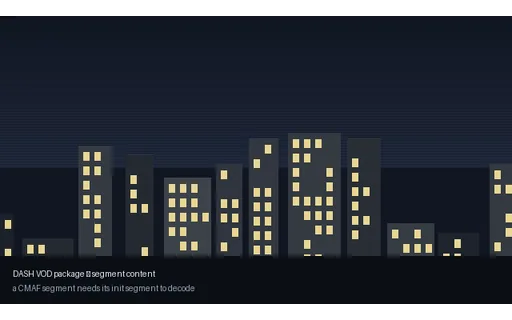
A one-second fragmented-MP4 media segment (moof + mdat) from the playable ladder. It starts on a keyframe, so it decodes independently once the matching init segment has been loaded — which is what makes mid-stream quality switching possible at all.
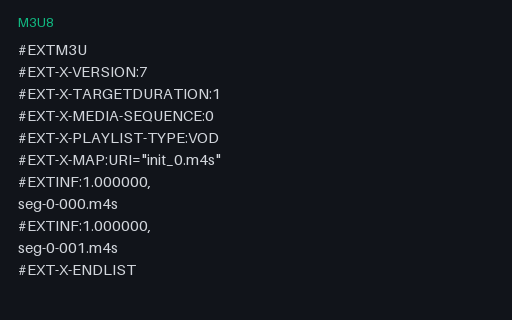
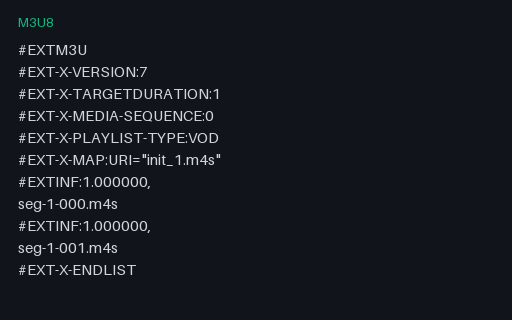
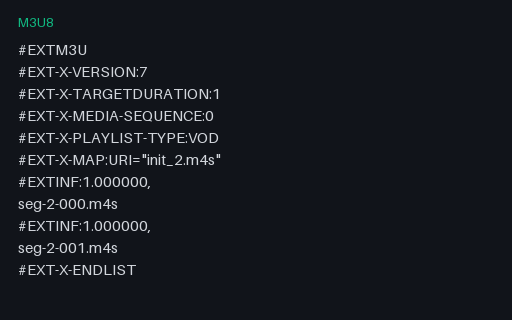
One rendition of the playable HLS ladder, listing its own CMAF init segment and media segments. Referenced by the master playlist in this group. Generated by ffmpeg's own HLS muxer, so the segment durations, the EXT-X-MAP and the ENDLIST are exactly what a real packager emits rather than what a human thinks one emits.
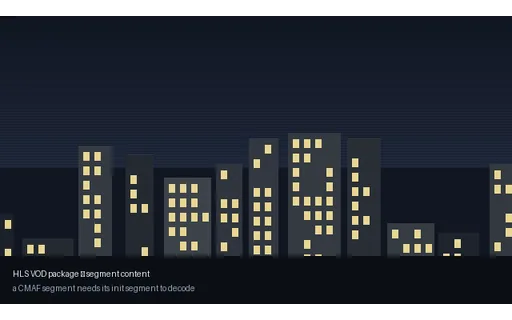
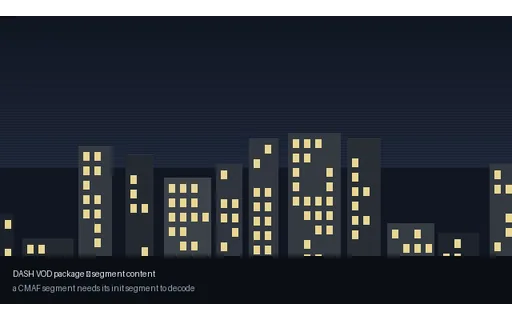
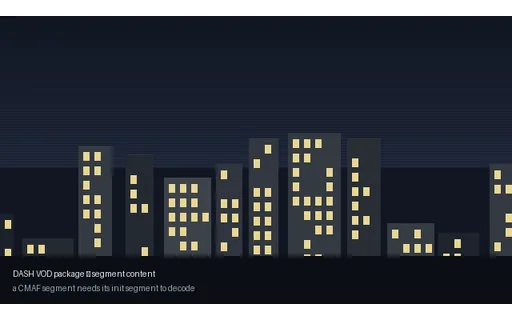
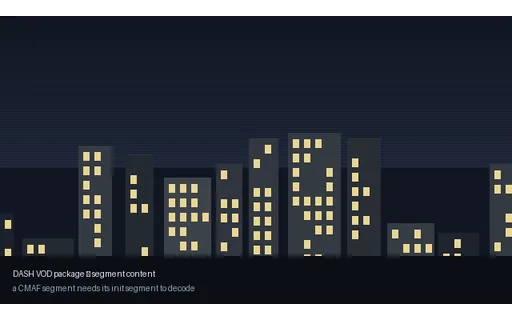
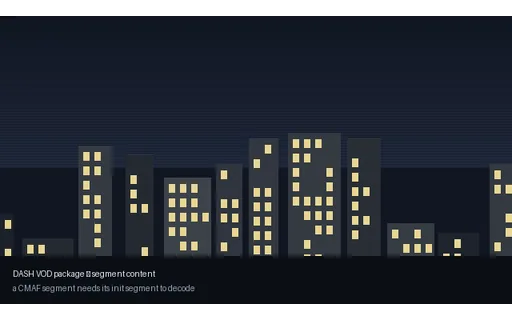
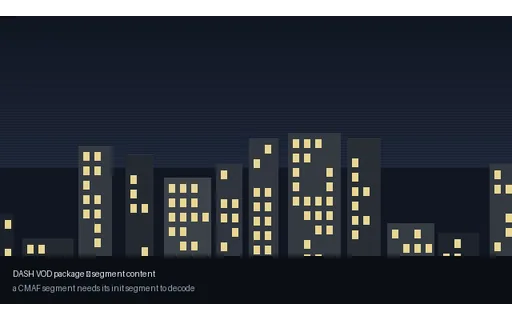
A one-second DASH media segment, addressed by the manifest's $Number$ template. The same underlying CMAF structure as the HLS segments in the sibling package — which is the whole point of CMAF, and something a fixture set should let you verify rather than take on trust.




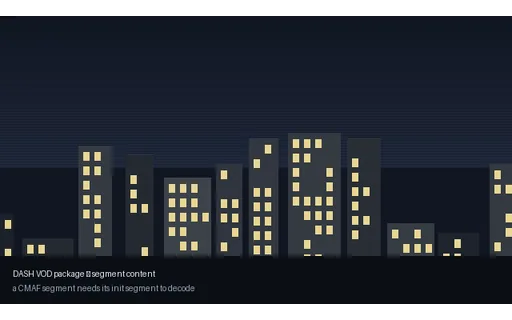
A DASH initialisation segment carrying codec configuration for one representation. Named by the manifest's $RepresentationID$ template, so this file also exercises whether a client resolves template variables correctly rather than pattern-matching filenames.
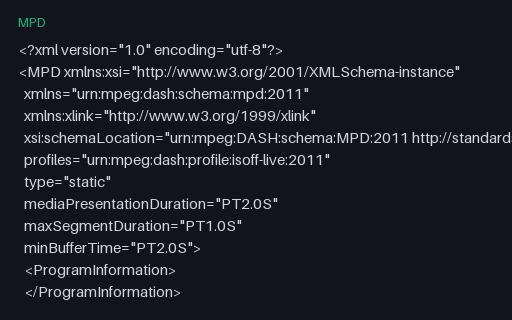
A complete, playable MPEG-DASH manifest for the same 320x180 at 300 kbps, 480x270 at 700 kbps, 640x360 at 1400 kbps ladder as the HLS package, produced from the same encoder run — so the two can be compared directly as packaging rather than as content. Every segment it references exists in this group. Served inline as application/dash+xml with permissive CORS, so dash.js can load it cross-origin.
Two audio tracks with distinct language tags, and English flagged as the default. The two tracks are different pitches — 440 Hz and 659 Hz, a perfect fifth apart — so which track a player selected is audible immediately rather than something you have to inspect the file to determine.
That is the whole design. Dual-language fixtures that carry the same tone on both tracks cannot distinguish 'switched correctly' from 'ignored the switch', which is the one thing you want to test.
A main audio track plus an audio-description track for blind and low-vision viewers, carrying the `visual_impaired` disposition. The description track is an octave and a bit below the main track, so selecting it is audible.
Matroska has exactly one flag for this — there is no separate `descriptions` flag as there is in MP4 and in HTML's own track kinds — so a converter that maps `kind="descriptions"` onto Matroska has to pick this one, and a converter going the other way has to infer it.
Both tracks are tagged `eng`, which is the realistic case and the awkward one: a picker that lists tracks by language shows two identical entries, and only the flags tell them apart. Broadcast and streaming compliance regimes increasingly require this track to be present and correctly flagged, and the flags are exactly what a naive `ffmpeg -c copy` remux drops.
A 5.1 track with a different pitch in every channel: an A-major triad across L, R and C, a 60 Hz rumble in the LFE, and two higher tones in the surrounds. Channel order is the standard L, R, C, LFE, Ls, Rs.
This makes channel-mapping bugs audible instead of theoretical. Downmix it to stereo and you should hear the triad plus the surrounds; if the centre and the LFE swap — a classic WAV-to-container ordering mistake — the result is unmistakable. Most 5.1 test files play the same content everywhere and cannot detect that at all.
One mono audio track — the shape most phone recordings, voice notes and screen captures actually arrive in, and the one that catches pipelines that hardcode a stereo buffer or index channel 1 without checking that it exists.
A video file with no audio track whatsoever. Pair it with the silent-track file in this group: the two sound identical and are structurally completely different.
Code that asks 'does this have audio?' by reading a level meter says no to both. Code that asks the container says no to this one and yes to the other. Whichever answer your pipeline needs, you need both files to know which question it is actually asking.
An audio track that exists, declares stereo, and contains nothing but zero samples. The twin of the no-audio-track file in this group, and the reason that file exists.
This is the fixture that catches the false negative in every 'is the audio missing?' check built on a container probe: `ffprobe` reports a healthy AAC stereo track, the duration is right, the bitrate is plausible, and the viewer hears nothing. Detecting it requires decoding and measuring, not inspecting. The language is deliberately `und`, which is what encoders emit when nobody set one — another thing worth being able to reproduce.
A feature track and a commentary track, separated only by the `comment` disposition. The third member of this group's flag set alongside audio description and dual language, and the one that most often ends up auto-selected by mistake — a player that picks the last matching English track rather than the default one starts the film on the commentary.
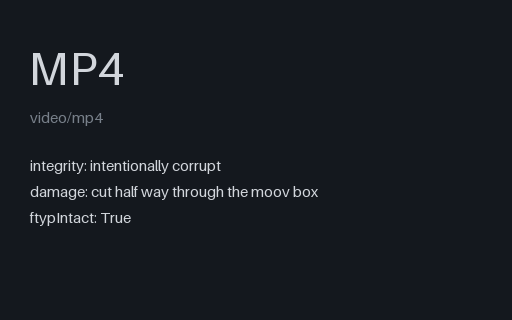
An intentionally corrupt MP4, cut off at 55% of its length in the middle of the `mdat` box — the shape of an interrupted download or a copy from a failing disk. Not a valid file by design.
The interesting property is that it opens perfectly. Because the file was written with faststart the `moov` index sits before the media data, so a probe reads a complete track list and a duration within a tenth of a second of the original, and only decoding reveals that most of the samples the index points to are not there. Tools that validate by probing pass it; tools that validate by decoding do not. The seek bar will happily let you scrub past the end of the data that exists.
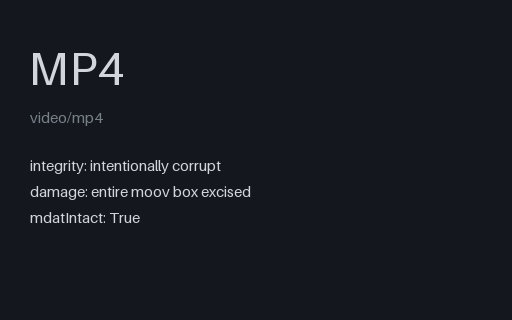
An intentionally corrupt MP4 with the entire `moov` box cut out and the surrounding bytes rejoined. The `ftyp` header and all of the compressed media in `mdat` are untouched. Not a valid file by design.
This is the classic 'moov atom not found' failure, and in practice the most common way an MP4 dies: the index is written last, so any recording that stops without a clean finalise — a crashed encoder, a phone that ran out of battery mid-capture — ends up exactly like this. The media is all still there, which is why recovery tools can sometimes rebuild it, and this is the file to test one against. Contrast with the truncated file in this group, which has an index and no data.
An intentionally corrupt MP4 cut off half way through its `moov` box: the `ftyp` header survives, the index does not, and there is no media data at all. Not a valid file by design.
Just enough for content sniffing to succeed and everything after that to fail. A `file`-style magic check reports ISO Media, a MIME sniffer says video/mp4, and then the box walk runs off the end of the buffer part way through the index. Useful for testing the gap between format detection and format validation — and for the upload path, where the two are frequently the same check.
Distinct from the two other truncations in this group: the mid-mdat file has a complete index and missing media, this one has a broken index and no media, and a length-based cut deep enough to matter is the only way to tell those code paths apart.
An intentionally corrupt MP4 containing nothing at all — zero bytes, with a `.mp4` extension. Not a valid file by design.
The degenerate case, and one that reaches production more often than any other: a failed upload, a `touch`ed placeholder, a copy that never started. It is worth having because so much code divides by duration, reads the first N bytes without checking N, or reports 'unsupported format' for a file that has no format to support. Note that content sniffing cannot help here — there are no magic bytes — so anything that must classify this file has only the extension to go on.
An intentionally corrupt MP4 in which 48 individual bytes inside the `mdat` payload have been inverted, leaving every box header, the index and the file length exactly as they were. Not a valid file by design.
Structurally this file is perfect — it will pass any container-level validation you throw at it — and the damage is entirely in the compressed bitstream. Expect the decoder to log errors and the picture to break up and then recover at the next keyframe, which is what makes it the right fixture for testing that a transcode pipeline actually surfaces decoder errors rather than shipping a corrupted output and reporting success. The corruption sites are fixed, so the file is reproducible byte for byte.
An intentionally corrupt Matroska file cut to 60% of its length, part way through a cluster. Not a valid file by design.
Matroska degrades very differently from MP4, which is the reason to have both. Its header is at the front and its clusters are independently framed, so a truncated MKV usually plays right up to the cut and then simply ends — no index to contradict, because the Cues element that would have carried it was at the end and is gone. Duration is reported as unknown or estimated, and seeking past the cut behaves differently in every player.
An intentionally corrupt WebM, VP9 in Matroska, cut to 45% of its bytes. Not a valid file by design.
The browser-facing member of this group. A truncated WebM starts playing in an HTML5 <video> element and then fires an `error` event mid-stream, which is a genuinely awkward state to handle: your player has already reported success, already hidden the spinner, and already told the user the duration. Use it to check that the error path is wired to something more useful than a frozen frame.
An intentionally corrupt fixture of a different kind: the bytes are a perfectly valid Matroska file, and the extension says `.mp4`. Nothing is damaged — the file simply lies about what it is. Not a valid MP4 by design.
This is what a user's 'converted' file usually turns out to be after a rename, and it separates two kinds of code cleanly. Anything that sniffs the first four bytes finds `1A 45 DF A3`, identifies EBML and plays it. Anything that dispatches on the extension hands it to an MP4 demuxer that immediately fails to find `ftyp`. Note the catalog records this entry's MIME as video/mp4, matching the extension rather than the content — deliberately, because that is precisely the mismatch being reproduced.
We use Google Analytics and show ads via Adsterra and Infolinks. Non-essential cookies and ad scripts run only after you allow the matching categories. See our cookie policy.