Skip to content
Novus Examples

Multi-track subtitle, audio-description, and SDH fixtures

Containers carrying several subtitle and audio tracks at once, with real language tags and the default, forced, hearing-impaired and visual-impaired flags actually set — for testing track pickers, accessibility menus, and the flag handling that only shows up when more than one track exists.

21 of 21 files
Preview of Multi-Track Subtitles — Three Languages (MKV)
mkv
27.9 KB

Multi-Track Subtitles — Three Languages (MKV)

One MKV carrying three soft subtitle tracks — English, Spanish and Japanese — each with a real ISO 639-2 language tag and a human track title, and English flagged as the default. Every cue names its own second and its own chapter, and the picture burns in a matching timecode, so you can confirm the right track is displaying without trusting the player's own menu labels. Single-track sample files never exercise the code that actually breaks: track enumeration, language-tag mapping and default selection. This is the smallest file that does.

Preview of Multi-Track Subtitles — Forced Narrative (MKV)
mkv
26.5 KB

Multi-Track Subtitles — Forced Narrative (MKV)

Two English subtitle tracks in one file: the full dialogue track, and a forced-narrative track that carries only the two moments where on-screen text needs translating. The second track sets the `forced` disposition, which tells a player to display it even when the viewer has subtitles switched off. The forced track is deliberately two cues, not eight. A forced track that repeats the full dialogue is the most common way this feature is got wrong in the wild, and a fixture that reproduced that mistake could not be used to detect it. Useful for checking that a player reads the flag rather than the track order, and that a transcoder preserves it — many drop the disposition silently and the file still looks fine until a viewer turns subtitles off.

Preview of Multi-Track Subtitles — SDH and Standard (MKV)
mkv
27 KB

Multi-Track Subtitles — SDH and Standard (MKV)

Standard subtitles and SDH (Subtitles for the Deaf and Hard of Hearing) as two separate English tracks, distinguished only by the `hearing_impaired` disposition. The SDH track adds the non-speech information a deaf viewer would otherwise lose — the tone that is playing, the marker that is moving — in square brackets above each line. Because both tracks are tagged `eng`, any picker that keys on language alone shows two identical-looking entries. That is exactly the bug this file exists to surface: the flag is the only thing that separates them, and it is the thing most often dropped in a remux.

Preview of Multi-Track Subtitles — Styled ASS Track (MKV)
mkv
27.1 KB

Multi-Track Subtitles — Styled ASS Track (MKV)

An ASS subtitle track that carries its own styling — two named styles, alternating cue by cue, one bottom-centred and one top-centred in italic teal. ASS is the only widely-used soft subtitle format that survives a remux with its positioning and colour intact. The useful test is what happens on the way out. Convert this to SubRip or to WebVTT and the styling is silently discarded — the cues remain, so the conversion reports success while half the information is gone. Converting to MP4 is worse still: mov_text keeps neither the styles nor the positions.

Preview of Multi-Track Subtitles — Two mov_text Tracks (MP4)
mp4
29.2 KB

Multi-Track Subtitles — Two mov_text Tracks (MP4)

Two soft subtitle tracks inside an MP4, in mov_text — the 3GPP Timed Text format that is the only subtitle codec MP4 officially carries. Safari and QuickTime read these natively; most other browsers ignore them entirely and expect a sidecar WebVTT track instead, which is the single most common reason subtitles appear on an iPhone and nowhere else. Compare with the MKV in this group: the cue text is identical, but mov_text drops all styling and positioning, so this is also the file to test a lossy subtitle conversion against.

Preview of Multi-Track Subtitles — Embedded WebVTT (WebM)
webm
40.8 KB

Multi-Track Subtitles — Embedded WebVTT (WebM)

WebVTT muxed inside a WebM container, which the Matroska specification allows and almost nothing consumes. No browser surfaces an embedded WebVTT track through the HTML TextTrack API — the web platform expects a separate <track> element pointing at a sidecar file — so this is the fixture for the gap between what a container is permitted to hold and what a player will actually give you. One caveat about this file specifically. Every other fixture in this phase carries byte-identical H.264 video, but the WebM muxer accepts only VP8, VP9 or AV1 video and WebVTT subtitles — that restriction is the container's definition, not a limitation of the tooling — so the picture here is re-encoded to VP9 from the same source frames. Same content, different bytes.

Preview of Multi-Track Audio — Dual Language (MKV)
mkv
156.3 KB

Multi-Track Audio — Dual Language (MKV)

Two audio tracks with distinct language tags, and English flagged as the default. The two tracks are different pitches — 440 Hz and 659 Hz, a perfect fifth apart — so which track a player selected is audible immediately rather than something you have to inspect the file to determine. That is the whole design. Dual-language fixtures that carry the same tone on both tracks cannot distinguish 'switched correctly' from 'ignored the switch', which is the one thing you want to test.

Preview of Multi-Track Audio — Audio Description (MKV)
mkv
156.3 KB

Multi-Track Audio — Audio Description (MKV)

A main audio track plus an audio-description track for blind and low-vision viewers, carrying the `visual_impaired` disposition. The description track is an octave and a bit below the main track, so selecting it is audible. Matroska has exactly one flag for this — there is no separate `descriptions` flag as there is in MP4 and in HTML's own track kinds — so a converter that maps `kind="descriptions"` onto Matroska has to pick this one, and a converter going the other way has to infer it. Both tracks are tagged `eng`, which is the realistic case and the awkward one: a picker that lists tracks by language shows two identical entries, and only the flags tell them apart. Broadcast and streaming compliance regimes increasingly require this track to be present and correctly flagged, and the flags are exactly what a naive `ffmpeg -c copy` remux drops.

Preview of Multi-Track Audio — 5.1 Surround, One Tone per Channel (MKV)
mkv
216.5 KB

Multi-Track Audio — 5.1 Surround, One Tone per Channel (MKV)

A 5.1 track with a different pitch in every channel: an A-major triad across L, R and C, a 60 Hz rumble in the LFE, and two higher tones in the surrounds. Channel order is the standard L, R, C, LFE, Ls, Rs. This makes channel-mapping bugs audible instead of theoretical. Downmix it to stereo and you should hear the triad plus the surrounds; if the centre and the LFE swap — a classic WAV-to-container ordering mistake — the result is unmistakable. Most 5.1 test files play the same content everywhere and cannot detect that at all.

Preview of Multi-Track Audio — No Audio Track At All (MP4)
mp4
26.8 KB

Multi-Track Audio — No Audio Track At All (MP4)

A video file with no audio track whatsoever. Pair it with the silent-track file in this group: the two sound identical and are structurally completely different. Code that asks 'does this have audio?' by reading a level meter says no to both. Code that asks the container says no to this one and yes to the other. Whichever answer your pipeline needs, you need both files to know which question it is actually asking.

Preview of Multi-Track Audio — Present but Digitally Silent (MP4)
mp4
32.8 KB

Multi-Track Audio — Present but Digitally Silent (MP4)

An audio track that exists, declares stereo, and contains nothing but zero samples. The twin of the no-audio-track file in this group, and the reason that file exists. This is the fixture that catches the false negative in every 'is the audio missing?' check built on a container probe: `ffprobe` reports a healthy AAC stereo track, the duration is right, the bitrate is plausible, and the viewer hears nothing. Detecting it requires decoding and measuring, not inspecting. The language is deliberately `und`, which is what encoders emit when nobody set one — another thing worth being able to reproduce.

Preview of Multi-Track Audio — Commentary Track (MKV)
mkv
156.3 KB

Multi-Track Audio — Commentary Track (MKV)

A feature track and a commentary track, separated only by the `comment` disposition. The third member of this group's flag set alongside audio description and dual language, and the one that most often ends up auto-selected by mistake — a player that picks the last matching English track rather than the default one starts the film on the commentary.

Preview of Multi-Track — Complete Package (MKV)
mkv
167.2 KB

Multi-Track — Complete Package (MKV)

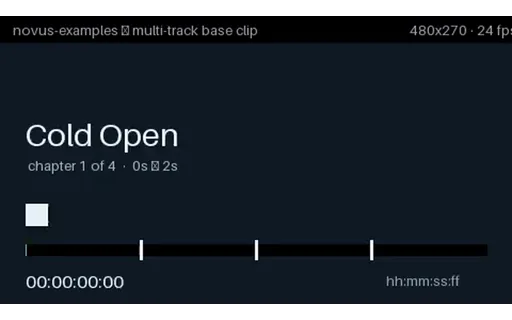
Everything this phase covers in one file: two audio languages, three subtitle tracks including SDH, four chapters, an attached cover image and container tags — with every language tag and disposition set correctly. This is the integration test. The individual fixtures in the other groups isolate one variable each, which is what you want when something breaks; this is what you point a player, a track picker or a transcoder at first, because a pipeline that handles it handles all of them. Round-trip it through your tool and diff the track list: dropped dispositions, collapsed languages and vanished attachments all show up immediately.

Preview of Multi-Track — Complete Package, MP4 Limits (MP4)
mp4
170.8 KB

Multi-Track — Complete Package, MP4 Limits (MP4)

The same package rebuilt inside MP4, which is the interesting part — MP4 cannot carry all of it. The SDH subtitle track is gone because MP4 has no hearing-impaired flag, the attachment becomes cover art as a second video stream, per-track titles have no home, and the subtitles are mov_text with the styling stripped. Diff this against the MKV in the same group and you have a concrete, byte-level answer to 'what do I lose converting to MP4?' — which is normally something people find out after shipping.

Preview of Multi-Track — Eight Subtitle Tracks (MKV)
mkv
31.9 KB

Multi-Track — Eight Subtitle Tracks (MKV)

Eight subtitle tracks across four writing systems, including right-to-left Arabic, each with its own language tag and a track title in its own script. Two things break here that never break with two tracks. Track-picker UI: eight entries is where a fixed-height menu, a truncating label or a hardcoded array bound starts to show. And text rendering: the track titles themselves are non-Latin, so a picker that draws labels with a Latin-only font produces a menu of empty boxes even though every track is perfectly valid.

Preview of Multi-Track — No Default Flag Anywhere (MKV)
mkv
27.9 KB

Multi-Track — No Default Flag Anywhere (MKV)

Three subtitle tracks and not one of them flagged default. Matroska permits this and players disagree completely about what to do: some pick the first track, some pick by system language, some show nothing at all and leave the viewer to find the menu. There is no right answer to assert here — the value is that the disagreement is reproducible. If your player picks a track, this file tells you which rule it is using.

Preview of Multi-Track — Two Tracks Both Flagged Default (MKV)
mkv
27.9 KB

Multi-Track — Two Tracks Both Flagged Default (MKV)

Two subtitle tracks both carrying the default flag — which the specification does not forbid and which sloppy muxing produces constantly, usually by copying dispositions wholesale between files. First-wins and last-wins are both common implementations, so the same file starts in English on one player and Spanish on another with nothing visibly wrong. Hard to diagnose from a bug report, trivial to reproduce with this.

Preview of Multi-Track — Language Tags Swapped (MKV)
mkv
27.1 KB

Multi-Track — Language Tags Swapped (MKV)

Two subtitle tracks whose language tags are swapped: the track tagged `fra` contains English cues and the one tagged `eng` contains French. Nothing about the file is malformed — every byte validates, every tag is a legal ISO 639-2 code. This is the failure no schema check can catch and no player can warn about. Selecting French gives you English, and the only way to detect it is to read the cue text and run language identification on it. If you are building QC for a subtitle library, this is the case worth having a fixture for, because it is common and it is invisible.

Preview of Multi-Track — Declared but Empty Subtitle Track (MKV)
mkv
26.4 KB

Multi-Track — Declared but Empty Subtitle Track (MKV)

A second subtitle track that is properly declared, correctly language-tagged, and contains no cues at all. This is what an incomplete localisation looks like in a real library: the track exists so the menu offers Spanish, and choosing it produces silence. Track enumeration finds it. Language listing finds it. Only counting the cues finds the problem — which is why 'does this file have Spanish subtitles?' is the wrong question and 'does the Spanish track have any content?' is the right one.