
Multi-Track — Complete Package, MP4 Limits (MP4)
The same package rebuilt inside MP4, which is the interesting part — MP4 cannot carry all of it. The SDH subtitle track is gone because MP4 has no hearing-impaired flag, the attachment becomes cover art as a second video stream, per-track titles have no home, and the subtitles are mov_text with the styling stripped. Diff this against the MKV in the same group and you have a concrete, byte-level answer to 'what do I lose converting to MP4?' — which is normally something people find out after shipping.
Browser-playable test video · 8 seconds
Specifications
- Video Tracks
- 1 + 1 attached_pic
- Audio Tracks
- 2
- Subtitle Tracks
- 2
- Subtitle Codec
- mov_text
- Chapters
- 4
- Cover Art
- 240x240 JPEG
- Not Carried
- SDH flag, attachments, per-track titles
- Faststart
- true
- Duration
- 8s
Testing contract
Expected to pass- Scenario
- Open the file and compare its contents against the full Matroska package in this group.
- Expected result
- 1 video track plus 1 attached_pic (a 240x240 JPEG cover), 2 audio tracks, 2 mov_text subtitle tracks, 4 chapters, faststart, 8s. The assertion is what is missing relative to the Matroska twin: the SDH flag, the attachment and the per-track titles are not carried by MP4 at all, so a round trip through this container loses them and must say so rather than reporting success.
What is a .mp4 file?
MP4 (MPEG-4 Part 14) is the dominant container for digital video, holding video, audio, subtitle, and metadata tracks in a tree of typed boxes. `ftyp` declares the brand, `moov` carries the sample tables that make seeking possible, and `mdat` holds the media; when an encoder writes `moov` last, playback cannot begin until the file has fully downloaded, which a faststart remux fixes. It derives from Apple's QuickTime format, generalized by ISO into the ISOBMFF base that MOV, 3GP, and HEIF share.
How to use this file
Use an example MP4 to test box parsing and track detection, seeking, range-request streaming, and transcode or thumbnail pipelines: verifying that a file with a trailing `moov` box is still handled, and that codec support is checked per track rather than inferred from the extension.
How to use this file for testing
“Multi-Track — Complete Package, MP4 Limits (MP4)” is a deterministic Novus Examples fixture for Media accessibility, Media metadata, Subtitle testing, Video QA. Containers carrying several subtitle and audio tracks at once, with real language tags and the default, forced, hearing-impaired and visual-impaired flags actually set, for testing track pickers, accessibility menus, and the flag handling that only shows up when more than one track exists.
Documented properties for this file: 8s. Compare results against paired or grouped companions on this page when present (clean↔damaged, searchable↔scanned, or format twins) so scores stay reproducible across runs.
Download the file once, keep the path stable in CI or local scripts, and treat the spec table as the contract: dimensions, seeds, field lists, and roles are intentional. Corrupt or invalid samples are labelled as such, expect parsers to fail loudly rather than silently accept them.
Media fixtures are short and synthetic by design. Prefer waveform or transcript ground truth in the same group when measuring ASR, trim, upscale, or sync tools; do not assume broadcast-quality masters.
Code examples
<video controls preload="metadata" width="640" src="full-package.mp4"></video>Related files
- webmMulti-Track Subtitles — Embedded WebVTT (WebM)WebVTT muxed inside a WebM container, which the Matroska specification allows and almost nothing consumes. No browser surfaces an embedded WebVTT track through the HTML TextTrack API — the web platform expects a separate <track> element pointing at a sidecar file — so this is the fixture for the gap between what a container is permitted to hold and what a player will actually give you. One caveat about this file specifically. Every other fixture in this phase carries byte-identical H.264 video, but the WebM muxer accepts only VP8, VP9 or AV1 video and WebVTT subtitles — that restriction is the container's definition, not a limitation of the tooling — so the picture here is re-encoded to VP9 from the same source frames. Same content, different bytes.
- mkvMulti-Track Subtitles — Forced Narrative (MKV)Two English subtitle tracks in one file: the full dialogue track, and a forced-narrative track that carries only the two moments where on-screen text needs translating. The second track sets the `forced` disposition, which tells a player to display it even when the viewer has subtitles switched off. The forced track is deliberately two cues, not eight. A forced track that repeats the full dialogue is the most common way this feature is got wrong in the wild, and a fixture that reproduced that mistake could not be used to detect it. Useful for checking that a player reads the flag rather than the track order, and that a transcoder preserves it — many drop the disposition silently and the file still looks fine until a viewer turns subtitles off.
- mp4Multi-Track Subtitles — No Subtitle Track (MP4)The control for this group: the same picture with no subtitle track at all. Every other file here differs from this one only by what was muxed in. Worth more than it looks. A track enumerator that returns an empty list, one that returns a single null entry and one that throws are three different behaviours, and none of them can be told apart using a file that has subtitles.
- mkvMulti-Track Subtitles — SDH and Standard (MKV)Standard subtitles and SDH (Subtitles for the Deaf and Hard of Hearing) as two separate English tracks, distinguished only by the `hearing_impaired` disposition. The SDH track adds the non-speech information a deaf viewer would otherwise lose — the tone that is playing, the marker that is moving — in square brackets above each line. Because both tracks are tagged `eng`, any picker that keys on language alone shows two identical-looking entries. That is exactly the bug this file exists to surface: the flag is the only thing that separates them, and it is the thing most often dropped in a remux.
- mkvMulti-Track Subtitles — Styled ASS Track (MKV)An ASS subtitle track that carries its own styling — two named styles, alternating cue by cue, one bottom-centred and one top-centred in italic teal. ASS is the only widely-used soft subtitle format that survives a remux with its positioning and colour intact. The useful test is what happens on the way out. Convert this to SubRip or to WebVTT and the styling is silently discarded — the cues remain, so the conversion reports success while half the information is gone. Converting to MP4 is worse still: mov_text keeps neither the styles nor the positions.
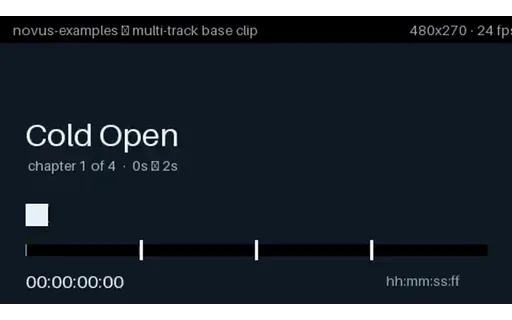
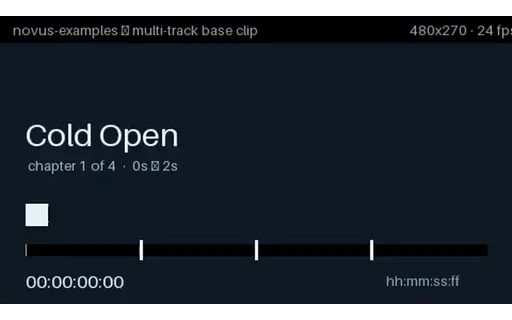
- mkvMulti-Track Subtitles — Three Languages (MKV)One MKV carrying three soft subtitle tracks — English, Spanish and Japanese — each with a real ISO 639-2 language tag and a human track title, and English flagged as the default. Every cue names its own second and its own chapter, and the picture burns in a matching timecode, so you can confirm the right track is displaying without trusting the player's own menu labels. Single-track sample files never exercise the code that actually breaks: track enumeration, language-tag mapping and default selection. This is the smallest file that does.
Generated by generation/video_accessibility.py. Free for any use, no attribution required, license.