
XLIFF 1.2 — Translation state (en to es)
The XLIFF 1.2 half of a version twin covering how each version records translation progress. XLIFF 1.2 has approved="yes|no" plus a ten-value target state; XLIFF 2.0 removed approved and cut the vocabulary to four ordered values (initial, translated, reviewed, final) with everything else pushed into a namespaced subState.
<?xml version="1.0" encoding="UTF-8"?>
<!-- XLIFF 1.2 tracks progress with TWO independent things: the trans-unit's approved="yes|no"
     attribute and the target's state, whose value list is long and partly overlapping
     (new, needs-translation, needs-adaptation, needs-l10n, needs-review-translation,
     needs-review-adaptation, needs-review-l10n, translated, signed-off, final). Tools disagree
     about which of those mean "done", which is why the 2.0 twin cut the list to four. -->
<xliff version="1.2" xmlns="urn:oasis:names:tc:xliff:document:1.2">
  <file source-language="en" target-language="es" datatype="plaintext" original="app.strings">
    <body>
      <trans-unit id="s1" approved="no">
        <source>Files</source>
        <target state="new"></target>
      </trans-unit>
      <trans-unit id="s2" approved="no">
        <source>Move to trash</source>
        <target state="needs-translation">Move to trash</target>
      </trans-unit>
      <trans-unit id="s3" approved="no">
        <source>Rename</source>
        <target state="needs-review-translation" phase-name="mt">Renombrar</target>
        <note from="pipeline">Machine translated, awaiting human review.</note>
      </trans-unit>
      <trans-unit id="s4" approved="yes">
        <source>Duplicate</source>
        <target state="translated">Duplicar</target>
      </trans-unit>
      <trans-unit id="s5" approved="yes">
        <source>Properties</source>
        <target state="signed-off">Propiedades</target>
      </trans-unit>
      <trans-unit id="s6" approved="yes" translate="no">
        <source>Novus</source>
        <target state="final">Novus</target>
        <note>Brand name — translate="no" means leave it alone.</note>
      </trans-unit>
    </body>
  </file>
</xliff>
Specifications
- Source Language
- en
- Target Language
- es
- Aspect
- how each version records translation progress
- Twin Of
- the same content in the other XLIFF version
- Version
- 1.2 (OASIS)
- Namespace
- urn:oasis:names:tc:xliff:document:1.2
- Seed
- 20260807
- Wave
- p7
- Line Endings
- LF
Testing contract
Expected to pass- Scenario
- Map every unit's state from one version to the other.
- Expected result
- The mapping is lossy in both directions: 1.2 'needs-review-translation' collapses to 2.0 'translated' + subState, and going back requires a policy the file cannot record.
What is a .xlf file?
.xlf is a common file extension for XLIFF, the OASIS XML Localization Interchange File Format — identical in content to .xliff. It carries translatable source and target segments with metadata for exchange between localization tools, and is frequently the extension emitted by Angular and Symfony toolchains.
How to use this file
Use an example .xlf file to test XLIFF parsers, Angular/Symfony i18n pipelines, and CAT tools, or as input for XLIFF version conversion and catalog migration.
How to use this file for testing
“XLIFF 1.2 — Translation state (en to es)” is a deterministic Novus Examples fixture for Internationalization, Localization catalogs. Parallel text and accented, multi-script content — for testing translation pipelines, Unicode handling, and localization tooling.
Documented properties for this file: seed 20260807 · LF. Compare results against paired or grouped companions on this page when present (clean↔damaged, searchable↔scanned, or format twins) so scores stay reproducible across runs.
Download the file once, keep the path stable in CI or local scripts, and treat the spec table as the contract: dimensions, seeds, field lists, and roles are intentional. Corrupt or invalid samples are labelled as such — expect parsers to fail loudly rather than silently accept them.
Translation-catalog fixtures carry the same message set across formats, each with its native placeholder syntax. Test your i18n loader, catalog converter, or translation-memory tool, and use the RTL and CJK variants to check bidirectional text and Unicode handling.
Load the catalog with your i18n framework and verify placeholder interpolation and plural handling; the RTL and CJK variants exercise bidirectional text and font fallback.
Code examples
from translate.storage.xliff import xlifffile  # pip install translate-toolkit

store = xlifffile.parsefile("states-1.2.xlf")
for unit in store.units[:5]:
    print(unit.source, "->", unit.target)
Related files
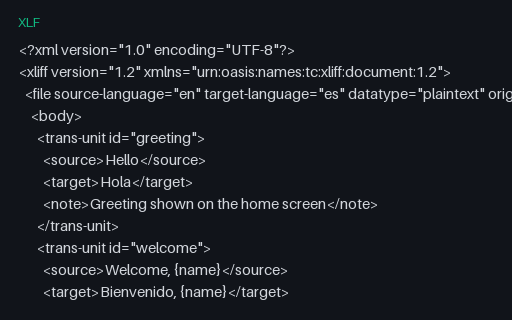
- xlfXLIFF 1.2 (en → es)An OASIS XLIFF 1.2 file with English source and Spanish target trans-units and notes — the classic interchange format between authoring tools and translation-management systems.
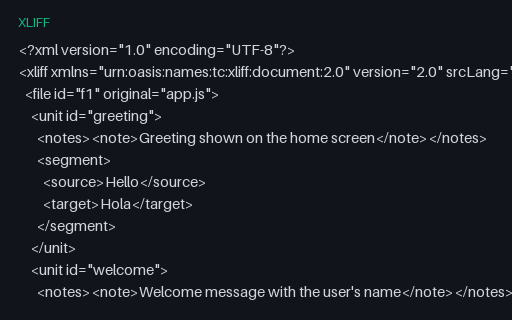
- xliffXLIFF 2.0 (en → es)An OASIS XLIFF 2.0 file with the same content as its 1.2 twin, using the modern unit/segment structure — for testing XLIFF 2.0 parsers and 1.2-to-2.0 converters.
- resx.NET RESX — composite format strings (Arabic (Egypt))A Arabic (Egypt) resource file built around composite format strings — {0:N2}, {2:P1}, {0:C}, {0:d} and {0:t} — whose rendered output depends entirely on CultureInfo. Includes a whitespace-significant resource guarded by xml:space, and documents the suffixed-key convention .NET falls back on because String.Format has no plural selector.
- resx.NET RESX — composite format strings (English (United States))A English (United States) resource file built around composite format strings — {0:N2}, {2:P1}, {0:C}, {0:d} and {0:t} — whose rendered output depends entirely on CultureInfo. Includes a whitespace-significant resource guarded by xml:space, and documents the suffixed-key convention .NET falls back on because String.Format has no plural selector.
- resx.NET RESX — composite format strings (German (Germany))A German (Germany) resource file built around composite format strings — {0:N2}, {2:P1}, {0:C}, {0:d} and {0:t} — whose rendered output depends entirely on CultureInfo. Includes a whitespace-significant resource guarded by xml:space, and documents the suffixed-key convention .NET falls back on because String.Format has no plural selector.
- resx.NET RESX — composite format strings (Polish (Poland))A Polish (Poland) resource file built around composite format strings — {0:N2}, {2:P1}, {0:C}, {0:d} and {0:t} — whose rendered output depends entirely on CultureInfo. Includes a whitespace-significant resource guarded by xml:space, and documents the suffixed-key convention .NET falls back on because String.Format has no plural selector.
Generated by generation/localization_p7.py. Free for any use, no attribution required — license.