
XLIFF 1.2 — Inline codes (en to de)
The XLIFF 1.2 half of a version twin covering how each version represents inline markup and placeholders. XLIFF 1.2 keeps the original markup inline in <bpt>/<ept> and uses <g>, <x/> and <ph>; XLIFF 2.0 replaced all of them with <pc>, <ph/>, <sc/>/<ec/> and moved the markup into an <originalData> block referenced by id.
<?xml version="1.0" encoding="UTF-8"?>
<!-- XLIFF 1.2 inline codes: <g> spans a paired code, <x/> is a standalone code, <bpt>/<ept> carry
the ORIGINAL markup as their content, and <ph> holds a placeholder. Every one of these must
survive translation with its id intact; dropping or reordering an id is the single most
common cause of a corrupted target. -->
<xliff version="1.2" xmlns="urn:oasis:names:tc:xliff:document:1.2">
<file source-language="en" target-language="de" datatype="html" original="upgrade.html">
<body>
<trans-unit id="u1">
<source>Your plan renews on <g id="1" ctype="bold">14 March</g>.</source>
<target state="translated">Ihr Tarif verlängert sich am <g id="1" ctype="bold">14. März</g>.</target>
</trans-unit>
<trans-unit id="u2">
<source>Line one<x id="2" ctype="lb"/>line two</source>
<target state="translated">Zeile eins<x id="2" ctype="lb"/>Zeile zwei</target>
</trans-unit>
<trans-unit id="u3">
<source>See the <bpt id="3"><a href="/help"></bpt>help centre<ept id="3"></a></ept> for details.</source>
<target state="translated">Weitere Informationen finden Sie im <bpt id="3"><a href="/help"></bpt>Hilfecenter<ept id="3"></a></ept>.</target>
</trans-unit>
<trans-unit id="u4">
<source>Welcome back, <ph id="4">%1$s</ph> — you have <ph id="5">%2$d</ph> new messages.</source>
<target state="needs-review-translation">Willkommen zurück, <ph id="4">%1$s</ph> — Sie haben <ph id="5">%2$d</ph> neue Nachrichten.</target>
<note>The target reorders nothing here, but %1$s and %2$d are positional and MAY be reordered.</note>
</trans-unit>
</body>
</file>
</xliff>
Specifications
- Source Language
- en
- Target Language
- de
- Aspect
- how each version represents inline markup and placeholders
- Twin Of
- the same content in the other XLIFF version
- Version
- 1.2 (OASIS)
- Namespace
- urn:oasis:names:tc:xliff:document:1.2
- Seed
- 20260807
- Wave
- p7
- Line Endings
- LF
Testing contract
Expected to pass- Scenario
- Extract the translatable text and the inline-code inventory from both files.
- Expected result
- Both yield the same four segments and the same four codes, but the 2.0 file resolves its markup through dataRef/dataRefStart/dataRefEnd rather than reading it from the text — a converter that inlines the data produces a file that validates and round-trips wrong.
What is a .xlf file?
.xlf is a common file extension for XLIFF, the OASIS XML Localization Interchange File Format — identical in content to .xliff. It carries translatable source and target segments with metadata for exchange between localization tools, and is frequently the extension emitted by Angular and Symfony toolchains.
How to use this file
Use an example .xlf file to test XLIFF parsers, Angular/Symfony i18n pipelines, and CAT tools, or as input for XLIFF version conversion and catalog migration.
How to use this file for testing
“XLIFF 1.2 — Inline codes (en to de)” is a deterministic Novus Examples fixture for Internationalization, Localization catalogs. Parallel text and accented, multi-script content — for testing translation pipelines, Unicode handling, and localization tooling.
Documented properties for this file: seed 20260807 · LF. Compare results against paired or grouped companions on this page when present (clean↔damaged, searchable↔scanned, or format twins) so scores stay reproducible across runs.
Download the file once, keep the path stable in CI or local scripts, and treat the spec table as the contract: dimensions, seeds, field lists, and roles are intentional. Corrupt or invalid samples are labelled as such — expect parsers to fail loudly rather than silently accept them.
Translation-catalog fixtures carry the same message set across formats, each with its native placeholder syntax. Test your i18n loader, catalog converter, or translation-memory tool, and use the RTL and CJK variants to check bidirectional text and Unicode handling.
Load the catalog with your i18n framework and verify placeholder interpolation and plural handling; the RTL and CJK variants exercise bidirectional text and font fallback.
Code examples
from translate.storage.xliff import xlifffile  # pip install translate-toolkit

store = xlifffile.parsefile("inline-1.2.xlf")
for unit in store.units[:5]:
    print(unit.source, "->", unit.target)
Related files
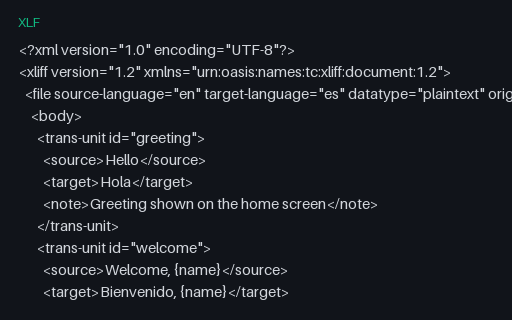
- xlfXLIFF 1.2 (en → es)An OASIS XLIFF 1.2 file with English source and Spanish target trans-units and notes — the classic interchange format between authoring tools and translation-management systems.
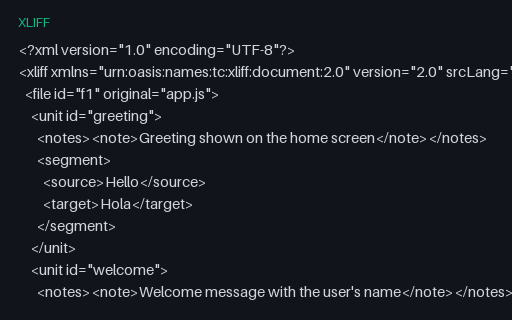
- xliffXLIFF 2.0 (en → es)An OASIS XLIFF 2.0 file with the same content as its 1.2 twin, using the modern unit/segment structure — for testing XLIFF 2.0 parsers and 1.2-to-2.0 converters.
- resx.NET RESX — composite format strings (Arabic (Egypt))A Arabic (Egypt) resource file built around composite format strings — {0:N2}, {2:P1}, {0:C}, {0:d} and {0:t} — whose rendered output depends entirely on CultureInfo. Includes a whitespace-significant resource guarded by xml:space, and documents the suffixed-key convention .NET falls back on because String.Format has no plural selector.
- resx.NET RESX — composite format strings (English (United States))A English (United States) resource file built around composite format strings — {0:N2}, {2:P1}, {0:C}, {0:d} and {0:t} — whose rendered output depends entirely on CultureInfo. Includes a whitespace-significant resource guarded by xml:space, and documents the suffixed-key convention .NET falls back on because String.Format has no plural selector.
- resx.NET RESX — composite format strings (German (Germany))A German (Germany) resource file built around composite format strings — {0:N2}, {2:P1}, {0:C}, {0:d} and {0:t} — whose rendered output depends entirely on CultureInfo. Includes a whitespace-significant resource guarded by xml:space, and documents the suffixed-key convention .NET falls back on because String.Format has no plural selector.
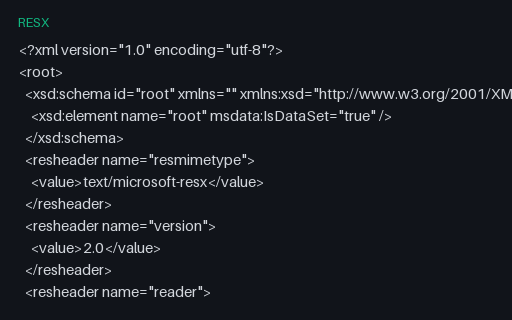
- resx.NET RESX — composite format strings (Polish (Poland))A Polish (Poland) resource file built around composite format strings — {0:N2}, {2:P1}, {0:C}, {0:d} and {0:t} — whose rendered output depends entirely on CultureInfo. Includes a whitespace-significant resource guarded by xml:space, and documents the suffixed-key convention .NET falls back on because String.Format has no plural selector.
Generated by generation/localization_p7.py. Free for any use, no attribution required — license.