
Testing KYC and tax form autofill with SAMPLE fixtures
How to exercise autofill, scrapers, and PDF form fillers against fictional Novus Examples tax, KYC, and shipping forms.
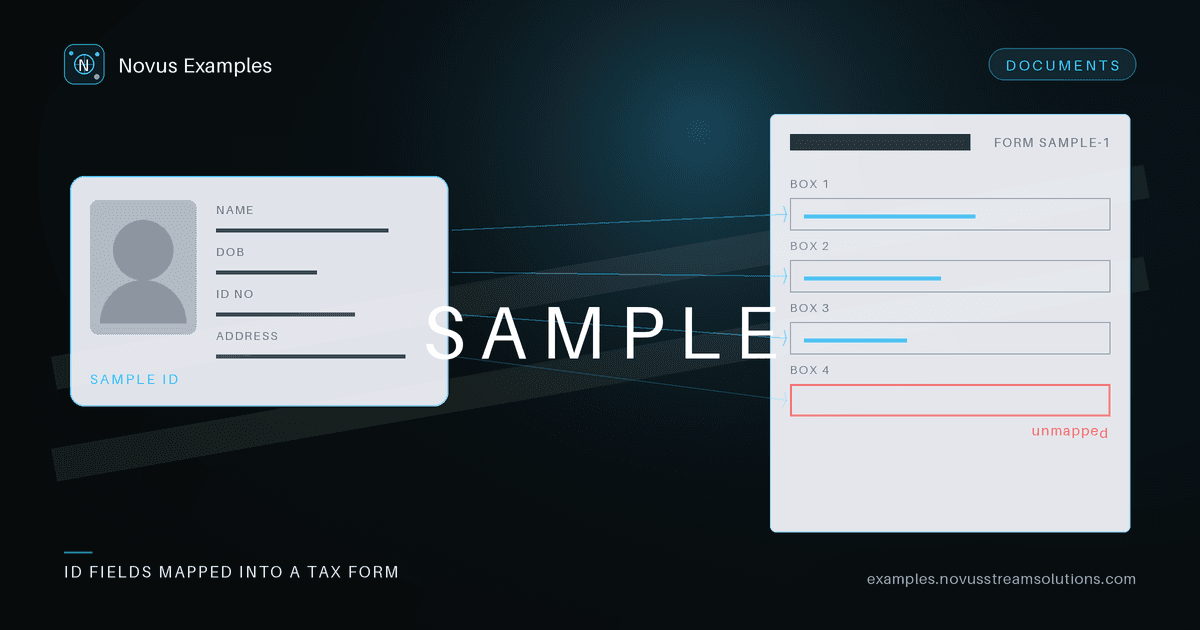
Browser autofill, form scrapers, and PDF fillers need realistic field layouts, but they must never train on real customer PII. Novus Examples ships fictional SAMPLE HTML forms and AcroForm PDFs for tax (W-9-style), KYC identity upload, shipping/customs, insurance claims, NDAs, medical consent, and loan applications.
- Live demos under
/formsexercise client-side validation in the browser (contact, signup, checkout, upload, and more). - Downloadable files under
/forms/samples/[slug]are the fixtures you point scrapers and fillers at. HTML downloads as attachments; fillable PDFs may include FDF/XFDF twins.
- Open the KYC or tax HTML sample and confirm every field has a visible
<label>(oraria-label). - Run your field detector; expect names, emails, addresses, and document uploads to map to the documented field list on the sample page.
- For PDF AcroForms, import the paired FDF/XFDF (when present) and verify values land in the named widgets.
- Treat every value as fictional SAMPLE data: never submit these forms to a real government or bank endpoint.
A field detector that scores 100% on a contact form routinely drops to 60% on a tax or KYC layout, and the gap is always in the same places:
- Split fields. A single logical value spread across several inputs: date of birth as three boxes, a tax ID as two, a phone number as country code plus number. Detectors that map one label to one input will fill the first box and leave the rest empty. Assert the whole logical value round-trips, not that a field was touched.
- Repeated labels. "Address line 1" appears under both a mailing and a permanent address block. Only the enclosing
<fieldset>/<legend>or heading disambiguates them, so a detector that reads labels without their section context will fill both blocks identically. This is the single most common autofill bug in KYC layouts and the easiest to miss, because filling the wrong section still looks successful. - Conditional fields. Sections that only appear after a radio or checkbox is set. If your filler snapshots the DOM once at load, it will never see them. Run the detector both before and after toggling every branch.
- Uploads. A document-upload input has no text value to fill. Assert your tool identifies it as an upload and skips it cleanly rather than throwing or writing a filename into an unrelated field.
For AcroForm PDFs, "the fill succeeded" is not the same as "the values are readable". After importing the FDF/XFDF, save the PDF, reopen it with a different library than the one that wrote it, and read the field values back. Writers that leave appearance streams unregenerated produce files that look blank in most viewers while still reporting correct values to the library that wrote them, a bug that only a cross-library round-trip catches.
Check the flattened output too. Flattening bakes field values into page content and discards the widgets; if your pipeline flattens before archiving, confirm that the visible text matches what you imported, since a mismatch here is invisible until someone reads the archived document.
Everything here is fictional by design, and it is worth keeping it that way in your own fixtures too. Identity and tax layouts invite realistic-looking test data, and realistic test data has a habit of escaping: into logs, screenshots, bug reports, and training sets.
Two rules that cost nothing:
- Use reserved and structurally invalid values.
example.comfor domains, the555-01xxrange for US phone numbers, and identifiers that fail their own checksum. A tax ID that cannot be valid can never collide with a real person's. - Keep the word SAMPLE visible in rendered output and file names. If a filled form ends up attached to a ticket, whoever opens it should be able to tell at a glance that it is not a customer document.
The corollary: never point these fixtures at a live endpoint. A filler pointed at a real submission URL will happily send fictional data to a real system, and the resulting record is someone else's problem to clean up.
The Forms hub regroups downloads by use case (Account, Commerce, Tax, KYC, Shipping, Insurance, Legal, Medical, Finance) so you can find the right fixture without scanning dozens of titles.
Continue this workflow
Was this article helpful?
Found an error? Send a correction.