
Test Browser Automation Against Purpose-Built Live Targets
Use Novus Examples live targets to test selectors, focus, frames, scrolling, delayed content, consent flows, uploads, themes, and print behaviour.
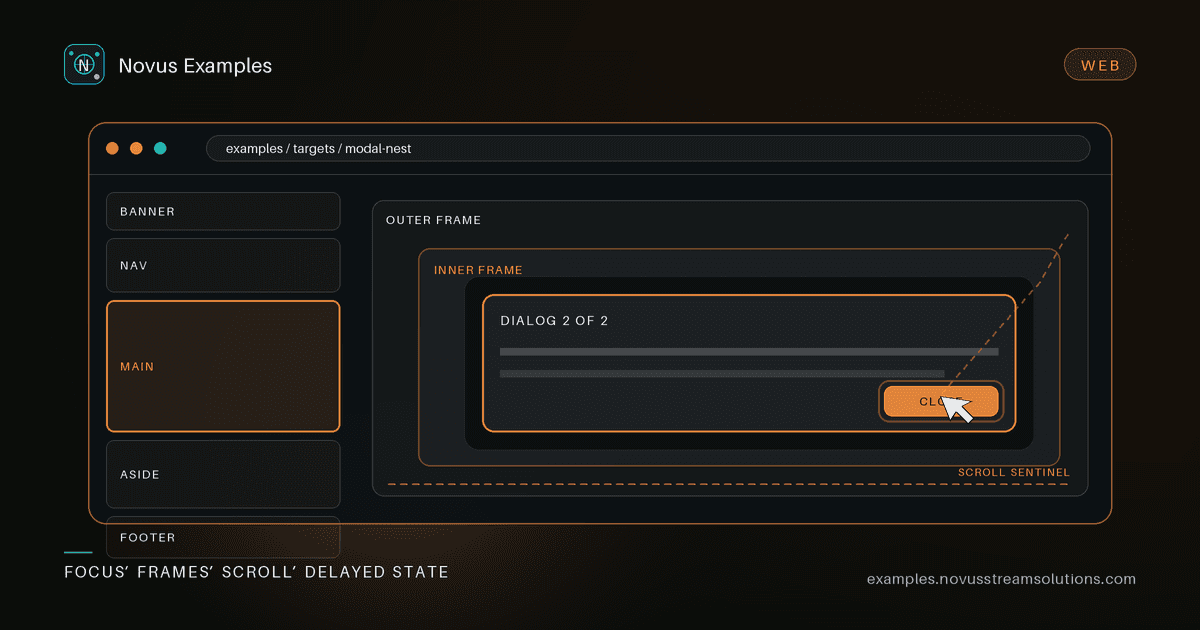
A browser script tested only against your own application inherits every unrelated change in that application. Marketing rewrites a heading, analytics adds a banner, a table gets new data, and the automation suite fails even though the browser behaviour you care about has not changed.
The Live Targets section of Novus Examples provides small interactive pages built for one awkward behaviour at a time. They are not screenshots or downloads. They are real routes with focus, scrolling, loading, validation, and DOM state you can drive from Playwright, Cypress, Selenium, a scraper, or an accessibility tool.
The useful unit is not “can the bot use a website?” It is a specific contract with an observable result:
- ARIA landmarks exposes banner, navigation, main, complementary, and contentinfo regions for landmark discovery.
- Nested modals exercises focus trapping, stacked dialogs, and Escape-key order.
- Iframe nest forces a runner to walk from an outer frame to an inner frame and then a leaf document.
- Infinite scroll appends content through a sentinel instead of presenting one complete list.
- Slow load separates the initial shell from delayed content, which makes timeout and waiting strategies visible.
- Table sort and filter gives a scraper a real header, sortable columns, and filtering state.
- Cookie banner supplies an explicit accept/reject flow for consent-dismissal logic.
- File drop supports a picker and drag-and-drop while keeping filenames local.
- Forced dark and light pages, scroll spy, and print CSS cover presentation states that are usually difficult to isolate.
Choose the route that matches the promise your tool makes. A scraper that never touches dialogs does not need the modal case; an accessibility runner probably does.
Selectors are part of the test design. Prefer roles, labels, accessible names, and visible state over a generated class name or a deep CSS path. The target should tell you whether the user-facing contract works, not whether today’s DOM happens to have the same nesting.
A modal test, for example, should establish that the first dialog opens, focus stays inside it, the nested dialog becomes the active one, and Escape closes the top layer before the parent. Counting wrapper elements proves none of those things.
Likewise, an infinite-scroll test should record the initial item count, move the sentinel into view, and wait for the count to increase. A fixed sleep can pass on a fast laptop and fail in CI; waiting on the state transition expresses the actual contract.
const before = await page.getByRole("listitem").count();
await page.locator("[data-scroll-sentinel]").scrollIntoViewIfNeeded();
await expect(page.getByRole("listitem")).toHaveCount(before + 10);
Use the target’s visible labels and state when adapting this pattern; the important part is the before/after assertion, not the illustrative selector.
Delayed content and frames expose a common automation mistake: treating navigation completion as proof that the element is ready. They are different events. A robust script waits for the frame, element, or state it needs, then applies a separate timeout and a useful failure message.
That distinction also matters for consent flows. Finding a banner is readiness. Clicking Reject is an action. Confirming that the banner is gone and the page remains usable is success. If those steps are collapsed into one helper, the failure report rarely tells you which assumption broke.
You do not need to automate every page. A balanced smoke suite might contain:
- landmark discovery for semantic navigation;
- nested modals for focus and keyboard handling;
- an iframe walk for browsing-context changes;
- slow content or infinite scroll for asynchronous state;
- a table or live form for structured extraction and input.
Run that suite when upgrading the browser, automation library, selector engine, or accessibility ruleset. When a failure appears on one isolated route, you have a much narrower starting point than a failed end-to-end journey through a production application.
Purpose-built targets prove browser capabilities and helper logic. They do not prove your production site’s authentication, data, permissions, or design. Keep a thin production smoke test for those concerns, and use the targets for the reusable mechanics underneath them.
That division produces better failures: a target failure points to the automation layer; a production-only failure points to your application or environment. Start at Live Targets, choose the smallest route that represents your contract, and add one explicit observable outcome before adding another scenario.
Continue this workflow
Was this article helpful?
Found an error? Send a correction.