
Find the Right Test File With Coverage, Glossary, and Search
Use Novus Examples Coverage, Glossary, Search, and Browse tools to choose a real test file by format, capability, and expected behaviour.
When a ticket says “add TIFF support” or “test an EPUB upload,” finding a file with the right suffix feels like progress. It may not be. The file could contain the simplest possible structure, depend on a feature your product never claims to support, or come from an unknown source with no reliable expected result.
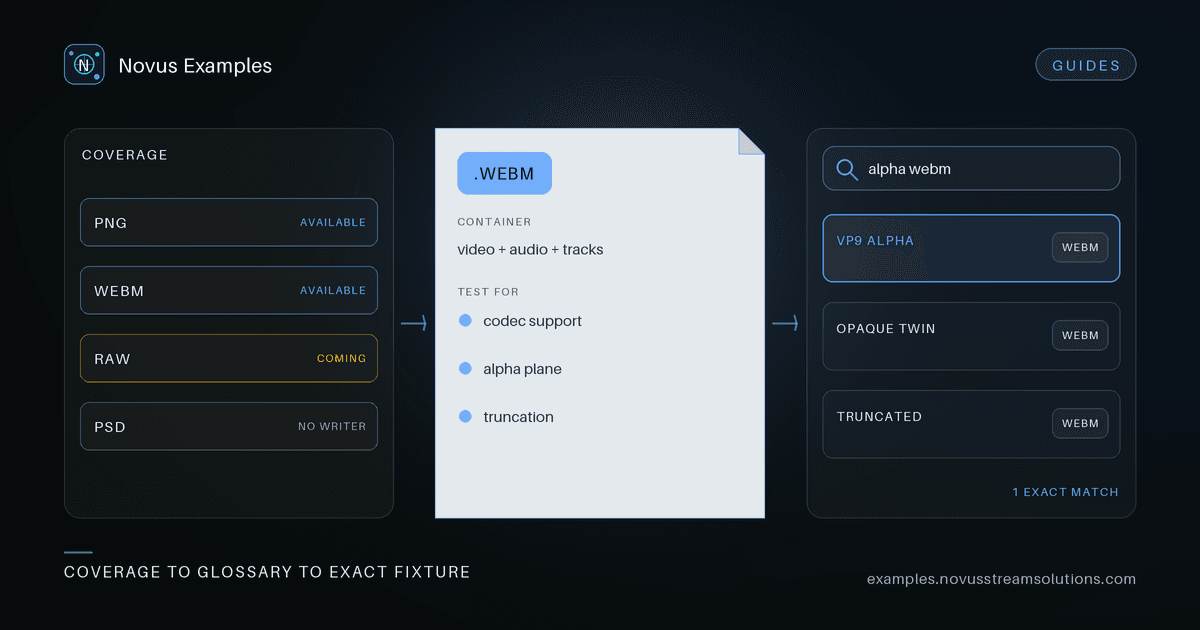
Novus Examples has four connected discovery tools for this problem: Coverage tells you whether a format is represented, the Glossary explains what it is, Search finds relevant files and workflows, and Browse narrows the actual fixture set. Using them in that order turns “I need a sample” into a testable choice.
The format-coverage matrix groups file types across images, video, audio, documents, data, archives, e-books, 3D/CAD, fonts, and the rest of the library. Each row has one of three states:
- Available means at least one real, documented download exists.
- Coming soon records a planned gap without pretending a placeholder is useful.
- Not supported includes the reason—often a format needs proprietary software, a licensed writer, or a genuine hardware capture.
This distinction is useful in product planning as well as QA. “The site lists the extension” is not the same as “there is a fixture we can run.” The count beside an available format also hints at depth: one file may cover basic detection, while a larger set may include codecs, encodings, corruption, or conversion twins.
Open the matching Glossary entry when the extension is unfamiliar or overloaded. Each format page gives a plain-language explanation, practical testing guidance, the MIME type when an example supplies one, and links to real downloads.
This matters because extensions often hide a second decision. An .m4a file can carry different audio codecs. A .zip may be a plain archive or the container underneath an office document. A .csv has no single universal dialect. A browser may recognise a container while rejecting the codec inside it.
The glossary will not replace a product specification, but it gives the team a shared vocabulary before assertions are written. It is much easier to review “we preserve the embedded text track while remuxing the container” than “the video still works.”
Use Search when you know the symptom or workflow rather than the category. Queries such as truncated, alpha, ocr, colour profile, subtitle, or form can surface files, visual templates, guides, and product pages that use different technical names for the same job.
Search is also the fastest bridge back to documentation. The blog articles are indexed alongside the library, so a query can return both a fixture and the recipe that explains how to score it. If you need a structured directory instead, the purpose hub groups files by operations such as conversion, denoise, OCR, parsing, and restoration.
Browse is where the choice becomes precise. Combine category, subcategory, format, and use-case filters, then add a text query if the result set is still broad. Each file card leads to a page with its preview, specs, relationships, and download.
Before selecting a fixture, answer four questions:
- What capability does this file isolate? Prefer one meaningful difference over a kitchen-sink sample.
- What is the control? Choose a normal file in the same family when you are testing a boundary.
- What result is knowable? Look for exact dimensions, timestamps, encodings, field names, checksums, or a ground-truth pair.
- What should failure look like? Intentionally corrupt fixtures should produce a controlled error, not an ambiguous success.
If the content is text-based, use the browser editor to inspect or adjust a copy locally. The original stays unchanged, and the edited download can become a fixture for a very specific parser condition. For larger test plans, the file-test matrix guide shows how to keep those selections documented.
Supporting a format does not mean putting every available example in the default CI run. A strong starting set is one valid baseline, one common variation, one boundary case, and one invalid input if graceful rejection is part of the product contract.
Add more files only when they represent independent behaviour: a different codec, bit depth, metadata path, stream layout, or corruption mode. Ten visually different files with identical structure add storage and runtime without adding much confidence.
An honest gap is useful information. Check the reason in Coverage. If the format is planned or can be generated procedurally, request it with the property your test needs—not only the extension. “A valid file and a truncated twin with the expected parser failure” is actionable; “please add this format” leaves the important part undecided.
Start with Coverage, learn the container in the Glossary, search by behaviour, and finish in Browse. That sequence takes a little longer than downloading the first result from the web, but it leaves you with a fixture whose purpose and expected outcome are clear.
Continue this workflow
Was this article helpful?
Found an error? Send a correction.