
Choose the Right Browser Workspace for the File You Need
A practical guide to choosing between Novus Examples' text editor, Form Studio, Document Studio, and Visual Template Studio without forcing unlike file models into one tool.
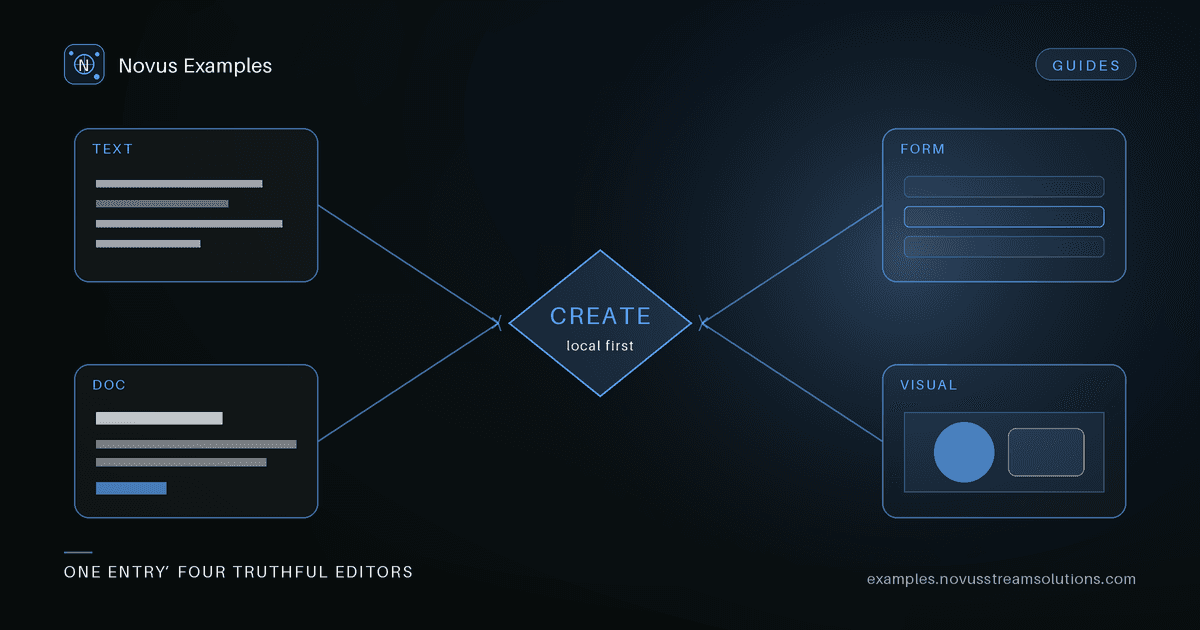
“Edit this file” sounds like one job until the files are different in ways that matter. A JSON document is a string with a grammar. A form is a field contract with labels, constraints, and submitted values. A report is an ordered set of content blocks that may need page layout. A social graphic is a positioned scene with layers, masks, images, and export dimensions.
Putting all four into one canvas would make the navigation look simple while making every export less predictable. The useful kind of unification is a common starting point, a consistent local-first privacy model, and a clear hand-off to the editor that understands the artifact.
The Create workspace provides that starting point. This guide explains how to choose without guessing.
Choose the text and data editor when a human-readable source file is what your test consumes. That includes JSON, CSV, YAML, XML, HTML, Markdown, SQL, source code, manifests, subtitle sidecars, and many configuration formats.
The editor begins with a blank untitled.txt buffer. Its New menu supplies grouped starters when you want a correct skeleton instead: a JSON object, an HTML document, an RSS feed, a Python script, or another format-specific base. Syntax highlighting follows the filename, while preview and conversion controls appear only when the current format supports them.
This workspace is the right choice when your assertion is about bytes or syntax:
- does a parser preserve quoted CSV newlines?
- does a formatter keep JSON numbers as numbers?
- does an XML transform retain namespaces?
- does an HTML sanitizer remove a disallowed attribute?
- does a converter produce an equivalent YAML or JSON representation?
It is not a page-layout tool. If the requirement is “this heading must remain above this table when exported to Word,” use the document model instead.
Choose Form Studio when the important units are controls: field names, labels, required state, options, autocomplete hints, help text, and submission values.
You can start with a blank form, use a small starter, or customise one of the real downloadable catalog forms. The last option is especially useful for regression work because it begins with a fixture that already has known structure. Sectioned forms retain their fieldsets; sample-only certifications and safety markings stay locked.
The same definition exports as standalone HTML, JSON, and a fillable PDF. Those exports serve different tests:
- HTML exercises label association, browser validation, autofill, and scrapers.
- JSON gives a clean structural contract for field counts, names, types, and options.
- PDF exercises named AcroForm widgets, appearance streams, and page layout.
Use this workspace when “email is required,” “these radios share one name,” or “the PDF filler must find employee.name” is the assertion. Do not use it merely because the final artifact happens to contain boxes and words; a visual layout with decorative boxes belongs in the visual scene editor.
Choose Document Studio for letters, reports, invoices, meeting notes, handouts, and table-led documents. Start from the blank document or a curated template, then work with ordered blocks such as headings, paragraphs, lists, key/value groups, dividers, and tables.
This model preserves the thing a plain text editor cannot infer: semantic reading order. Moving a block changes both the live preview and the exported document. A table remains a table rather than a set of absolutely positioned text fragments.
Use it when your test asks questions like:
- does a generated DOCX keep the heading hierarchy?
- do spreadsheet values export as numeric cells rather than formatted strings?
- does a print stylesheet produce the intended page size?
- can the same definition produce a readable HTML and Markdown version?
Document Studio exports HTML and Markdown directly, DOCX for word-processing workflows, XLSX when the document contains a table, and print/PDF through the browser. The draft stays in local storage so a reload does not require an account or backend.
Choose Visual Template Studio when the artifact is a canvas: a product card, stream frame, schedule graphic, sign, banner, social image, or branded layout. Start with the blank canvas when you want to build every layer yourself, or select one of the validated visual templates when a tested layout is the better starting point.
Both paths use the same scene model, local draft store, history, layer controls, and export renderer. The blank canvas begins with an empty scene graph; each published template adds a tested canvas size, preview, and declared editable fields. Starting from a template contract means a logo slot is a real replaceable image area, a schedule is a table node, and a sample disclaimer cannot accidentally disappear behind an opaque shape.
The editor exposes text, table rows and columns, theme colours, shape fills and strokes, logos, product images, backgrounds, masks, focal points, resize handles, and layer order. It exports a fresh render as PNG, JPEG, WebP, or SVG instead of handing back a screenshot of the editor.
Use this workspace when position, stacking, transparency, or visual styling is part of the expected result. If you only need a web-page banner's HTML and CSS, the text editor is the more honest model.
Ask what your test will assert:
- Syntax or bytes? Use the text and data editor.
- Fields, constraints, or submitted values? Use Form Studio.
- Reading order, tables, or office-document export? Use Document Studio.
- Coordinates, layers, transparency, or image export? Use Visual Template Studio.
When more than one answer applies, keep the artifacts separate and link them as a test set. For example, export a form's JSON contract for structural assertions and its fillable PDF for widget tests. Use a CSV fixture as the source for a schedule, but test the CSV parser and the rendered visual independently. A single workspace does not need to erase those boundaries to make the workflow coherent.
The best fixture is not the most elaborate one. It is the smallest artifact that still represents the behaviour you need to test. A text starter is easier to diff than a DOCX package. A form definition is easier to inspect than a screenshot of inputs. A structured table is more reusable than a grid painted into pixels.
Open Create, choose the model that carries your assertion, and add complexity only when the real workflow requires it. Every workspace runs locally, and everything you export is free to use under the Novus Examples license.
Continue this workflow
Was this article helpful?
Found an error? Send a correction.