
Inspect 3D Models Before They Reach Your Viewer
Units that differ by a thousand, buffers that live in another file, quantized vertices, and a node hierarchy 24 levels deep. What to check before a GLB hits the GPU.
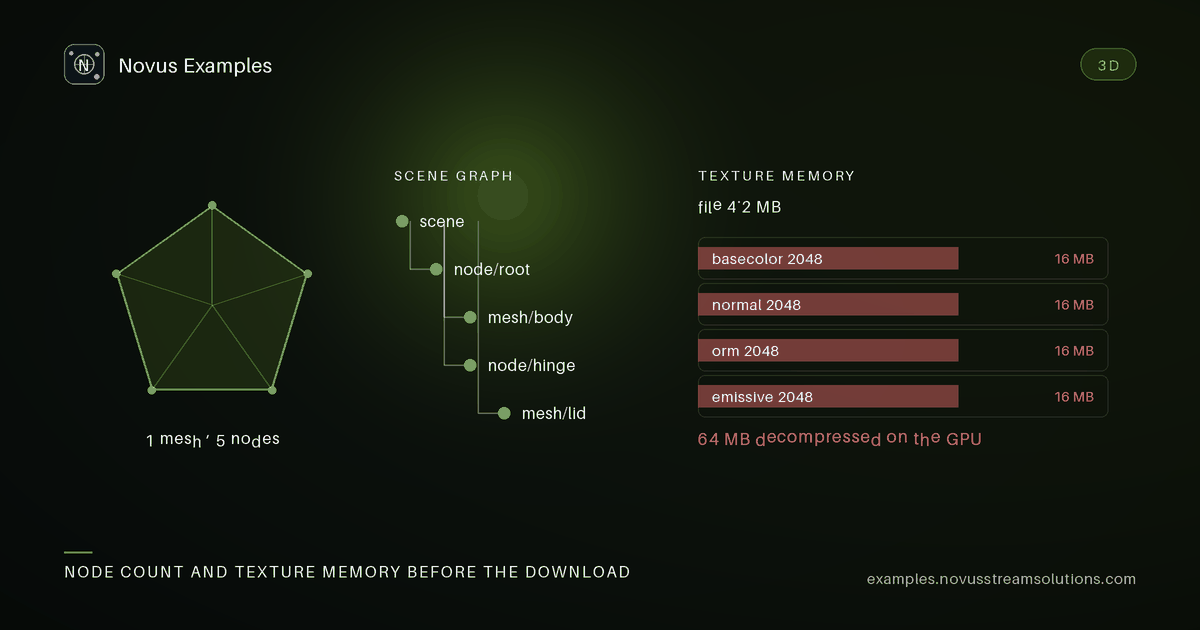
It can be a thousand times too large, reference a buffer that was never uploaded, carry sixteen thousand triangles where eighty would do, or nest transforms deep enough that your matrix stack gives up. None of that raises an error. The user sees nothing, or sees something enormous, or watches the frame rate collapse.
The model catalogue is 161 fixtures. The groups below are the ones that catch real pipeline bugs rather than exercising the parser.
glb-signpost-in-metres, glb-signpost-in-centimetres, glb-signpost-in-millimetres, plus OBJ
twins in metres and millimetres.
glTF says the unit is the metre. Plenty of exporters write centimetres or millimetres anyway, because the authoring tool used them and nothing in the file records the difference. The same signpost is therefore 1 unit, 100 units or 1000 units tall depending on who exported it.
The symptom is not an error. It is a model that fills the entire view, or is an invisible speck at the origin, and the usual reaction is to add a magic scale factor somewhere in the loader. These fixtures let you test the detection instead: the same object at three scales, so a heuristic that guesses units has something to be right and wrong about.
glb-self-contained-bin-chunk- everything in one GLB.gltf-external-buffer-referenceplusgltf-external-buffer-payload-bin- the geometry is in a separate.binthat must be fetched alongside.gltf-embedded-base64-buffer- inline as a data URI, which inflates the file by a third.gltf-external-texture-uri- the texture is a separate fetch.
The external-buffer case is the one that breaks in production and not in development, because
locally the .bin sits next to the .gltf and on a CDN it may not. A loader that resolves the
URI relative to the wrong base silently renders nothing, or renders untextured.
glb-vertex-float32-baseline and glb-khr-mesh-quantization are the same mesh with 32-bit floats
and with quantized attributes. glb-float32-gzip-transport-twin and glb-quantized-gzip-transport-twin
add transport compression on top.
Two things worth measuring with these rather than assuming: how much quantization actually saves
once gzip is applied (often much less than the raw numbers suggest, because gzip was already
exploiting the redundancy), and whether your viewer supports the extension at all. A viewer that
does not understand KHR_mesh_quantization and ignores it renders a mesh collapsed into a corner,
because it reads quantized integers as floats.
glb-sphere-lod0-16128-triangles, lod1-3968, lod2-960, lod3-80.
The counts are in the names on purpose. LOD selection is a performance decision that needs measurement, and having four rungs of the same sphere lets you test the switching logic and the visual threshold where it becomes noticeable, rather than guessing at a distance value.
ply-sphere-lod0-binary-twin gives the same geometry in a second format for cross-format checks.
obj-degenerate-clean-reference and glb-degenerate-clean-reference are the controls.
obj-zero-area-triangles, glb-zero-area-triangles and stl-zero-area-facets carry triangles
with no area.
These are legal and useless. They consume vertex processing, produce nothing, and break normal calculation because a zero-area triangle has no normal - which shows up as a black facet or a lighting seam rather than as an error. A mesh processor should either drop them or report them; silently computing a NaN normal and propagating it through smoothing is the outcome you want to find in a fixture and not in a customer's scan.
repair-box-watertight-glb / repair-box-broken-glb, and the same for a tube and a sphere.
Watertight versus not is the distinction that matters for anything measuring volume or preparing for print. The pairs let you assert that your checker separates them, which is stronger than asserting it accepts a good one.
glb-deep-node-hierarchy-24-levels is deliberately deeper than any authoring tool would produce
by hand, because accumulated float error and stack limits both appear with depth.
glb-node-transform-matrix-form and gltf-node-transform-trs-form express the same placement as a
matrix and as translation/rotation/scale, which are equivalent until a non-uniform scale meets a
rotation and they stop being. glb-node-reuse-instanced-grid covers instancing, where one mesh is
referenced many times and a loader that deep-copies blows memory.
gltf-skinned-two-bone-glb with its JSON twin, gltf-skinned-four-bone-chain, and node animation
in linear and step interpolation. The morph group runs from gltf-morph-two-targets-glb to
gltf-morph-eight-targets, including gltf-morph-targets-with-normals - morph targets that also
displace normals, which many runtimes ignore, producing correct silhouettes with wrong lighting.
Having GLB and JSON twins matters for debugging: when something is wrong, reading the JSON tells you whether the file or the loader is at fault, in one step.
gltf-material-metallic-roughness is the core model. gltf-material-specular-glossiness is the
older extension still present in exported assets. -unlit-extension, -emissive-strength and
-clearcoat each fall back differently in a viewer that does not implement them, and "falls back
to something plausible" is the behaviour to verify rather than assume.
- The three signpost scales, to see what your loader does about units.
gltf-external-buffer-referenceserved from a different path than the.gltf.glb-khr-mesh-quantizationin your actual viewer.- A repair pair, asserting the two are distinguished.
glb-zero-area-trianglesthrough whatever computes normals.
Continue this workflow
Documentation and troubleshooting
Was this article helpful?
Found an error? Send a correction.