
Chapters — WebVTT Chapter Track
A WebVTT file intended for `<track kind="chapters">` rather than `kind="subtitles"`. Structurally it is an ordinary WebVTT file, which is the point — nothing inside it says 'chapters', so the same bytes behave as captions if the kind attribute is wrong, and the chapter titles are rendered over the video as subtitles. A common and very visible mistake.
WEBVTT

NOTE
Chapter cues for a <track kind="chapters"> element.

chapter-1
00:00:00.000 --> 00:00:02.000
Cold Open

chapter-2
00:00:02.000 --> 00:00:04.000
Titles

chapter-3
00:00:04.000 --> 00:00:06.000
Main Segment

chapter-4
00:00:06.000 --> 00:00:08.000
Credits
Specifications
- Format
- WebVTT
- Track Kind
- chapters
- Chapters
- 4
- Cue Identifiers
- chapter-1 … chapter-4
- Chapter Names
- Cold Open / Titles / Main Segment / Credits
Testing contract
Expected to pass- Scenario
- Attach the file to a <track kind="chapters"> element and enumerate the resulting cues.
- Expected result
- A WebVTT chapters track with 4 cues carrying explicit identifiers chapter-1 through chapter-4 and the names Cold Open, Titles, Main Segment, Credits. The identifiers are the assertion - a WebVTT parser that discards cue identifiers, which is legal for subtitles, loses the chapter IDs that make this file addressable.
What is a .vtt file?
WebVTT (VTT) is the W3C subtitle and caption format used by the HTML5 <track> element for timed text on the web. It extends the SubRip model with cue settings, positioning, styling, and metadata, and requires a WEBVTT header. It is the standard format for browser-based captions.
How to use this file
Use an example VTT to test HTML5 <track> caption rendering, cue-setting and positioning parsers, and converters between WebVTT and SRT.
How to use this file for testing
“Chapters — WebVTT Chapter Track” is a deterministic Novus Examples fixture for Media metadata, Video QA, Conversion testing. Video files with embedded chapters, full container tags, attached cover art and a SMPTE start timecode, each paired with a deliberately stripped twin, so you can tell a metadata reader that found nothing from one that was never given anything.
Documented properties for this file: WebVTT. Compare results against paired or grouped companions on this page when present (clean↔damaged, searchable↔scanned, or format twins) so scores stay reproducible across runs.
Download the file once, keep the path stable in CI or local scripts, and treat the spec table as the contract: dimensions, seeds, field lists, and roles are intentional. Corrupt or invalid samples are labelled as such, expect parsers to fail loudly rather than silently accept them.
Media fixtures are short and synthetic by design. Prefer waveform or transcript ground truth in the same group when measuring ASR, trim, upscale, or sync tools; do not assume broadcast-quality masters.
Code examples
<video controls src="clip.mp4">
  <track kind="captions" srclang="en" label="English" src="chapters-webvtt.vtt" default>
</video>
Related files
- mp4Embedded Metadata — Cover Art (MP4)Cover art embedded in an MP4 as a still JPEG carrying the `attached_pic` disposition. Note what that means structurally: the artwork is a *second video stream*, not a metadata field. That is the trap. A pipeline that maps 'the video stream' with `-map 0:v` picks up both and produces a file with a stray one-frame track; one that counts video streams to decide whether a file is a video reports two. Both are common, and neither shows up until a file with artwork arrives.
- mkvEmbedded Metadata — File Attachment (MKV)A Matroska attachment: a whole file carried inside the container alongside the media, with its own filename and MIME type. In the wild this is how fonts travel with styled ASS subtitles, so that a rendering machine lacking the typeface still gets the right result. Extract it with `ffmpeg -dump_attachment:t:0 out.txt -i …`. Unlike the MP4 cover art in this group, an attachment is not a media stream — it demuxes as `codec_type=attachment` and has no frames, which is why remuxing to any container without an attachment concept discards it silently. The filename here is deliberately not `cover.jpg`. Matroska's cover-art convention is simply an attachment named `cover.*`, and FFmpeg and most players special-case that name and promote it to an `attached_pic` video stream. So the same bytes attached under two different filenames produce two different stream lists — a genuinely surprising result if you are counting streams to decide what a file contains.
- mp4Embedded Metadata — Fixed Creation Time (MP4)A file with a known, fixed creation time — the field media libraries sort by, importers use to build folders, and forensic tools read first. Fixed rather than generated at build time, so re-running the generator produces byte-identical output and the published value never goes stale. Two behaviours worth testing against it. MP4 stores the `mvhd` timestamp in seconds since 1904 with no timezone, so anything that displays a local time is applying an assumption; and the stripped file in this group has no creation time at all, which is what a privacy-scrubbed file should look like.
- mkvEmbedded Metadata — Full Container Tags (MKV)Eight container-level metadata fields written into the same eight-second clip, so a metadata reader can be checked against a file whose expected values are published rather than guessed. Every value is obviously sample data. Matroska stores tags as arbitrary name/value SimpleTags scoped to a target level, so it has no fixed vocabulary and nothing is dropped. The same eight fields as the MP4 in this group: compare the two to see exactly which values survive a cross-container remux and which are quietly lost.
- mp4Embedded Metadata — Full Container Tags (MP4)Eight container-level metadata fields written into the same eight-second clip, so a metadata reader can be checked against a file whose expected values are published rather than guessed. Every value is obviously sample data. MP4 stores these in an iTunes-style `moov/udta/meta/ilst` atom, with fixed four-character keys. Fields outside that vocabulary — `description` here — are written as freeform `----` atoms that many readers skip, so a tag can be present in the file and invisible to the tool you are testing.
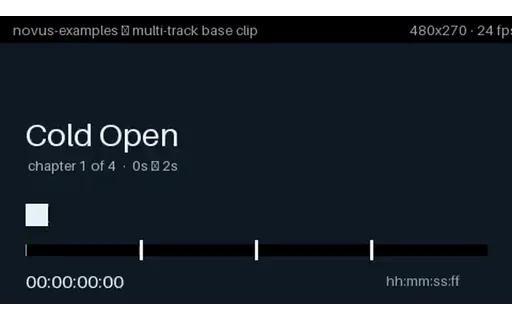
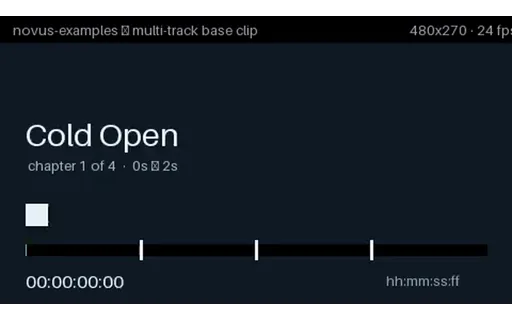
- mp4Embedded Metadata — SMPTE Start Timecode (MP4)A start timecode of 01:00:00:00 — the broadcast convention of beginning programme material at hour one, so that bars, slates and pre-roll can live before it without going negative. FFmpeg writes it as a QuickTime `tmcd` track. The burned-in timecode in the picture deliberately starts at 00:00:00:00 instead. That one-hour disagreement is the whole point: an editor or QC tool that reads the timecode track shows 01:00:00:00 at the first frame, one that reads elapsed time shows zero, and a file where they agree cannot tell you which your tool is doing. Non-drop-frame, since 24 fps has no drop-frame variant.
Generated by generation/video_accessibility.py. Free for any use, no attribution required, license.