
Load Test — Run Summary with Thresholds (JSON)
A load-test run summary in the shape a threshold-checking CI step consumes: totals, per-scenario percentiles, and three named thresholds each carrying its limit, the observed value and a pass flag. Publishing the limit next to the observation is what lets a gate be re-evaluated without rerunning the test.
{
  "$comment": "Synthetic load-test summary for the fictional Novus Checkout Service.",
  "testRun": {
    "id": "lt-2026-08-07-01",
    "startedAt": "2026-08-07T09:00:00Z",
    "durationSeconds": 600,
    "virtualUsers": 200,
    "rampUpSeconds": 60,
    "targetHost": "api.example.com",
    "tool": "synthetic load generator"
  },
  "totals": {
    "requests": 48800,
    "failed": 146,
    "errorRatePct": 0.299,
    "requestsPerSecond": 81.33,
    "dataReceivedBytes": 148920144,
    "dataSentBytes": 12408960
  },
  "thresholds": {
    "http_req_duration_p95_ms": {
      "limit": 500,
      "observed": 231.4,
      "passed": true
    },
    "http_req_failed_rate": {
      "limit": 0.01,
      "observed": 0.00299,
      "passed": true
    },
    "checkout_p99_ms": {
      "limit": 1500,
      "observed": 1102.4,
      "passed": true
    }
  },
  "scenarios": [
    {
      "name": "GET /v1/cart",
      "requests": 24000,
      "errorRatePct": 0.12,
      "meanMs": 41.2,
      "p50Ms": 68.4,
      "p95Ms": 118.6,
      "p99Ms": 264.9,
      "maxMs": 812.4
    },
    {
      "name": "POST /v1/cart/items",
"requests": 12000,Specifications
- Seed
- 61200
- Scenarios
- 4
- Total Requests
- 48800
- Failed Requests
- 146
- Virtual Users
- 200
- Duration Seconds
- 600
- Thresholds
- 3
- All Thresholds Passed
- true
- Target Host
- api.example.com (fictional)
- Line Endings
- LF
Testing contract
Expected to pass- Scenario
- Evaluate declared performance thresholds against an observed load-test run.
- Expected result
- All three thresholds pass: p95 231.4 ms under a 500 ms limit, error rate under 1%, and checkout p99 1102.4 ms under 1500 ms.
What is a .json file?
JSON (JavaScript Object Notation) is a lightweight, text-based data-interchange format representing objects, arrays, strings, numbers, booleans, and null. It is language-independent, human-readable, and the dominant format for web APIs and configuration. It requires a single well-formed root value.
How to use this file
Use an example JSON file to test parsers and serializers, schema validation, Unicode and number-precision handling, and API request or response processing.
How to use this file for testing
“Load Test — Run Summary with Thresholds (JSON)” is a deterministic Novus Examples fixture for Performance testing, JSON parsing, Conversion testing. Documented size, row-count, duration, and resolution ladders for measuring parser, renderer, converter, and upload performance without relying on private production data.
Documented properties for this file: seed 61200 · LF. Compare results against paired or grouped companions on this page when present (clean↔damaged, searchable↔scanned, or format twins) so scores stay reproducible across runs.
Download the file once, keep the path stable in CI or local scripts, and treat the spec table as the contract: dimensions, seeds, field lists, and roles are intentional. Corrupt or invalid samples are labelled as such — expect parsers to fail loudly rather than silently accept them.
Test and coverage reports document their totals (suites, cases, passes, failures, skips, covered lines) in the spec table. Point your CI dashboard, coverage gate, or report converter at the file and assert those counts survive; format twins carry identical numbers so a conversion can be scored exactly.
Code examples
import json

with open("load-test-summary.json") as f:
    data = json.load(f)
print(type(data), len(data))
Related files
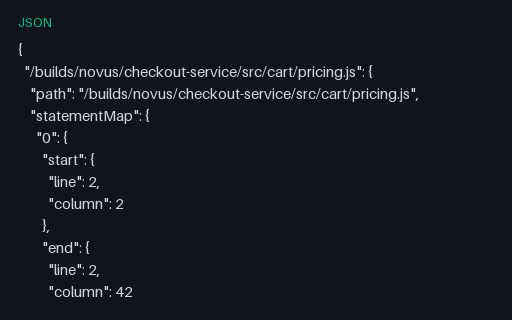
- jsonCoverage — Istanbul coverage-final.jsonThe raw Istanbul document nyc and Jest write before any reporter runs: statementMap, fnMap and branchMap giving source locations, with the s, f and b objects holding the hit counts. Branch counts here are arrays per branch point, which is why converting to LCOV doubles the branch total if the array is not flattened. Every file in this group describes the same four-file source tree and reports 127/140 lines, 17/24 branch outcomes and 18/20 functions, so a converter can be diffed against a known answer.
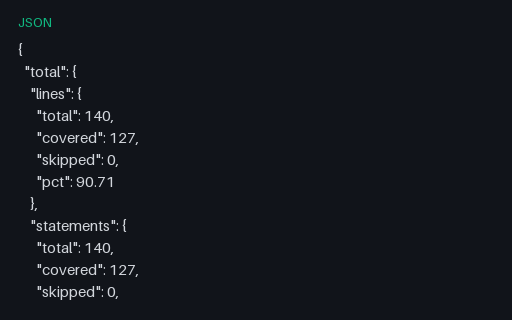
- jsonCoverage — Istanbul JSON SummaryThe compact json-summary reporter output: a total block plus one block per file, each with lines, statements, functions and branches as total/covered/skipped/pct. This is what coverage badges and pull-request comments are generated from. Every file in this group describes the same four-file source tree and reports 127/140 lines, 17/24 branch outcomes and 18/20 functions, so a converter can be diffed against a known answer.
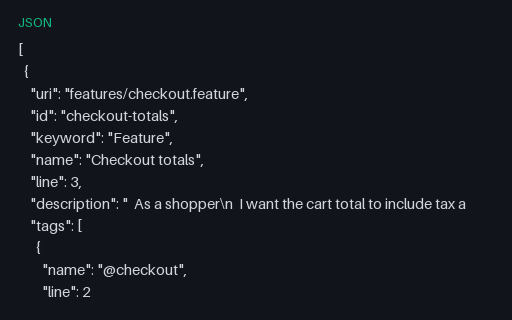
- jsonCucumber JSON — Failing Step with Stack TraceOne step of one scenario fails with an assertion message and a stack frame; every other step passes. In cucumber.json a scenario has no status of its own — it is failed if any of its steps is — so this file catches reporters that look for a scenario-level field that does not exist.
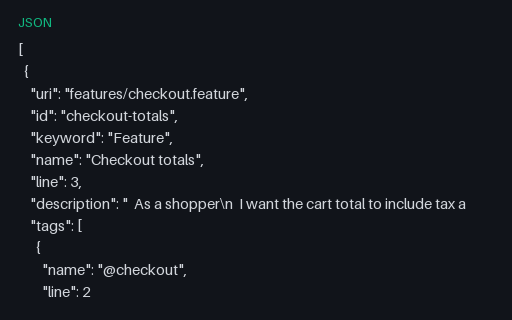
- jsonCucumber JSON — Passing Checkout ReportThe legacy cucumber.json report for the same run — the format nearly every BDD dashboard still ingests. Durations are in nanoseconds here and in a nested {seconds, nanos} object in the messages twin, which is the single most common unit bug when converting between the two.
- jsonCucumber JSON — Undefined, Pending and Skipped StepsThe three non-failure statuses BDD runners produce and dashboards routinely collapse into "failed": undefined (no step definition matched), pending (explicitly unimplemented) and skipped (never attempted). Whether the run is red depends on the runner's strict setting, which is exactly the decision this file forces.
- ndjsonCucumber Messages — Failing Run (NDJSON)The messages twin of the failing run: one testStepFinished carries status FAILED with both a human message and a structured exception object, and testRunFinished reports success false. Comparing it with the passing stream in the other group isolates exactly which envelopes a failure changes.
Generated by generation/testing.py. Free for any use, no attribution required — license.