
Support Escalation Form (HTML)
A level-one to specialist support handoff for testing ticket escalation, impact classification, troubleshooting history, and callback-field imports. This standalone HTML reference works offline, uses explicit labels and native validation, and submits nowhere.
<!DOCTYPE html>
<html lang="en">
<head>
<meta charset="utf-8">
<meta name="viewport" content="width=device-width, initial-scale=1">
<title>Support Escalation (SAMPLE)</title>
<meta name="description" content="A level-one to specialist support handoff for testing ticket escalation, impact classification, troubleshooting history, and callback-field imports. SAMPLE data only.">
<style>:root{--bg:#f6f7f9;--card:#fff;--fg:#1a1d23;--muted:#5b6472;--border:#d9dee6;--accent:#0f9d6b;--accent-d:#0c7f56;--err:#d33;--radius:10px}*{box-sizing:border-box}body{margin:0;font:16px/1.5 system-ui,-apple-system,'Segoe UI',Roboto,sans-serif;background:var(--bg);color:var(--fg);padding:2rem 1rem}.wrap{max-width:640px;margin:0 auto}.card{background:var(--card);border:1px solid var(--border);border-radius:16px;padding:1.75rem;box-shadow:0 1px 3px rgba(0,0,0,.05)}h1{margin:0 0 .25rem;font-size:1.55rem}.lead{margin:0 0 1.5rem;color:var(--muted)}form{display:grid;gap:1.1rem}.field{display:grid;gap:.35rem}label{font-weight:600;font-size:.92rem}.req{color:var(--err)}.hint{font-size:.8rem;color:var(--muted)}input,select,textarea{font:inherit;color:inherit;background:#fff;border:1px solid var(--border);border-radius:var(--radius);padding:.6rem .7rem;width:100%}input:focus,select:focus,textarea:focus{outline:2px solid var(--accent);outline-offset:1px;border-color:var(--accent)}textarea{resize:vertical;min-height:110px}input[type=range]{padding:0}input[type=color]{height:44px;padding:.25rem}input[type=file]{padding:.45rem}.group{display:grid;gap:.45rem}.opt{display:flex;align-items:center;gap:.55rem;font-weight:400}.opt input{width:auto}.inline{display:flex;flex-wrap:wrap;gap:1rem}fieldset{border:1px solid var(--border);border-radius:12px;padding:1rem;margin:0}legend{font-weight:600;padding:0 .4rem}.hp{position:absolute!important;left:-9999px;width:1px;height:1px;overflow:hidden}button{font:inherit;font-weight:700;cursor:pointer;border:0;border-radius:var(--radius);padding:.7rem 1.3rem}.btn{background:var(--accent);color:#fff}.btn:hover{background:var(--accent-d)}.btn-ghost{background:transparent;color:var(--muted);border:1px solid var(--border)}.actions{display:flex;gap:.6rem;flex-wrap:wrap;margin-top:.3rem}.ok{display:none;background:#e7f7ef;border:1px solid #b6e6cf;color:#0c7f56;border-radius:var(--radius);padding:.7rem .9rem;font-size:.9rem}.foot{margin-top:1.25rem;font-size:.78rem;color:var(--muted);text-align:center}@media(max-width:480px){body{padding:1rem .5rem}.card{padding:1.25rem}}</style>
</head>
<body>
<main class="wrap"><div class="card">
<h1>Support Escalation (SAMPLE)</h1>
<p class="lead">A level-one to specialist support handoff for testing ticket escalation, impact classification, troubleshooting history, and callback-field imports. SAMPLE data only.</p>
<form method="post" action="#" novalidate>
<div class="hp" aria-hidden="true"><label>Leave this field empty<input type="text" name="website" tabindex="-1" autocomplete="off"></label></div>
<fieldset><legend>Case</legend>
<div class="field"><label for="p6-case_id">Case ID <span class="req">*</span></label><input id="p6-case_id" name="case_id" type="text" value="CASE-SAMPLE-1042" required></div>
<div class="field"><label for="p6-requester">Requester name <span class="req">*</span></label><input id="p6-requester" name="requester" type="text" autocomplete="name" value="Avery Chen" required></div>
<div class="field"><label for="p6-requester_email">Requester email <span class="req">*</span></label><input id="p6-requester_email" name="requester_email" type="email" autocomplete="email" value="avery.chen@example.com" required></div>
<div class="field"><label for="p6-callback_phone">Callback phone</label><input id="p6-callback_phone" name="callback_phone" type="tel" autocomplete="tel" inputmode="tel" value="+1 555 010 2042"></div>
</fieldset>
<fieldset><legend>Impact</legend>
<div class="field"><label for="p6-impact">Business impact <span class="req">*</span></label><select id="p6-impact" name="impact" required><option value="Question">Question</option><option value="Single user blocked">Single user blocked</option><option value="Degraded workflow" selected>Degraded workflow</option><option value="Team blocked">Team blocked</option><option value="Service unavailable">Service unavailable</option></select></div>
<div class="field"><label for="p6-affected_users">Affected users <span class="req">*</span></label><input id="p6-affected_users" name="affected_users" type="number" inputmode="numeric" min="1" step="1" value="12" required></div>
</fieldset>
<fieldset><legend>Handoff</legend>
<div class="field"><label for="p6-troubleshooting">Troubleshooting already completed <span class="req">*</span></label><textarea id="p6-troubleshooting" name="troubleshooting" rows="4" required>Cleared the local draft, reproduced in a private window, and captured console output.</textarea></div>
<div class="field"><label for="p6-escalation_reason">Reason for escalation <span class="req">*</span></label><textarea id="p6-escalation_reason" name="escalation_reason" rows="4" required>The issue reproduces across two browsers and needs engineering review.</textarea></div>
</fieldset>
<p class="hint" data-locked="notice">SAMPLE test data only. Nothing is submitted, uploaded, or stored.</p>
<div class="ok" role="status">Sample validated locally - nothing was sent.</div>
<div class="actions"><button type="submit" class="btn">Submit sample</button></div>
</form>
<p class="foot">Free example form from Novus Examples · works offline, no data leaves your browser.</p>
</div></main>
<script>document.querySelectorAll('form').forEach(function(f){f.addEventListener('submit',function(e){e.preventDefault();var hp=f.querySelector('.hp input');if(hp&&hp.value){return;}if(!f.checkValidity()){f.reportValidity();return;}var ok=f.querySelector('.ok');if(ok){ok.style.display='block';ok.scrollIntoView({block:'nearest'});}f.reset();});});</script>
</body>
</html>
Specifications
- Use Case
- customer-support
- Fields
- 8
- Family
- support-escalation
- Artifacts
- 5
- Validation
- HTML5 native
- Honeypot
- website
- Offline
- true
- Live Demo
- false
Testing contract
Reference control- Scenario
- Support Escalation: html interoperability
- Expected result
- A parser discovers 8 named fields, preserves section order and required flags, and submits only the documented field names.
What is a .html file?
HTML (HyperText Markup Language) is the structural markup language of the web, using nested tags to define document content, semantics, and links. It is typically paired with CSS for presentation and JavaScript for behavior. It is the foundational format rendered by browsers.
How to use this file
Use an example HTML file to test parsers, DOM construction, sanitization of untrusted markup, and rendering or scraping pipelines.
How to use this file for testing
“Support Escalation Form (HTML)” is a deterministic Novus Examples fixture for Form testing, Form parsing, Autofill testing. HTML and PDF form files for testing scrapers, autofill, validators, and PDF form fillers across real-life use cases.
Documented properties for this file: 8 fields. Compare results against paired or grouped companions on this page when present (clean↔damaged, searchable↔scanned, or format twins) so scores stay reproducible across runs.
Download the file once, keep the path stable in CI or local scripts, and treat the spec table as the contract: dimensions, seeds, field lists, and roles are intentional. Corrupt or invalid samples are labelled as such — expect parsers to fail loudly rather than silently accept them.
This form is fictional SAMPLE content for tooling tests (autofill, scrapers, PDF fillers). It is not an official government, bank, or clinic form. Open the HTML offline or fill the PDF in any viewer; the demo submit path never stores data.
Embed this form
It's a single self-contained HTML file (inlined CSS, native validation, no external requests). Download it, host it on your own site, and drop it into any page with an iframe.
<!-- Download support-escalation.html, host it on your site, then embed the form anywhere: -->
<iframe
  src="/path/to/support-escalation.html"
  title="Support Escalation Form (HTML)"
  width="100%"
  height="640"
  loading="lazy"
  style="border:0">
</iframe>
Related files
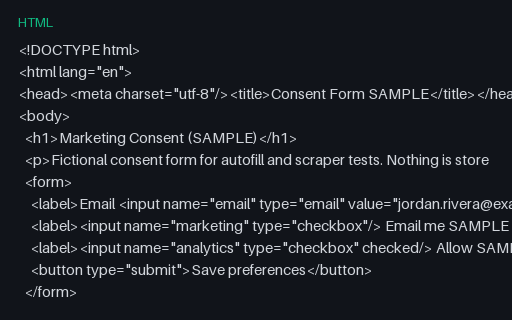
- htmlConsent Form Template (HTML, SAMPLE)A minimal fictional marketing-consent HTML form — for privacy UX and scraper tests.
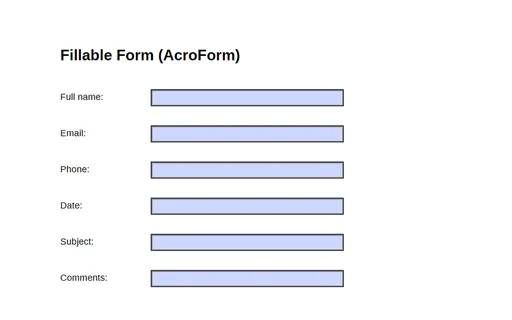
- pdfFillable Form (AcroForm)A one-page PDF with a six-field AcroForm (full_name, email, phone, date, subject, comments) — a fixture for testing form fillers, parsers, and field extraction.
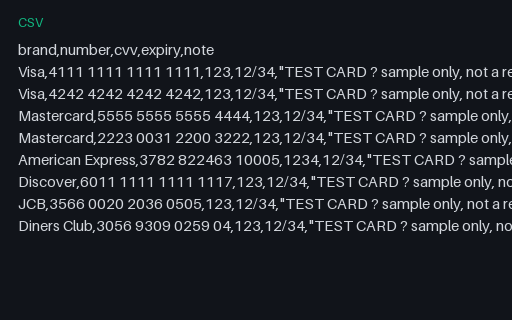
- csvPayment Test Cards (CSV)A reference list of well-known payment TEST card numbers (Visa, Mastercard, Amex, Discover, JCB, Diners) with sample CVV and expiry. These are published test values that pass the Luhn check but are not real accounts — for testing payment forms and card validators. Never use real card data.
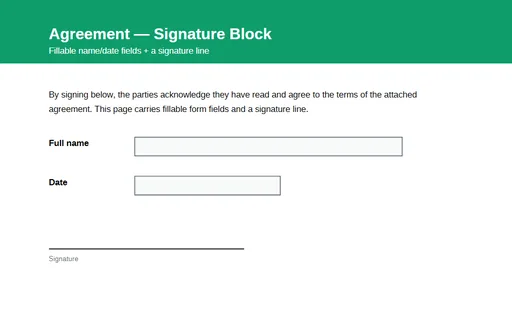
- pdfSignature Block PDF (fillable)A one-page agreement with a signature line and fillable AcroForm fields for the signer's name and date. A fixture for testing form-field detection, filling, and signature-workflow tooling.
Generated by generation/forms_p6.py. Free for any use, no attribution required — license.