
How to test a colourization model with ground-truth pairs
Use Novus greyscale and sepia inputs against true-colour references to score colourization models with reproducible seeds.
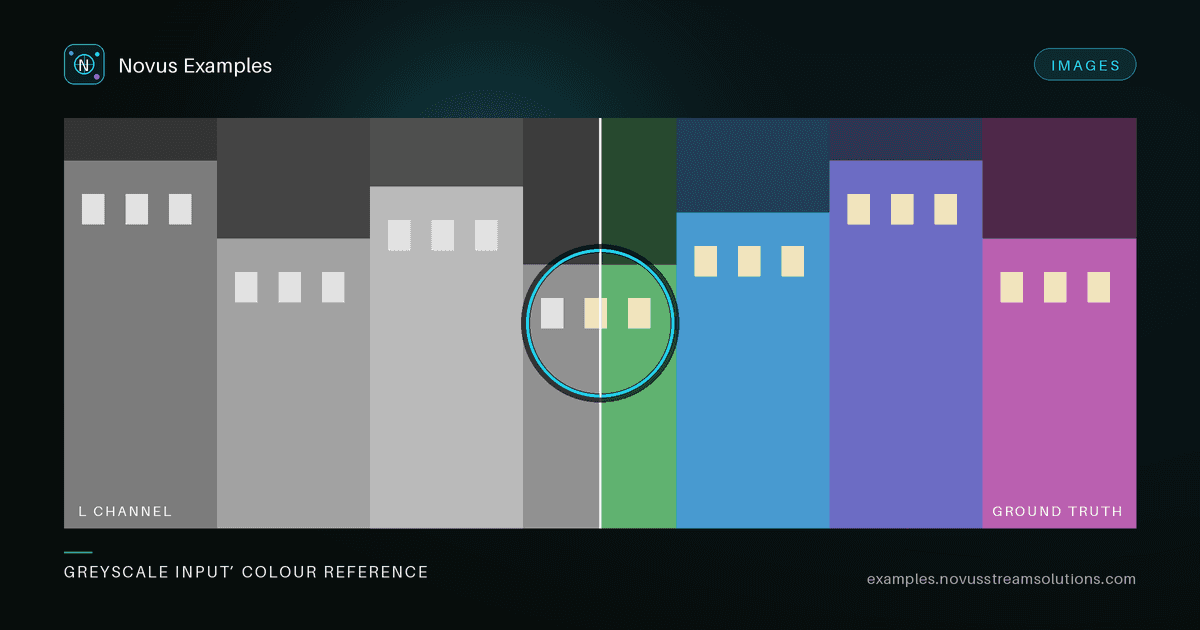
Colourization tools need more than a random black-and-white photo. You need a known colour ground truth, a documented greyscale or sepia input, and a way to score the result. Without the answer key you are judging output by eye, which is fine for a demo and useless for a regression suite. The point is to notice when next week's model is quietly worse than this week's.
Open the colourization purpose tag or filter Browse → colourize-set. Each suite includes:
- A colour ground truth PNG (the answer key)
- A greyscale input derived from the same scene
- A sepia input for age-photo style pipelines
Subjects include fruit still life, mug, and plant scenes so smooth regions and fine edges both appear.
- Run your colourizer on the greyscale (or sepia) input only.
- Diff against the colour ground truth with PSNR/SSIM or a perceptual metric.
- Record the
seedand subject from the file’s spec table so the run is reproducible.
Pixel metrics are the wrong instrument on their own here, and it is worth being explicit about why. Colourization is genuinely ambiguous. A mug can plausibly be blue or green, and a model that picks the “wrong” plausible colour scores badly on PSNR while looking perfect. Treat the numbers as a change detector, not a grade:
- Score every fixture once against a known-good model version and store those numbers as your baseline.
- Fail on a drop relative to that baseline (say, PSNR down more than 1.5 dB, or SSIM down more than 0.02), not on an absolute floor.
- Compare in a perceptually uniform space. Mean ΔE2000 against the ground truth tracks “does this look right” far better than RMS error in RGB, where a hue shift in a dark region barely registers.
The one measure that does deserve an absolute threshold is luminance preservation. A colourizer should add chroma without moving the L channel: convert input and output to Lab and assert the L channels match within a tight tolerance. A model that drifts here is silently re-exposing the image, and that failure hides behind good-looking colour.
- Desaturation collapse. Under-trained models hedge toward sepia-brown everywhere, because average colour minimises average loss. Assert a minimum chroma variance across the output: an image that is technically “close” but has no saturation anywhere should fail.
- Bleed across edges. Colour leaking past a boundary is the most visible artefact and the least visible in a global metric. Score a narrow band either side of the strong edges in the fruit and plant scenes separately; that band is where bleed lives.
- Sepia is not greyscale. A sepia input already carries a colour cast, and pipelines that assume a neutral grey input compound it into an orange output. Run both inputs from the same suite: if the sepia result is warmer than the greyscale result, your pre-processing is not neutralising the cast.
Do not train on these fixtures if you need a held-out set. They are small, synthetic, and intended for regression testing of converters and APIs.
One subtlety worth pinning down: there is no single correct way to convert colour to grey. The Rec. 601 luma weights that most image libraries default to differ from Rec. 709, and both differ from a straight average or from the L channel of Lab. Feed a model a greyscale image made one way and score it against a reference converted another way, and you have baked a constant error into every result.
The supplied greyscale inputs exist precisely so you do not have to make this choice per-run. Use them as-is. If you do generate your own inputs from the colour references, record which conversion you used in the same place you record the seed, and never mix conversions within one suite. A change here looks exactly like a model regression.
- Greyscale pairs for simpler colour↔grey conversion
- Enhancement ladders when exposure or haze is the problem, not missing chroma
- Photo restoration for damage repair rather than colourization
Continue this workflow
Was this article helpful?
Found an error? Send a correction.