
TAP — Entire Plan Skipped
A whole suite declined in a single line: a zero-length plan with a SKIP directive and a reason. It is a valid, complete TAP stream containing no assertions, and a consumer must report it as skipped rather than as an empty pass or a parse error.
TAP version 13
1..0 # SKIP integration suite needs DATABASE_URL, which CI does not set
Specifications
- Seed
- 61200
- Encoding
- UTF-8
- Line Endings
- LF
- Tap Version
- 13
- Plan
- 1..0
- Assertions
- 0
- Ok
- 0
- Not Ok
- 0
- Whole Plan Skipped
- true
Testing contract
Expected to pass- Scenario
- Handle a complete TAP stream that declares a zero-length plan with a SKIP reason.
- Expected result
- The suite is reported as skipped with the stated reason, and not as 0 tests passing.
What is a .tap file?
TAP (Test Anything Protocol) is a line-based plain-text format for reporting test results. A stream declares a plan such as `1..12` and then emits one `ok` or `not ok` line per test, optionally with a description, a `# SKIP` or `# TODO` directive, and an indented YAML block carrying diagnostic detail. It is deliberately simple enough that a test runner in any language can emit it and a harness can parse it line by line.
How to use this file
Use an example .tap file to test TAP consumers, CI result parsers, and format converters — checking that the declared plan matches the number of assertions, that skipped and TODO directives are classified separately from failures, and that diagnostic YAML blocks survive the round trip.
How to use this file for testing
“TAP — Entire Plan Skipped” is a deterministic Novus Examples fixture for Log parsing, Error handling, Conversion testing. Access logs and JSON-lines application logs — for testing log parsers, tailers, and ingestion pipelines.
Documented properties for this file: seed 61200 · UTF-8 · LF. Compare results against paired or grouped companions on this page when present (clean↔damaged, searchable↔scanned, or format twins) so scores stay reproducible across runs.
Download the file once, keep the path stable in CI or local scripts, and treat the spec table as the contract: dimensions, seeds, field lists, and roles are intentional. Corrupt or invalid samples are labelled as such — expect parsers to fail loudly rather than silently accept them.
Test and coverage reports document their totals (suites, cases, passes, failures, skips, covered lines) in the spec table. Point your CI dashboard, coverage gate, or report converter at the file and assert those counts survive; format twins carry identical numbers so a conversion can be scored exactly.
Related files
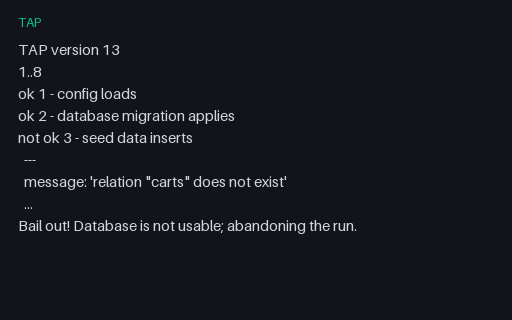
- tapTAP — Bail Out Mid-RunA run abandoned after the third assertion with a Bail out! line, leaving five of the planned eight assertions unreported. The run is a failure even though only one assertion said not ok, and a consumer must not report 2/3 passing as a 67% pass rate.
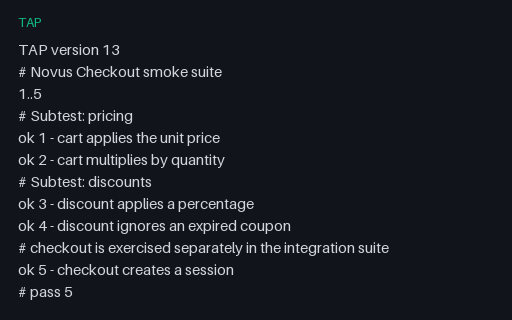
- tapTAP — Comments and Diagnostic LinesFree-form # comment lines interleaved with assertions, including a trailing summary block. Comments carry no result and must never shift assertion numbering, which is exactly what a parser counting lines instead of ok/not ok tokens gets wrong.
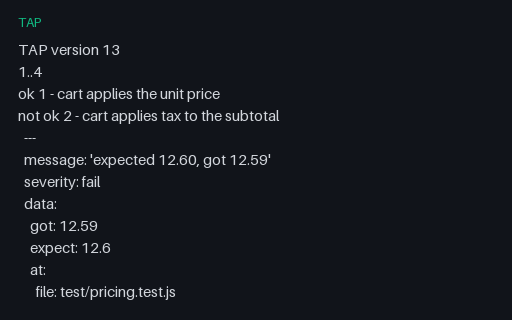
- tapTAP — Failures with YAML DiagnosticsTwo failing assertions, each followed by an indented YAML diagnostic block carrying the expected and actual values and a file/line location. The block is where every useful failure message in TAP lives, and it is the part naive line-based parsers throw away.
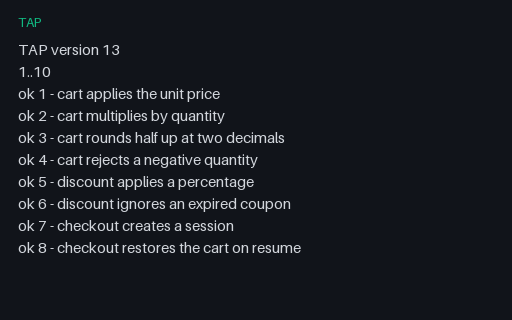
- tapTAP — Plan Count Does Not MatchEvery assertion in this stream says ok, but the plan promised ten and only eight arrived — the signature of a runner that crashed after its last reported assertion. A consumer that only counts not ok lines calls this a clean pass.
- tapTAP — Plan First, All PassingThe canonical TAP shape: a version line, a leading plan, then six passing assertions in order. Anything a TAP consumer does with a real stream it must do with this one first.
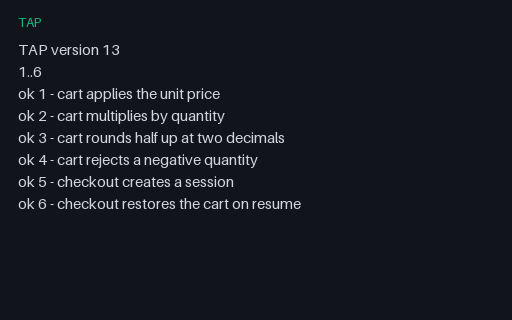
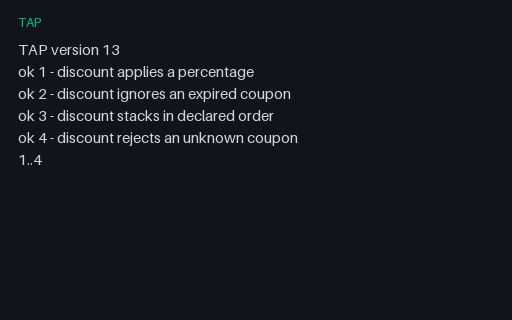
- tapTAP — Trailing PlanThe same stream with the plan at the end, which is what a harness emits when it does not know the test count up front. A consumer that requires a leading plan rejects a perfectly valid stream.
Generated by generation/testing.py. Free for any use, no attribution required — license.