
Ember Lane Pizza: Workbook with Excel error cells
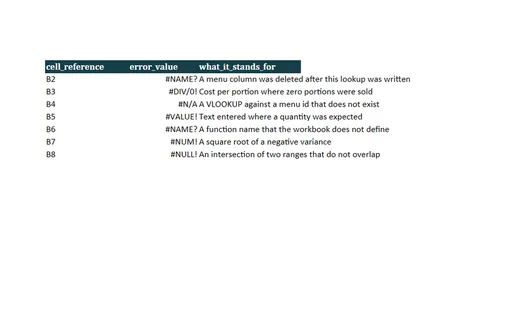
Workbook with Excel error cells for Ember Lane Pizza. Intentionally full of errors. Three sheets. CachedErrors stores 7 literal error cells with the error cell type (#DIV/0!, #N/A, #NAME?, #NULL!, #NUM!, #REF!, #VALUE!), so a values-only reader still sees them. LiveFormulas holds 7 formulas that evaluate to an error on recalculation, including =SUM(#REF!) and =1/0, with no cached value. Its expected_error_excel column names Excel's value; the Notes sheet records the two cases where LibreOffice 26.2.4.2 was measured to disagree, so this file is also a fixture for cross-engine error mapping. The menu ids alongside them are real, so an importer that skips error cells has valid data left.
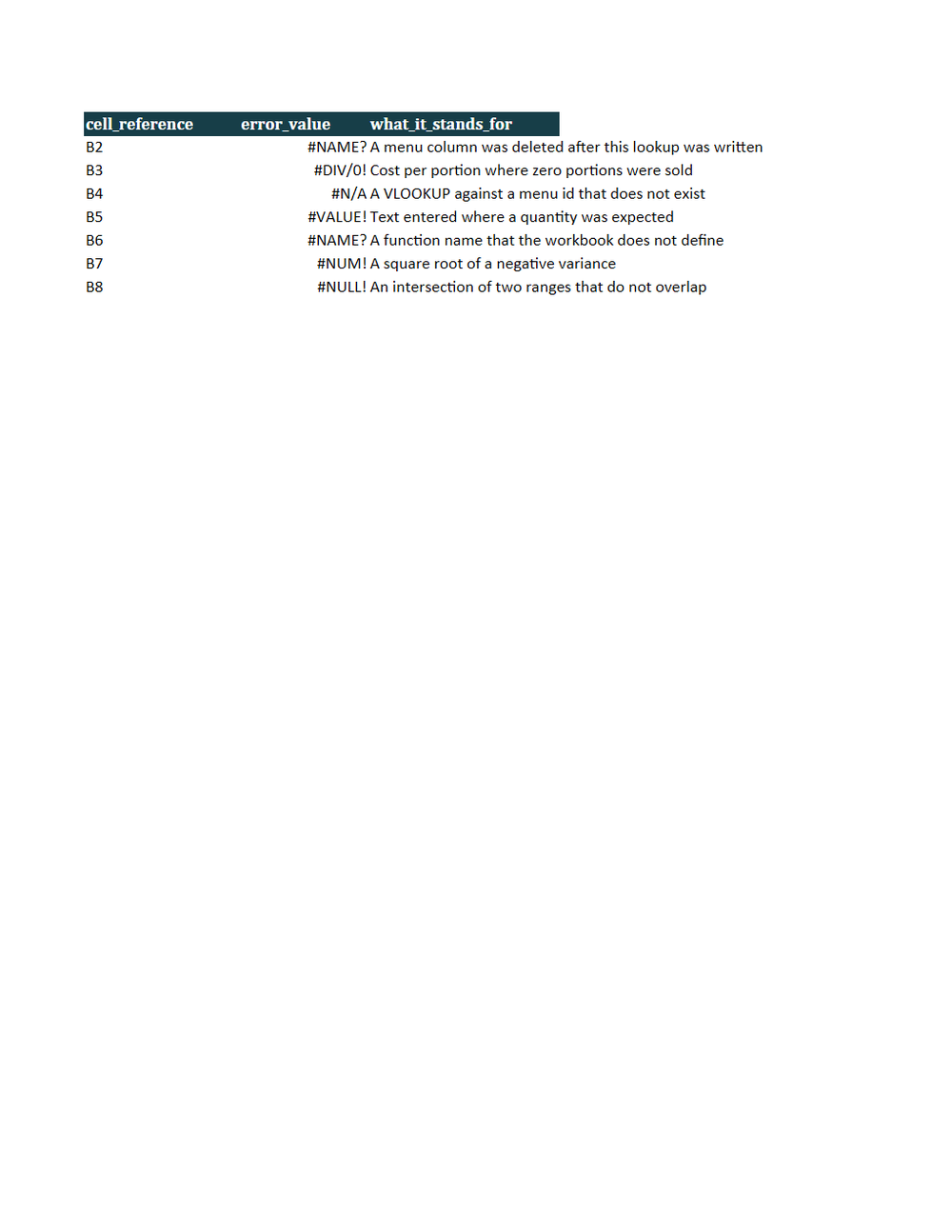
Rendered preview of the xlsx file (7.4 KB). Download above for the original.
Specifications
- Kit
- restaurant-pizzeria
- Industry
- food-service
- Schema Version
- 1
- Synthetic
- true
- As Of
- 2026-09-08
- Currency
- CAD
- Period Start
- 2026-08-20
- Period End
- 2026-09-02
- Sheets
- 3
- Cached Error Cells
- 7
- Live Error Formulas
- 7
- Error Codes
- #DIV/0!, #N/A, #NAME?, #NULL!, #NUM!, #REF!, #VALUE!
- Intentionally Invalid
- true
- Defect
- error-value-cells
- Cached Values
- false
Testing contract
Expected to fail- Scenario
- Use workbook with excel error cells in the Ember Lane Pizza costing and daily operations workflow.
- Expected result
- Intentionally full of errors. Three sheets. CachedErrors stores 7 literal error cells with the error cell type (#DIV/0!, #N/A, #NAME?, #NULL!, #NUM!, #REF!, #VALUE!), so a values-only reader still sees them. LiveFormulas holds 7 formulas that evaluate to an error on recalculation, including =SUM(#REF!) and =1/0, with no cached value. Its expected_error_excel column names Excel's value; the Notes sheet records the two cases where LibreOffice 26.2.4.2 was measured to disagree, so this file is also a fixture for cross-engine error mapping. The menu ids alongside them are real, so an importer that skips error cells has valid data left.
What is a .xlsx file?
XLSX is the default Microsoft Excel format, an Office Open XML spreadsheet stored as a ZIP archive containing worksheet XML, shared strings, styles, and formulas. It supports multiple sheets, cell formatting, charts, and calculated values. It is the standard for editable tabular workbooks.
How to use this file
Use an example XLSX to test spreadsheet parsing, formula and multi-sheet handling, shared-string extraction, and pipelines that read or generate Excel workbooks.
How to use this file for testing
“Ember Lane Pizza: Workbook with Excel error cells” is a deterministic Novus Examples fixture for Spreadsheet testing, Error handling. Multi-sheet workbooks with documented formulas and plain sheets for testing spreadsheet parsers and importers.
Documented properties for this file: 3 sheets. Compare results against paired or grouped companions on this page when present (clean↔damaged, searchable↔scanned, or format twins) so scores stay reproducible across runs.
Download the file once, keep the path stable in CI or local scripts, and treat the spec table as the contract: dimensions, seeds, field lists, and roles are intentional. Corrupt or invalid samples are labelled as such, expect parsers to fail loudly rather than silently accept them.
This template ships filled with realistic sample content and documented fields and formulas. Download it as a starting point, or point a converter/parser at it, format twins (for example DOCX↔PDF) let you diff conversion fidelity.
Code examples
from openpyxl import load_workbook

wb = load_workbook("error-cells.xlsx")
ws = wb.active
print(ws.title, ws.max_row, ws.max_column)
Related files
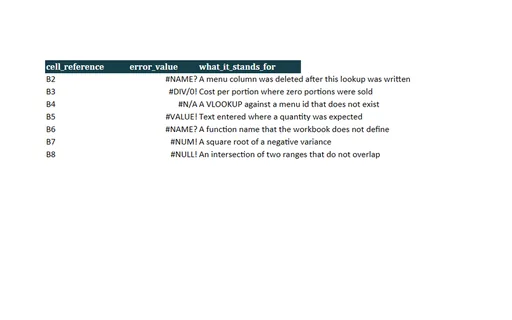
- xlsxAlder Table Bistro: Workbook with Excel error cellsWorkbook with Excel error cells for Alder Table Bistro. Intentionally full of errors. Three sheets. CachedErrors stores 7 literal error cells with the error cell type (#DIV/0!, #N/A, #NAME?, #NULL!, #NUM!, #REF!, #VALUE!), so a values-only reader still sees them. LiveFormulas holds 7 formulas that evaluate to an error on recalculation, including =SUM(#REF!) and =1/0, with no cached value. Its expected_error_excel column names Excel's value; the Notes sheet records the two cases where LibreOffice 26.2.4.2 was measured to disagree, so this file is also a fixture for cross-engine error mapping. The menu ids alongside them are real, so an importer that skips error cells has valid data left.
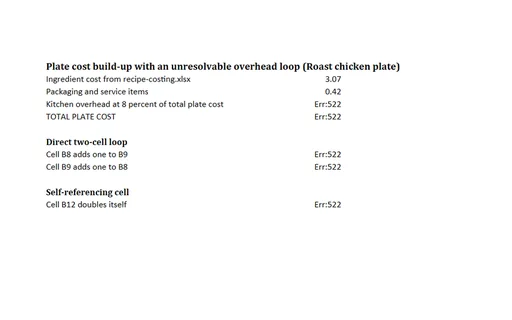
- xlsxAlder Table Bistro: Workbook with intentional circular referencesWorkbook with intentional circular references for Alder Table Bistro. Intentionally circular. Two sheets. Three independent cycles: overhead in B4 is eight percent of the total in B5 while B5 adds B4 back in; B8 and B9 each add one to the other; B12 doubles itself. Every other cell is a plain value or a label, and B2 is the real plate cost of MENU-01 (Roast chicken plate) at 3.07 CAD, so the loop is the only thing wrong with the file. Measured in LibreOffice 26.2.4.2, every formula cell on the Circular sheet recalculates to Err:522.
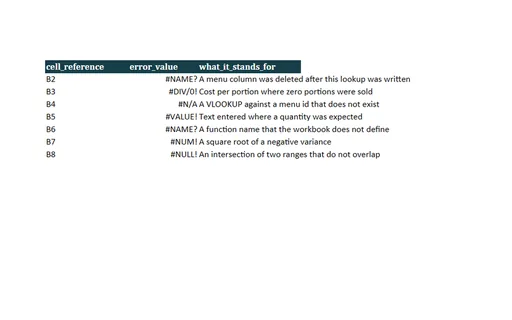
- xlsxCedar Street Tacos: Workbook with Excel error cellsWorkbook with Excel error cells for Cedar Street Tacos. Intentionally full of errors. Three sheets. CachedErrors stores 7 literal error cells with the error cell type (#DIV/0!, #N/A, #NAME?, #NULL!, #NUM!, #REF!, #VALUE!), so a values-only reader still sees them. LiveFormulas holds 7 formulas that evaluate to an error on recalculation, including =SUM(#REF!) and =1/0, with no cached value. Its expected_error_excel column names Excel's value; the Notes sheet records the two cases where LibreOffice 26.2.4.2 was measured to disagree, so this file is also a fixture for cross-engine error mapping. The menu ids alongside them are real, so an importer that skips error cells has valid data left.
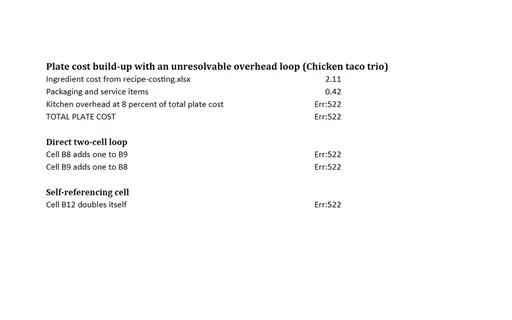
- xlsxCedar Street Tacos: Workbook with intentional circular referencesWorkbook with intentional circular references for Cedar Street Tacos. Intentionally circular. Two sheets. Three independent cycles: overhead in B4 is eight percent of the total in B5 while B5 adds B4 back in; B8 and B9 each add one to the other; B12 doubles itself. Every other cell is a plain value or a label, and B2 is the real plate cost of MENU-01 (Chicken taco trio) at 2.11 CAD, so the loop is the only thing wrong with the file. Measured in LibreOffice 26.2.4.2, every formula cell on the Circular sheet recalculates to Err:522.
- xlsxCopper Oven Bakery: Workbook with Excel error cellsWorkbook with Excel error cells for Copper Oven Bakery. Intentionally full of errors. Three sheets. CachedErrors stores 7 literal error cells with the error cell type (#DIV/0!, #N/A, #NAME?, #NULL!, #NUM!, #REF!, #VALUE!), so a values-only reader still sees them. LiveFormulas holds 7 formulas that evaluate to an error on recalculation, including =SUM(#REF!) and =1/0, with no cached value. Its expected_error_excel column names Excel's value; the Notes sheet records the two cases where LibreOffice 26.2.4.2 was measured to disagree, so this file is also a fixture for cross-engine error mapping. The menu ids alongside them are real, so an importer that skips error cells has valid data left.
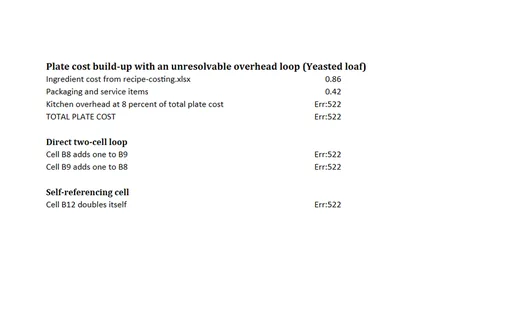
- xlsxCopper Oven Bakery: Workbook with intentional circular referencesWorkbook with intentional circular references for Copper Oven Bakery. Intentionally circular. Two sheets. Three independent cycles: overhead in B4 is eight percent of the total in B5 while B5 adds B4 back in; B8 and B9 each add one to the other; B12 doubles itself. Every other cell is a plain value or a label, and B2 is the real plate cost of MENU-01 (Yeasted loaf) at 0.86 CAD, so the loop is the only thing wrong with the file. Measured in LibreOffice 26.2.4.2, every formula cell on the Circular sheet recalculates to Err:522.
Generated by generation/restaurant_costing.py. Free for any use, no attribution required, license.