
Test multi-step AI creator workflows with prompts, media, and expected outputs.
Turn a creator brief into a repeatable AI workflow test with provider-neutral plans, bound media inputs, expected outputs, and an explicit evaluation rubric.
A creator assistant rarely succeeds or fails on one clever sentence. A useful job usually begins with a brief, asks for missing constraints, binds source media, calls one or more tools, produces an artifact, and then checks whether that artifact satisfies the brief. If a test stores only the opening prompt, every later decision is hidden. A different model, tool version, or editor can return something plausible while quietly skipping the duration, aspect ratio, loudness, caption, or export requirement that mattered.
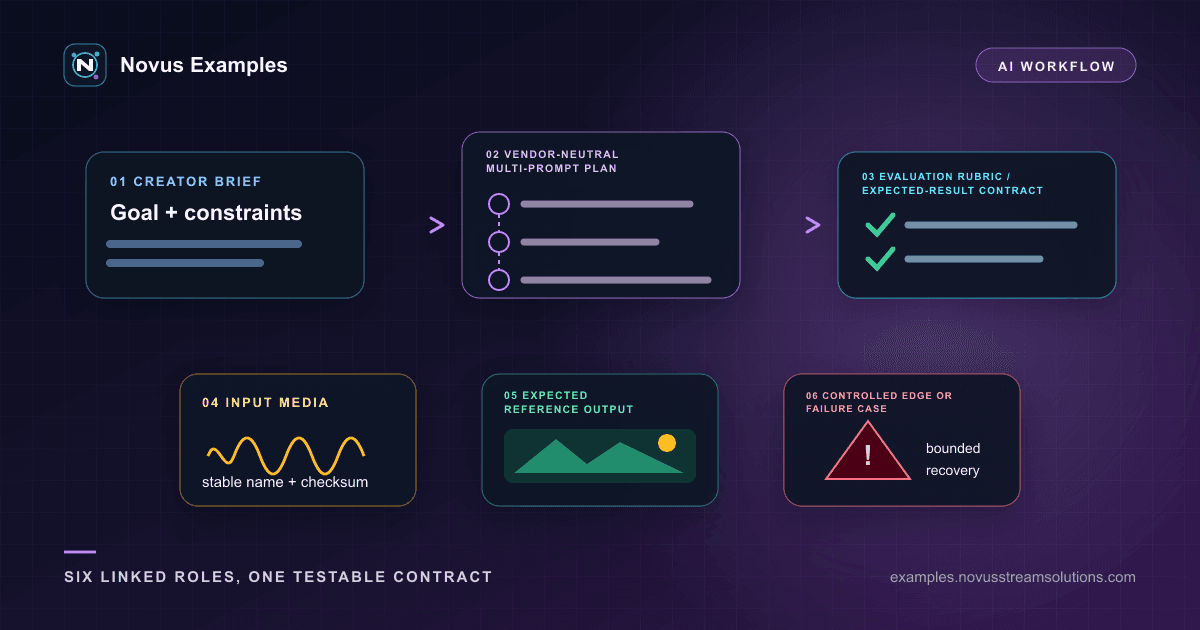
The Prompts library is built around that larger unit of work. Across 25 audio and 25 video groups, every complete workflow kit uses the same six linked roles, so you can test a plan without mistaking an SDK field name for a creative requirement. The matching creator-audio and creator-video libraries provide small input media, reference outputs, and controlled edge cases, so the conversation has real files to reason about rather than imaginary attachments.
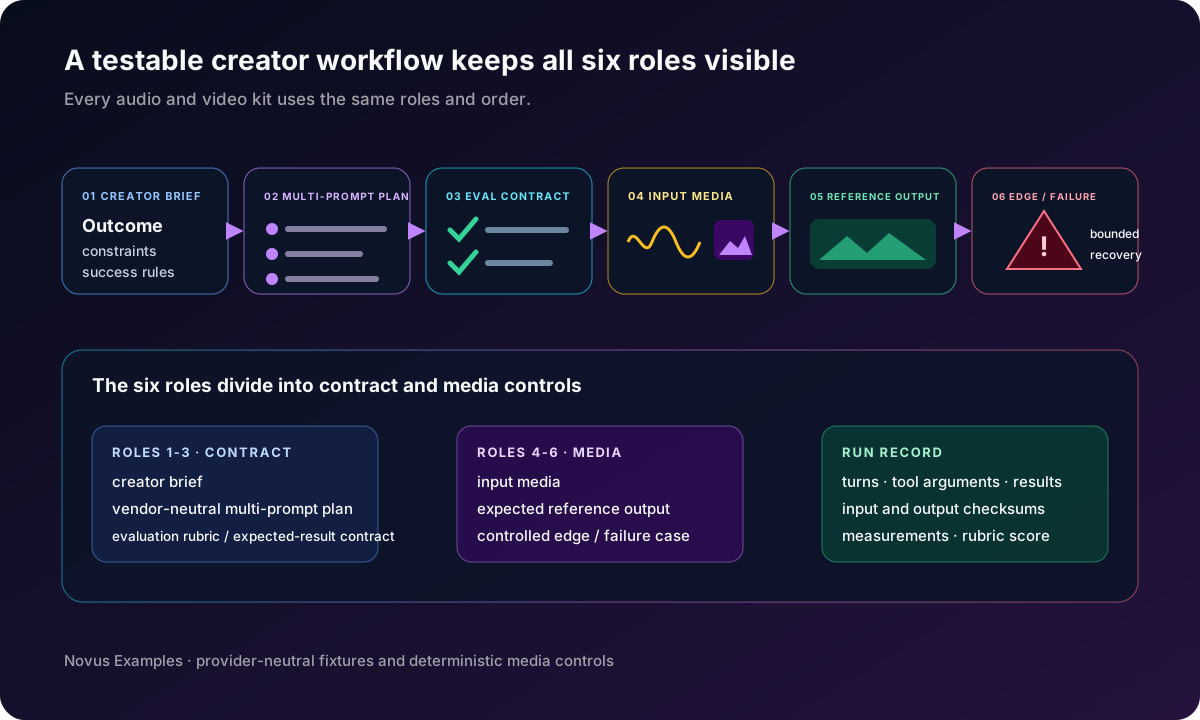
Each complete kit contains exactly six roles, always in the same order:
- a creator brief stating the goal and constraints;
- a vendor-neutral multi-prompt plan showing how the conversation progresses;
- an evaluation rubric and expected-result contract defining the checks;
- the input media used by the task;
- an expected reference output demonstrating a valid result;
- a controlled edge or failure case exercising recovery.
Read them together. The brief and plan explain intent, the contract explains judgment, and the final three roles make the test observable. The catalog joins the six members with one groupId, orders them with specs.workflowOrder, and names each role with specs.workflowRole; every member also declares its scenario, expected result, and validity. Runtime traces, tool arguments, and provider request envelopes may be captured by your harness, but they are run evidence rather than extra kit members.
Pick a task whose intermediate state can be inspected. “Improve this clip” is too vague. “Remove the first second of room tone, keep speech peaks below the stated ceiling, add the supplied music bed at the documented level, and export the named format” creates checkpoints. For video, a useful contract might require a 9:16 crop, a title-safe caption, a specific duration window, and a reference final frame.
Use a linked family from creator audio or creator video. The input, reference output, and controlled edge case share the same kit contract, so you know which duration, channels, frame rate, dimensions, or expected analysis matters before a tool touches anything. Keep the smallest family that exercises the behavior. More files make a demo look richer, but they also create more places for an agent to make an untraceable substitution.
Use the same sequence whether the executor is an AI assistant, a scripted agent, or a human following the plan:
- Load the workflow brief and record its stable identifier.
- Ask the first planned question without adding undocumented hints.
- Bind every named input to the exact file and record its checksum.
- Allow only the tools and output locations declared by the test harness.
- Validate the response against the expected-result contract before judging creative quality.
- Compare the produced artifact with the expected output and score the rubric.
Save the full turn sequence, tool arguments, tool results, warnings, and final response. If you export a kit in the browser, keep its manifest with the six members, paths, formats, byte sizes, validity, expected outcomes, and SHA-256 hashes. A polished export is not enough evidence. If the assistant selected the wrong source but happened to make a good-looking result, the workflow still failed. If it produced the right media but returned malformed result JSON, the integration contract failed even though the creative step passed.
Sometimes the catalog family is the reference, but your regression needs one deliberate variation. The audio creator can make a short tone, sweep, seeded-noise, or silence control with a recorded recipe and hashes. The video creator can make a compact geometric pattern after checking the browser's available codec configuration. These tools are useful for changing one property without replacing the whole workflow family.
An evaluation rubric should distinguish hard requirements from preferences. Duration, schema validity, required text, track count, and file type can be pass/fail. Framing, pacing, or mix balance may use a bounded score. Record which checks are automatic, which need a reviewer, and the tolerance for every numeric comparison.
Do not use the expected output as a demand for pixel- or byte-identical creativity unless the fixture promises that. It is a reference that demonstrates one valid result and supplies known measurements. A second valid edit may differ visually while satisfying every hard constraint. Conversely, a visually similar export can fail because its captions are missing, its sample rate changed, or its result record cannot be parsed.
Once the baseline passes, create focused cases. Remove the declared input to test clarification. Supply a wrong aspect ratio to test validation. Make a tool unavailable to test recovery. Change one rule in a copy of the evaluation contract. Keep the brief and reference media fixed while changing the model, or keep the model fixed while changing one tool version. A matrix where several layers move together cannot tell you what caused the difference.
The files do not certify an AI provider, creative model, or editing application. Hardware encoders can vary. A small synthetic clip cannot represent every real production asset. Rubric scores that require human judgment should never be presented as objective ground truth.
If the workflow cannot find an attachment, compare the input-media role with the actual stable file URL and checksum. If a tool call is missing, confirm the vendor-neutral plan made the tool available at that turn. If the artifact looks correct but evaluation fails, reread the expected-result contract and check measurement units and tolerances. If two executors diverge, replay the same six roles and compare the first stage where their recorded traces differ.
For media mismatches, inspect decoded properties rather than trusting the extension. Compare duration, channels, sample rate, frame rate, dimensions, captions, and the measurements declared by the family. A filename is a label, not proof of content.
No. A starter is useful for testing the first turn or discovery behavior. A full regression should preserve all six roles: brief, multi-prompt plan, evaluation contract, input media, expected reference output, and controlled edge case.
No. Require identical bytes only where the toolchain promises byte reproducibility. Otherwise compare the declared semantic properties and rubric while preserving the exact trace for review.
Usually it should not replace it. Keep the catalog family as the independent reference, and use the local audio or video creator to add one controlled variation whose recipe and hashes are stored with the run.
Continue this workflow
Try the workflow
Was this article helpful?
Found an error? Send a correction.