
Object-detection Scene (PNG, 640×480)
A simple rendered street scene with a person, a car, and a tree at known pixel coordinates — the image the COCO, YOLO, and Pascal-VOC annotation twins describe. A fixture for testing object-detection loaders and annotation converters.

Specifications
- Width
- 640
- Height
- 480
- Objects
- 3
- Classes
- person, car, tree
What is a .png file?
PNG (Portable Network Graphics) is a raster image format using lossless DEFLATE compression. It supports full 8- or 16-bit-per-channel truecolor, palette, and greyscale modes with an optional alpha channel, but no animation. It is the standard choice for screenshots, logos, and graphics with sharp edges or transparency.
How to use this file
Use an example PNG to test image decoders, alpha-compositing, thumbnail generators, and format converters, or to verify that a pipeline preserves transparency and color depth on round-trip.
How to use this file for testing
“Object-detection Scene (PNG, 640×480)” is a deterministic Novus Examples fixture for Computer vision, ML training data, Conversion testing. A rendered detection scene annotated in COCO, YOLO, and Pascal-VOC formats — for testing annotation loaders, format converters, and vision pipelines against a known image.
Documented properties for this file: 640×480. Compare results against paired or grouped companions on this page when present (clean↔damaged, searchable↔scanned, or format twins) so scores stay reproducible across runs.
Download the file once, keep the path stable in CI or local scripts, and treat the spec table as the contract: dimensions, seeds, field lists, and roles are intentional. Corrupt or invalid samples are labelled as such — expect parsers to fail loudly rather than silently accept them.
AI/ML fixtures are fully synthetic with documented schemas — no real people or data. Test data loaders, tokenizers, annotation converters, embedding/vector stores, or eval-metric parsers against the known structure and fixed seeds.
Code examples
<img src="street-scene.png" alt="Example image" width="640" loading="lazy">Related files
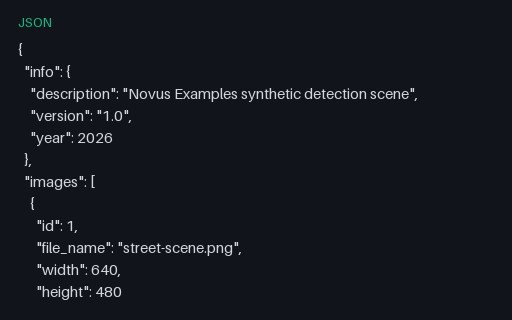
- jsonDetection Annotations — COCO (JSON)Object-detection annotations for the scene in the COCO JSON format — images, categories, and per-object bounding boxes as [x, y, width, height]. Grouped with YOLO and Pascal-VOC twins for testing annotation-format conversion.
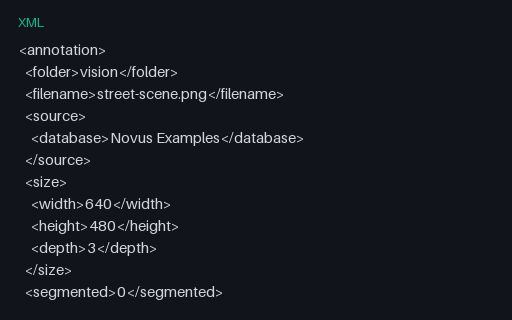
- xmlDetection Annotations — Pascal VOC (XML)The same detection boxes in the Pascal VOC XML format — a per-image annotation with size, and one object element per box with pixel corner coordinates. The XML twin of the COCO and YOLO annotations.
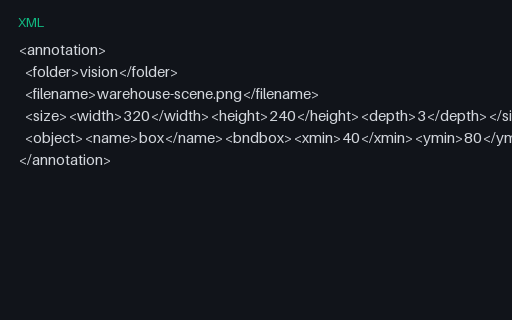
- xmlDetection Annotations — Warehouse Pascal VOC (XML)Pascal VOC XML annotations for the warehouse detection scene.
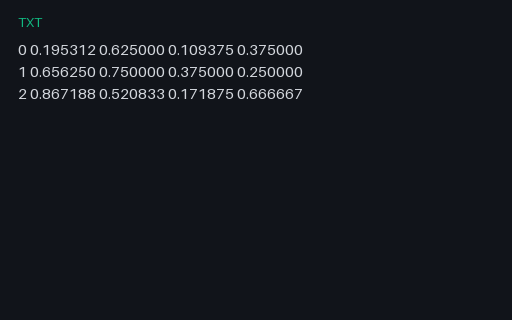
- txtDetection Annotations — YOLO (TXT)The same detection boxes in the YOLO text format — one object per line as class id and box centre, width, and height normalised to 0–1. The format twin of the COCO and VOC annotations.
- jsonDetection Annotations — Aerial COCO (JSON)COCO JSON with bounding boxes and polygon segmentation for the aerial scene.
- jsonDetection Annotations — Retail COCO (JSON)COCO JSON with bounding boxes and polygon segmentation for the retail scene.
Generated by generation/ai_datasets.py. Free for any use, no attribution required — license.