
Web app manifest whose start_url is outside its scope (deliberately invalid)
A deliberately invalid manifest: start_url sits at /dashboard/ while scope is /app/, and a shortcut points at another origin entirely. Both are the kind of mistake that makes an installed app open in a browser tab. For testing scope-containment validation.
{
  "name": "Example Scope Mismatch",
  "short_name": "OutOfScope",
  "id": "/app/?src=scope",
  "start_url": "/dashboard/?src=scope",
  "scope": "/app/",
  "display": "standalone",
  "theme_color": "#059669",
  "icons": [
    {
      "src": "/icons/icon-192.png",
      "sizes": "192x192",
      "type": "image/png"
    },
    {
      "src": "/icons/icon-512.png",
      "sizes": "512x512",
      "type": "image/png"
    }
  ],
  "shortcuts": [
    {
      "name": "Settings",
      "url": "https://other.example.org/settings"
    }
  ]
}
Specifications
- Seed
- 70400
- Site
- example.com (fictional)
- Format
- W3C Web App Manifest
- Scope
- /app/
- Start Url In Scope
- false
- Cross Origin Shortcut
- true
- Deliberately Invalid
- true
Testing contract
Expected to fail- Scenario
- Validate start_url, id and shortcut URLs against the declared scope.
- Expected result
- start_url is reported out of scope and the install is refused or start_url is coerced to the scope root; the cross-origin shortcut is dropped rather than registered.
What is a .webmanifest file?
A web app manifest (.webmanifest) is a JSON file that describes a Progressive Web App to the browser, declaring its name, icons, theme colors, start URL, and display mode. It enables installation to a device home screen and standalone launching. It is linked from HTML via a manifest link element.
How to use this file
Use an example webmanifest to test PWA installability, manifest JSON parsing, icon and display-mode handling, and browser or auditing tools like Lighthouse.
How to use this file for testing
“Web app manifest whose start_url is outside its scope (deliberately invalid)” is a deterministic Novus Examples fixture for Web assets, JSON parsing, Schema validation. Favicons, web app manifests, service workers, robots and sitemap files, Open Graph images, and .well-known resources — for testing web tooling, crawlers, PWA installers, and asset pipelines.
Documented properties for this file: seed 70400 · W3C Web App Manifest. Compare results against paired or grouped companions on this page when present (clean↔damaged, searchable↔scanned, or format twins) so scores stay reproducible across runs.
Download the file once, keep the path stable in CI or local scripts, and treat the spec table as the contract: dimensions, seeds, field lists, and roles are intentional. Corrupt or invalid samples are labelled as such — expect parsers to fail loudly rather than silently accept them.
Web-platform fixtures are standards-compliant samples against fictional example.com data. Test crawlers, PWA installers and manifest validators, favicon/icon pipelines, service-worker registration, or .well-known parsers against the documented structure.
Related files
- jsonJSON-LD @graph with @id cross-referencesA single @graph holding four nodes wired together by @id rather than by nesting - the shape most CMS plugins emit - including a SearchAction, a breadcrumb whose last item has no URL, and one reference to a product node that lives on another page. For testing graph flattening and reference resolution.
- jsonJSON-LD Event with offers and a locationA valid Event record for a hybrid event: both a physical Place with a postal address and geo coordinates and a VirtualLocation, plus a free Offer and a capacity. For testing array-valued properties and event date/timezone handling.
- jsonJSON-LD LocalBusiness with opening hoursA valid LocalBusiness (as a SportingGoodsStore subtype) with a postal address, geo coordinates, weekday and Saturday opening hours, and a 00:00-00:00 specification marking a holiday closure. For testing opening-hours parsing and the closed-all-day convention.
- jsonJSON-LD missing required properties (deliberately invalid)A deliberately invalid Product record: no name, an Offer with a currency but no price, a brand with no @type, a Review with no rating, an AggregateRating with no ratingValue, and an availability given as a bare token instead of a schema.org URL. Valid JSON throughout, so the failure is semantic.
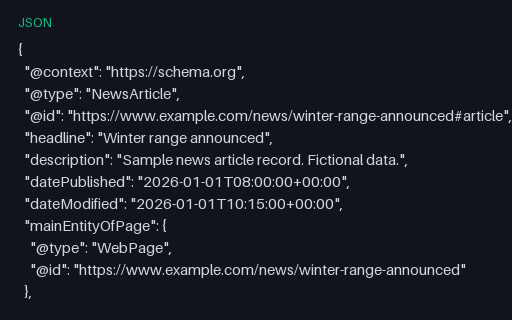
- jsonJSON-LD NewsArticle with author and publisherA valid NewsArticle with two authors, a publisher whose logo carries explicit pixel dimensions, three images at the aspect ratios news results expect, and both publication and modification timestamps. For testing article extraction and date normalisation.
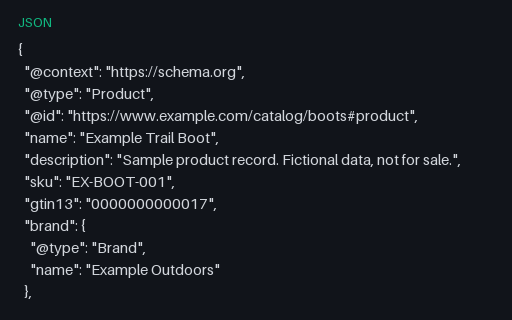
- jsonJSON-LD Product with Offer and AggregateRatingA valid Product record with a nested Offer carrying price, currency, availability, condition and shipping details, plus an AggregateRating. For testing rich-result validators and structured-data extractors against a document that should pass cleanly.
Generated by generation/web_p7.py. Free for any use, no attribution required — license.