
MOV — QuickTime H.264 Clip
The clip in a QuickTime (MOV) container with H.264 video — Apple's container, common from cameras and editors. For testing MOV parsing and MOV→MP4 conversion.
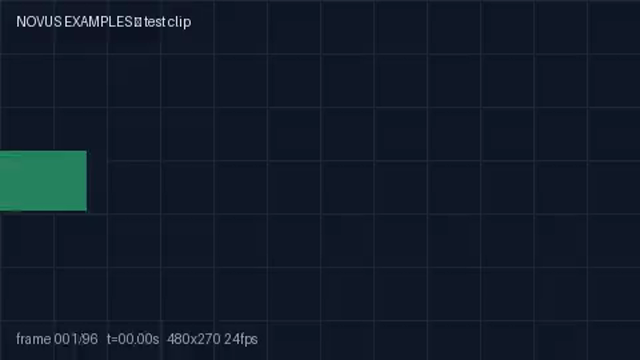
Rendered preview of the mov file (12.1 KB). Download above for the original.
Specifications
- Resolution
- 480x270
- Fps
- 24
- Duration
- 4s
- Audio
- none (video-only)
- Container
- QuickTime (MOV)
- Codec
- H.264 (libx264)
Testing contract
Expected to pass- Scenario
- Probe the file, then decode it and confirm the stream inventory matches what the container advertises.
- Expected result
- One video stream and no audio stream: H.264 (libx264) in a QuickTime (MOV) container, 480x270 at 24 fps, 4s. The absence of audio is deliberate and part of the contract - code that assumes every video file has a soundtrack fails here, and reporting a silent audio track that does not exist is equally wrong.
What is a .mov file?
MOV is Apple's QuickTime container, introduced in 1991 and the direct ancestor of MP4. ISO adopted its box structure as the basis of ISOBMFF, so the two are close relatives rather than rivals. Beyond video and audio it carries timecode tracks, edit lists, and reference movies — files of a few kilobytes that play only where the media they point at still lives. It also carries codecs MP4 does not, notably ProRes and Animation with a true alpha channel, which keeps it the working format of professional editing.
How to use this file
Use an example MOV to test QuickTime box parsing, timecode and edit-list handling, and MOV-to-MP4 remuxing — confirming that a stream copy is chosen when the codecs allow it, that an alpha channel survives where the target supports one, and that a reference movie is not mistaken for self-contained media.
How to use this file for testing
“MOV — QuickTime H.264 Clip” is a deterministic Novus Examples fixture for Conversion testing. The same content exported across many formats and linked as a group, so you can convert one and diff against the expected twin.
Documented properties for this file: 4s · 24 fps. Compare results against paired or grouped companions on this page when present (clean↔damaged, searchable↔scanned, or format twins) so scores stay reproducible across runs.
Download the file once, keep the path stable in CI or local scripts, and treat the spec table as the contract: dimensions, seeds, field lists, and roles are intentional. Corrupt or invalid samples are labelled as such — expect parsers to fail loudly rather than silently accept them.
Media fixtures are short and synthetic by design. Prefer waveform or transcript ground truth in the same group when measuring ASR, trim, upscale, or sync tools; do not assume broadcast-quality masters.
Code examples
<video controls preload="metadata" width="640" src="clip.mov"></video>Related files
- 3gp3GP — Mobile H.264 ClipThe clip as 3GP — the 3GPP mobile container from the feature-phone era. For testing 3GP demuxing and conversion.
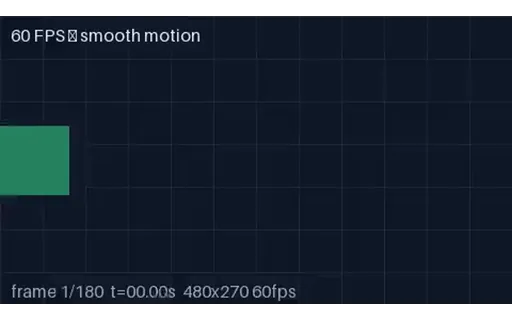
- mp460 fps Clip (MP4)A 60 frames-per-second clip with a smoothly sweeping marker — double the usual frame rate. A fixture for testing high-frame-rate playback, frame-rate detection, and fps conversion (60→30 decimation).
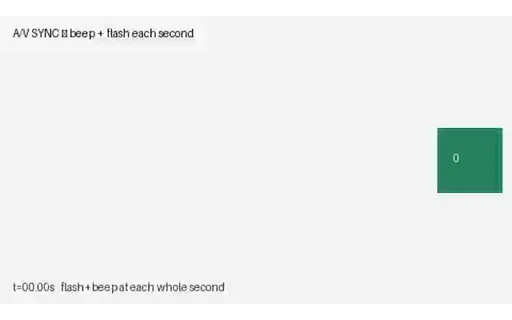
- mp4A/V Sync — Beep + Flash (MP4, with audio)A five-second clip that flashes white and plays a 1 kHz beep on every whole second — the first clip in the library WITH an audio track. A direct fixture for measuring and correcting audio/video sync (lip-sync) offset.
- webmAlpha Channel — Opaque VP9 TwinThe same codec and container with NO alpha plane, as the control for the alpha clip in this group. Useful for checking that alpha detection reads the pixel format rather than assuming every WebM is transparent — and for confirming a compositing bug is in the alpha handling rather than in the player.

- webmAlpha Channel — VP9 in WebMVideo with a real per-pixel alpha channel: VP9 yuva420p in WebM, the one alpha path browsers decode natively. Composite it over a page background and the transparency is genuine, not a chroma key. Roughly 90% of each frame is fully transparent. Two traps this file exists to expose. First, auto-alt-ref must be disabled at encode time or libvpx silently drops the alpha plane, producing a valid file with no transparency and no error. Second, WebM stores VP9 alpha in BlockAdditional and signals it with AlphaMode=1, so FFmpeg's NATIVE vp9 decoder reports pix_fmt yuv420p and decodes fully opaque — you must force `-c:v libvpx-vp9` to see the alpha at all. Probing this file with default settings and concluding it has no alpha is the expected mistake.

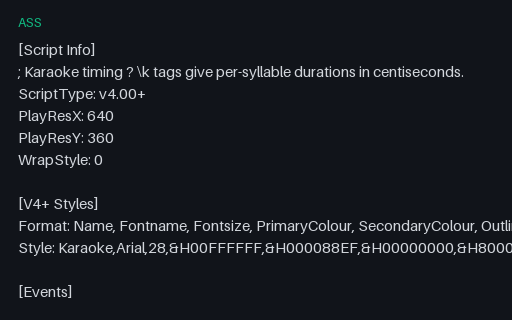
- assASS — Karaoke Timing and Override TagsAdvanced SubStation Alpha using the features that distinguish it from SubRip: per-syllable \k karaoke timings in centiseconds, a full V4+ style definition with primary and secondary colours, and an \an override that repositions a line. Converting this to SRT necessarily loses all of it, which makes it a good test of whether a converter warns about that or drops it silently.
Generated by generation/video.py. Free for any use, no attribution required — license.