
Robot Framework — Shared Keyword Resource
A resource file: keywords, variables and imports with no *** Test Cases *** section at all, meant to be imported by the suites next to it. Tooling that requires at least one test case rejects a perfectly ordinary resource, and keyword defaults such as ${qty}=1 are where argument parsers usually stop.
*** Settings ***
Documentation     Shared keywords for the checkout suites. Imported, never run directly.
Library           CartLibrary

*** Variables ***
${DEFAULT SKU}    NX-1042

*** Keywords ***
Start Sample Service
    [Documentation]    Starts the fictional checkout service used by every suite.
    Start Service    https://www.example.com
    Wait Until Ready    timeout=10s

Stop Sample Service
    Stop Service

Add To Cart
    [Arguments]    ${sku}=${DEFAULT SKU}    ${qty}=1
    [Documentation]    Adds ${qty} of ${sku}; both arguments have defaults.
    Post To Cart    sku=${sku}    qty=${qty}

Total Should Be
    [Arguments]    ${expected}
    ${actual} =    Get Total
    Should Be Equal As Numbers    ${actual}    ${expected}
    RETURN    ${actual}
Specifications
- Seed
- 61200
- Encoding
- UTF-8
- Line Endings
- LF
- Syntax
- space-separated plain text
- Test Cases
- 0
- Keywords
- 4
- Has Default Arguments
- true
- Has Named Arguments
- true
- Has Return Statement
- true
- Importable
- true
Testing contract
Expected to pass- Scenario
- Import a Robot resource file that declares keywords but no tests.
- Expected result
- 4 keywords are exposed with their default and named arguments intact, and the absence of a test-case section is not an error.
What is a .robot file?
A .robot file is a Robot Framework test suite written in the framework's plain-text tabular syntax. Sections introduced by headers such as *** Settings ***, *** Variables ***, *** Test Cases ***, and *** Keywords *** hold library imports, variable definitions, keyword-driven test cases, and user-defined keywords, with arguments separated by two or more spaces. Tags, documentation, setup, and teardown are declared inline as settings.
How to use this file
Use an example .robot file to test Robot Framework parsers, linters, and editor tooling — checking section handling, the two-space argument separator, variable substitution, and keyword resolution against a suite whose structure is documented.
How to use this file for testing
“Robot Framework — Shared Keyword Resource” is a deterministic Novus Examples fixture for Code parsing, Editor testing, Conversion testing. Short, known-correct source files in many languages with classes, functions, generics, enums, and error handling — for testing parsers, linters, formatters, language detection, and diff viewers.
Documented properties for this file: seed 61200 · UTF-8 · LF. Compare results against paired or grouped companions on this page when present (clean↔damaged, searchable↔scanned, or format twins) so scores stay reproducible across runs.
Download the file once, keep the path stable in CI or local scripts, and treat the spec table as the contract: dimensions, seeds, field lists, and roles are intentional. Corrupt or invalid samples are labelled as such — expect parsers to fail loudly rather than silently accept them.
Test and coverage reports document their totals (suites, cases, passes, failures, skips, covered lines) in the spec table. Point your CI dashboard, coverage gate, or report converter at the file and assert those counts survive; format twins carry identical numbers so a conversion can be scored exactly.
Related files
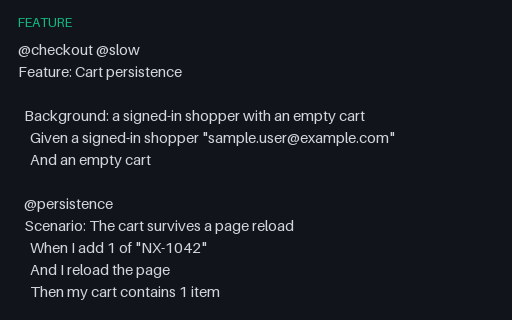
- featureGherkin — Background, Feature Tags and HooksA named Background whose two steps are prepended to all three scenarios, plus feature-level tags that every scenario inherits and scenario-level tags that only some carry. Tag filtering is where this file earns its keep: @slow selects one scenario by its own tag and all three by inheritance from the feature.
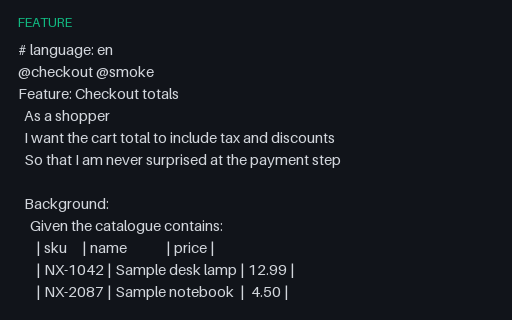
- featureGherkin — Checkout Feature (Background, Outline, Doc String)The source feature for this whole group: a Background with a data table, a plain scenario, a Scenario Outline expanded by two Examples tables, and a scenario asserting against a doc string. It compiles to exactly six pickles and 32 pickle steps — the numbers the cucumber-messages and cucumber.json twins next to it report.
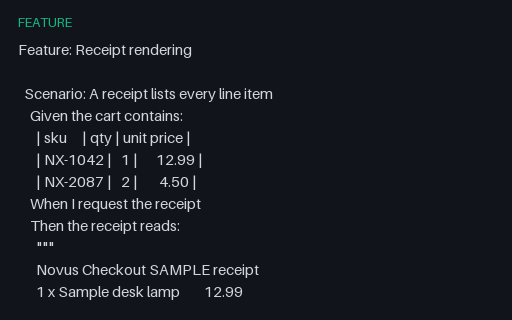
- featureGherkin — Data Table and Doc String ArgumentsA step argument table with a header row, followed by two doc strings — one plain and one carrying a json content type after the opening delimiter. Doc string indentation is relative to the delimiter, so the receipt body must keep its internal column alignment while losing the six leading spaces.
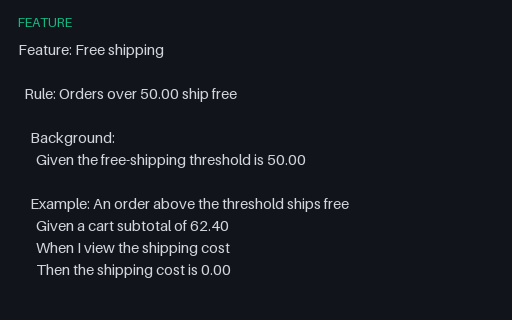
- featureGherkin — Rule Keyword (Gherkin 6)Two Rule blocks, the first with its own Background that applies only to the examples inside it. Parsers written before Gherkin 6 either reject Rule outright or, worse, hoist the Background to the whole feature and add a step to the third example that was never there.
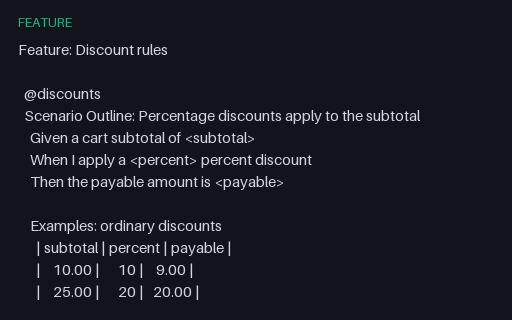
- featureGherkin — Scenario Outline with Two Examples TablesOne outline expanded by two separate Examples tables, the second of which carries its own @edge tag. Expansion must produce five scenarios, and only the two from the tagged table may match a run filtered on @edge — a distinction parsers that flatten the tables lose.
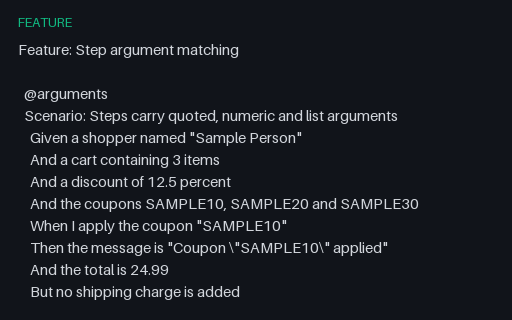
- featureGherkin — Step Argument and Expression TypesSteps exercising every argument shape a step-definition matcher has to handle: quoted strings with escaped inner quotes, integers, decimals, a comma-and-and list, the But keyword, and angle brackets in a plain Scenario where they are literal text rather than outline placeholders.
Generated by generation/testing.py. Free for any use, no attribution required — license.