
Kubernetes Multi-Document Manifest Bundle
Three Kubernetes objects in one YAML stream, the shape kubectl apply consumes. A loader that calls the single-document API returns only the first object and silently drops the other two, which is exactly the failure this fixture is for.
# A three-document YAML stream: the shape `kubectl apply -f` reads and most naive parsers do not.
# A loader that calls the single-document API returns only the ConfigMap and silently drops two
# objects; the multi-document API returns all three in order.
apiVersion: v1
kind: ConfigMap
metadata:
  name: orders-config
  namespace: example-apps
  labels:
    app.kubernetes.io/name: orders
data:
  LOG_LEVEL: info
  FEATURE_FLAGS: |
    checkout_v2=true
    slow_path=false
---
apiVersion: apps/v1
kind: Deployment
metadata:
  name: orders
  namespace: example-apps
  labels:
    app.kubernetes.io/name: orders
    app.kubernetes.io/version: 1.4.0
spec:
  replicas: 3
  selector:
    matchLabels:
      app.kubernetes.io/name: orders
  template:
    metadata:
      labels:
        app.kubernetes.io/name: orders
    spec:
      containers:
        - name: orders
          image: registry.example.invalid/example-org/orders:1.4.0
          ports:
            - containerPort: 8080
              name: http
          envFrom:
            - configMapRef:
                name: orders-config
          resources:
            requests:
              cpu: 100m
              memory: 128Mi
            limits:
              cpu: 500m
memory: 512MiSpecifications
- Documents
- 3
- Kinds
- ConfigMap, Deployment, Service
- Namespace
- example-apps
- Edge Case
- single-document loaders silently drop two objects
- Has Block Scalar
- true
Testing contract
Expected to pass- Scenario
- Load a multi-document Kubernetes manifest with a single-document YAML API
- Expected result
- The multi-document API yields 3 objects in stream order; the single-document API yields only the ConfigMap or raises a composer error
What is a .yaml file?
YAML (YAML Ain't Markup Language) is a human-readable data-serialization format using indentation, key-value pairs, and lists, and is a superset of JSON. It supports comments, anchors, and multiple documents per file, favoring readability for configuration. Its indentation sensitivity makes it error-prone to hand-edit.
How to use this file
Use an example YAML file to test config parsers, indentation and anchor handling, multi-document streams, and safe-loading to avoid arbitrary object construction.
How to use this file for testing
“Kubernetes Multi-Document Manifest Bundle” is a deterministic Novus Examples fixture for Config testing, Config parsing, Editor testing. TOML, INI, YAML, .env, and dotfile configuration samples with nested sections and typed values — for testing config parsers, loaders, and environment tooling.
Documented properties for this file: YAML · 1,612 bytes. Compare results against paired or grouped companions on this page when present (clean↔damaged, searchable↔scanned, or format twins) so scores stay reproducible across runs.
Download the file once, keep the path stable in CI or local scripts, and treat the spec table as the contract: dimensions, seeds, field lists, and roles are intentional. Corrupt or invalid samples are labelled as such — expect parsers to fail loudly rather than silently accept them.
Pipeline and infrastructure fixtures are inert configuration: steps reference fictional images and scripts, and nothing here executes. Run your linter, schema validator, migrator, or policy engine against them, and expect the deprecated-syntax and intentionally invalid variants to be rejected.
Point your config loader at the file and assert it reads the documented sections and typed values, including any deliberately-tricky nesting or comments.
Code examples
import yaml  # pip install pyyaml

with open("multi-document-bundle.yaml") as f:
    data = yaml.safe_load(f)
print(data)
Related files
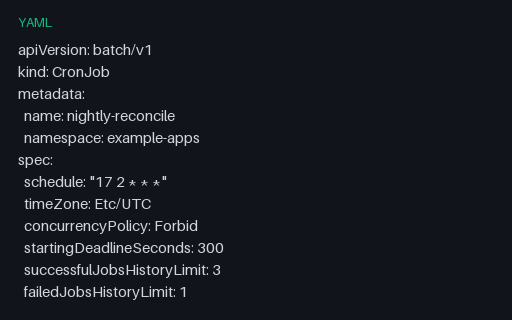
- yamlKubernetes CronJob Schedule and History LimitsA CronJob with an explicit timeZone, Forbid concurrency, a starting deadline, and history limits on both success and failure. For testing cron parsing and the scheduling fields policy engines most often check.
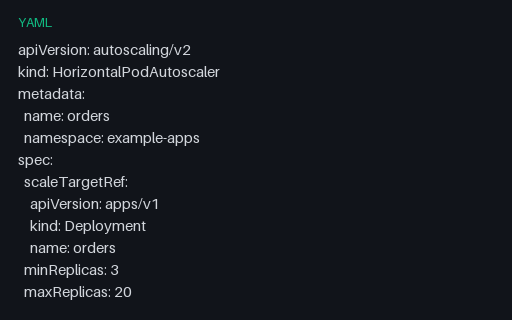
- yamlKubernetes HorizontalPodAutoscaler (autoscaling/v2)An autoscaling/v2 HPA with both a Resource and a Pods metric, plus scaleUp and scaleDown behaviour policies. The v2 metric shape differs sharply from v1 and v2beta, which is what makes it a useful conversion fixture.
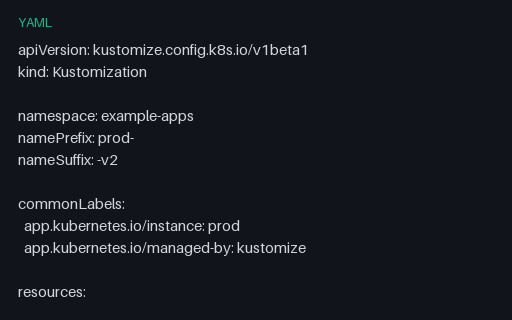
- yamlKubernetes Kustomization OverlayA Kustomize overlay with a name prefix and suffix, common labels, an image tag override, a configMapGenerator merge, and a JSON-6902 patch embedded as a block scalar — YAML inside YAML, which naive rewriters mangle.
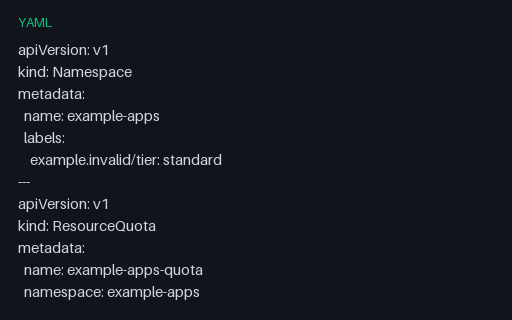
- yamlKubernetes Namespace, ResourceQuota, and LimitRangeA three-document governance bundle. Its real edge case is quantity handling: values like "8", 16Gi and 250m are Kubernetes quantity strings, and a parser that coerces the quoted ones to numbers or normalises the suffixed ones changes their meaning.
- yamlKubernetes NetworkPolicy with Ingress and EgressA NetworkPolicy with both policy types: an ingress rule combining namespace and pod selectors, and two egress rules, one of which uses an ipBlock with an except range. For testing policy engines that reason about allowed traffic.
- yamlKubernetes StatefulSet with Volume Claim TemplatesA StatefulSet with volumeClaimTemplates, an ordered pod-management policy, a partitioned rolling update, and a non-root pod security context. For testing manifest linters and admission policies that reason about storage and identity.
Generated by generation/pipelines.py. Free for any use, no attribution required — license.