
STL — Binary Cube
The same 10 mm cube as binary STL — an 80-byte header, a triangle count, and packed little-endian floats. Compact; for testing binary-STL readers.
Interactive preview rendered from the equivalent glTF (cube.glb); drag to orbit. Download the file above for the STL original.
Specifications
- Format
- STL (binary)
- Solid
- 10 mm cube
- Triangles
- 12
- Vertices
- 8
- Units
- mm
- Byte Order
- little-endian
What is a .stl file?
STL (Stereolithography) is a 3D model format that represents a surface as an unstructured collection of triangular facets, each with a normal and three vertices. It stores only geometry with no color, texture, or units, and comes in ASCII and binary variants. It is the workhorse format for 3D printing.
How to use this file
Use an example STL to test mesh loaders, ASCII versus binary parsing, slicer and 3D-print pipelines, and geometry validation such as watertightness checks.
How to use this file for testing
“STL — Binary Cube” is a deterministic Novus Examples fixture for Conversion testing. The same content exported across many formats and linked as a group, so you can convert one and diff against the expected twin.
Documented properties for this file: STL (binary). Compare results against paired or grouped companions on this page when present (clean↔damaged, searchable↔scanned, or format twins) so scores stay reproducible across runs.
Download the file once, keep the path stable in CI or local scripts, and treat the spec table as the contract: dimensions, seeds, field lists, and roles are intentional. Corrupt or invalid samples are labelled as such — expect parsers to fail loudly rather than silently accept them.
3D and CAD fixtures carry one small, documented solid or scene. Convert and inspect against the known geometry, units, and structure; format twins let you diff interchange fidelity, and the 3D viewer previews the actual mesh.
Code examples
import trimesh  # pip install trimesh

mesh = trimesh.load("cube-binary.stl")
print(mesh.bounds, mesh.faces.shape)
Related files
- binBIN — glTF Buffer CompanionBinary buffer companion for the textured mini glTF (positions, UVs, indices).
- binBIN — glTF External Buffer PayloadThe binary payload the external-buffer glTF in this group points at: tightly-packed positions, normals and indices with 4-byte alignment padding. Not viewable on its own — its bufferViews live in the JSON.
- jsonConvert v2 3DS Semantic Geometry ReferenceJSON semantic reference for the 3DS tetrahedron, publishing vertex order, face indices, bounds, and the closed-mesh contract. Stable P8 artifact p8-convert-model-3ds-reference.
- jsonConvert v2 AMF Semantic Geometry ReferenceJSON semantic reference for the AMF tetrahedron, publishing vertex order, face indices, bounds, and the closed-mesh contract. Stable P8 artifact p8-convert-model-amf-reference.
- jsonConvert v2 DRC Semantic Geometry ReferenceJSON semantic reference for the DRC tetrahedron, publishing vertex order, face indices, bounds, and the closed-mesh contract. Stable P8 artifact p8-convert-model-drc-reference.
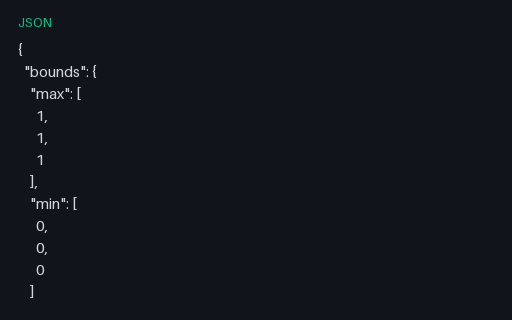
- jsonConvert v2 FBX Semantic Geometry ReferenceJSON semantic reference for the FBX tetrahedron, publishing vertex order, face indices, bounds, and the closed-mesh contract. Stable P8 artifact p8-convert-model-fbx-reference.
Generated by generation/models.py. Free for any use, no attribution required — license.