
Temporal Input Types (HTML)
All five temporal HTML input types with explicit bounds and sample values, including the two that many form libraries silently downgrade to plain text - month and week - so a round trip can be verified format by format.
<!DOCTYPE html>
<html lang="en">
<head>
<meta charset="utf-8">
<meta name="viewport" content="width=device-width, initial-scale=1">
<title>Temporal input types - Novus Examples</title>
<meta name="description" content="date, time, month, week and datetime-local, each with bounds. SAMPLE test data only.">
<style>:root{--bg:#f6f7f9;--card:#fff;--fg:#1a1d23;--muted:#5b6472;--border:#d9dee6;--accent:#0f9d6b;--accent-d:#0c7f56;--err:#d33;--radius:10px}*{box-sizing:border-box}body{margin:0;font:16px/1.5 system-ui,-apple-system,'Segoe UI',Roboto,sans-serif;background:var(--bg);color:var(--fg);padding:2rem 1rem}.wrap{max-width:640px;margin:0 auto}.card{background:var(--card);border:1px solid var(--border);border-radius:16px;padding:1.75rem;box-shadow:0 1px 3px rgba(0,0,0,.05)}h1{margin:0 0 .25rem;font-size:1.55rem}.lead{margin:0 0 1.5rem;color:var(--muted)}form{display:grid;gap:1.1rem}.field{display:grid;gap:.35rem}label{font-weight:600;font-size:.92rem}.req{color:var(--err)}.hint{font-size:.8rem;color:var(--muted)}input,select,textarea{font:inherit;color:inherit;background:#fff;border:1px solid var(--border);border-radius:var(--radius);padding:.6rem .7rem;width:100%}input:focus,select:focus,textarea:focus{outline:2px solid var(--accent);outline-offset:1px;border-color:var(--accent)}textarea{resize:vertical;min-height:110px}input[type=range]{padding:0}input[type=color]{height:44px;padding:.25rem}input[type=file]{padding:.45rem}.group{display:grid;gap:.45rem}.opt{display:flex;align-items:center;gap:.55rem;font-weight:400}.opt input{width:auto}.inline{display:flex;flex-wrap:wrap;gap:1rem}fieldset{border:1px solid var(--border);border-radius:12px;padding:1rem;margin:0}legend{font-weight:600;padding:0 .4rem}.hp{position:absolute!important;left:-9999px;width:1px;height:1px;overflow:hidden}button{font:inherit;font-weight:700;cursor:pointer;border:0;border-radius:var(--radius);padding:.7rem 1.3rem}.btn{background:var(--accent);color:#fff}.btn:hover{background:var(--accent-d)}.btn-ghost{background:transparent;color:var(--muted);border:1px solid var(--border)}.actions{display:flex;gap:.6rem;flex-wrap:wrap;margin-top:.3rem}.ok{display:none;background:#e7f7ef;border:1px solid #b6e6cf;color:#0c7f56;border-radius:var(--radius);padding:.7rem .9rem;font-size:.9rem}.foot{margin-top:1.25rem;font-size:.78rem;color:var(--muted);text-align:center}@media(max-width:480px){body{padding:1rem .5rem}.card{padding:1.25rem}}.grid2{display:grid;gap:1.1rem;grid-template-columns:1fr}@media(min-width:560px){.grid2{grid-template-columns:1fr 1fr}}.note{font-size:.82rem;color:var(--muted);border-left:3px solid var(--border);padding:.15rem 0 .15rem .7rem;margin:.2rem 0}.steps{display:flex;gap:.4rem;flex-wrap:wrap;list-style:none;padding:0;margin:0 0 1.1rem;font-size:.8rem}.steps li{border:1px solid var(--border);border-radius:999px;padding:.2rem .7rem;color:var(--muted)}.steps li[aria-current=step]{border-color:var(--accent);color:var(--accent-d);font-weight:700}.vh{position:absolute!important;width:1px;height:1px;margin:-1px;padding:0;overflow:hidden;clip:rect(0 0 0 0);white-space:nowrap;border:0}table.matrix{width:100%;border-collapse:collapse;font-size:.85rem}table.matrix th,table.matrix td{border:1px solid var(--border);padding:.4rem .5rem;text-align:left}table.matrix th{background:#eef1f5;font-weight:600}[data-branch]{display:none}[data-branch].on{display:grid}input:read-only,textarea:read-only{background:#f1f3f6;color:var(--muted)}input:disabled,select:disabled,textarea:disabled{background:#eceff3;color:#9aa3af}</style>
</head>
<body>
<main class="wrap"><div class="card">
<h1>Temporal input types</h1>
<p class="lead">date, time, month, week and datetime-local, each with bounds. SAMPLE test data only.</p>
<form method="post" action="#" novalidate>
<div class="hp" aria-hidden="true"><label>Leave this field empty<input type="text" name="website" tabindex="-1" autocomplete="off"></label></div>
<fieldset><legend>Dates</legend>
<div class="field"><label for="f-single_date">Single date</label><input id="f-single_date" type="date" name="single_date" min="2026-01-01" max="2026-12-31" value="2026-04-14"></div>
<div class="field"><label for="f-month_only">Month</label><input id="f-month_only" type="month" name="month_only" min="2026-01" max="2026-12" value="2026-04"></div>
<div class="field"><label for="f-week_only">Week</label><input id="f-week_only" type="week" name="week_only" min="2026-W01" max="2026-W53" value="2026-W16"></div>
</fieldset>
<fieldset><legend>Times</legend>
<div class="field"><label for="f-time_only">Time</label><input id="f-time_only" type="time" name="time_only" min="06:00" max="22:00" step="60" value="14:15"></div>
<div class="field"><label for="f-time_seconds">Time with seconds</label><input id="f-time_seconds" type="time" name="time_seconds" step="1" value="14:15:30"><span class="hint">A one-second step makes the seconds field appear.</span></div>
<div class="field"><label for="f-date_and_time">Date and time</label><input id="f-date_and_time" type="datetime-local" name="date_and_time" min="2026-01-01T00:00" max="2026-12-31T23:59" value="2026-04-14T14:15"></div>
</fieldset>
<p class="hint" data-locked="notice">SAMPLE test data only - nothing is submitted, uploaded, or stored.</p>
<div class="ok" role="status">Sample validated locally - nothing was sent.</div>
<div class="actions"><button type="submit" class="btn">Read the dates</button></div>
</form>
<p class="foot">Free example form from Novus Examples · works offline, no data leaves your browser.</p>
</div></main>
<script>document.querySelectorAll('form').forEach(function(f){f.addEventListener('submit',function(e){e.preventDefault();var hp=f.querySelector('.hp input');if(hp&&hp.value){return;}if(!f.checkValidity()){f.reportValidity();return;}var ok=f.querySelector('.ok');if(ok){ok.style.display='block';ok.scrollIntoView({block:'nearest'});}f.reset();});});</script>
</body>
</html>
Specifications
- Fields
- 6
- Use Case
- scheduling
- Validation
- HTML5 native
- Honeypot
- true
- Standalone
- true
- Dependencies
- none
- Input Types
- 5
What is a .html file?
HTML (HyperText Markup Language) is the structural markup language of the web, using nested tags to define document content, semantics, and links. It is typically paired with CSS for presentation and JavaScript for behavior. It is the foundational format rendered by browsers.
How to use this file
Use an example HTML file to test parsers, DOM construction, sanitization of untrusted markup, and rendering or scraping pipelines.
How to use this file for testing
“Temporal Input Types (HTML)” is a deterministic Novus Examples fixture for Form testing, Form parsing, Autofill testing, HTML parsing. HTML and PDF form files for testing scrapers, autofill, validators, and PDF form fillers across real-life use cases.
Documented properties for this file: 6 fields. Compare results against paired or grouped companions on this page when present (clean↔damaged, searchable↔scanned, or format twins) so scores stay reproducible across runs.
Download the file once, keep the path stable in CI or local scripts, and treat the spec table as the contract: dimensions, seeds, field lists, and roles are intentional. Corrupt or invalid samples are labelled as such — expect parsers to fail loudly rather than silently accept them.
This form is fictional SAMPLE content for tooling tests (autofill, scrapers, PDF fillers). It is not an official government, bank, or clinic form. Open the HTML offline or fill the PDF in any viewer; the demo submit path never stores data.
Embed this form
It's a single self-contained HTML file (inlined CSS, native validation, no external requests). Download it, host it on your own site, and drop it into any page with an iframe.
<!-- Download input-types-temporal.html, host it on your site, then embed the form anywhere: -->
<iframe
  src="/path/to/input-types-temporal.html"
  title="Temporal Input Types (HTML)"
  width="100%"
  height="640"
  loading="lazy"
  style="border:0">
</iframe>
Related files
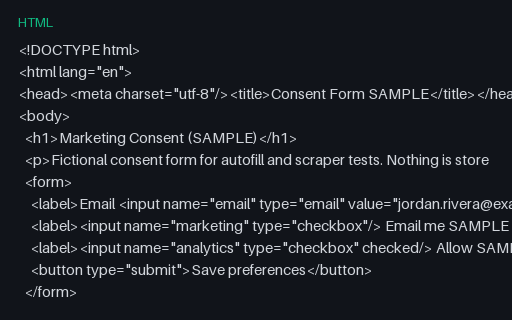
- htmlConsent Form Template (HTML, SAMPLE)A minimal fictional marketing-consent HTML form — for privacy UX and scraper tests.
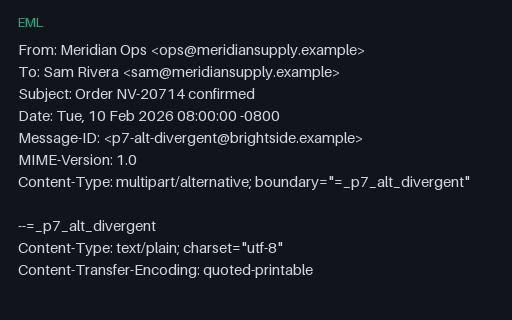
- emlEML — multipart/alternative Whose Parts DisagreeText and HTML alternatives that state different totals and different delivery dates. The spec says the parts must be alternative renderings of the same content, so this fixture shows what a tool extracts when they are not — the answer depends entirely on which part it picks.
- epubEPUB 3 - Inline SVG in XHTML (svg property)SVG written straight into an XHTML content document, with properties="svg" declared on the manifest item as EPUB 3 requires. The other half of the SVG question: inline vector markup rather than a standalone content document.
- epubEPUB 3 - MathML with the mathml Property DeclaredAn EPUB 3 with a block MathML equation and the required properties="mathml" on its content document. The baseline for MathML support, paired with a twin that omits the declaration.
- epubEPUB 3 - Scripted Content with the scripted PropertyAn EPUB 3 whose one content document declares properties="scripted" and contains a single inline script that rewrites one paragraph. It makes no network request and reads correctly with scripting switched off, so it tests the property and the fallback rather than the script.
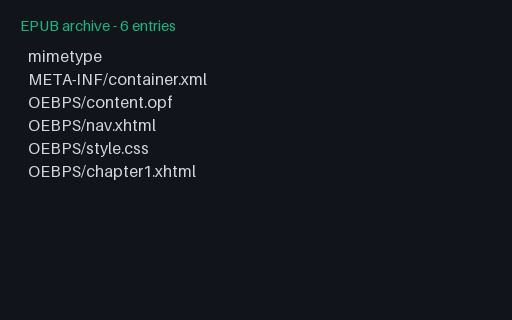
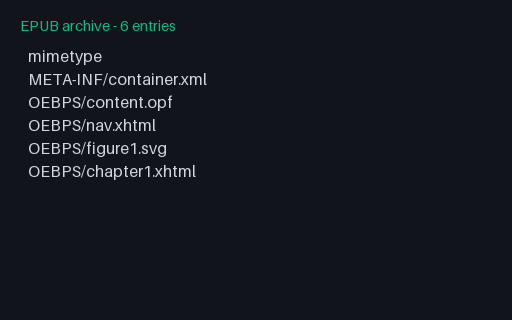
- epubEPUB 3 - SVG Content Document in the SpineAn EPUB 3 whose first spine item is an SVG content document rather than XHTML, followed by a chapter that explains what should have appeared. For testing readers that assume every reading-order document is XHTML.
Generated by generation/forms_p7.py. Free for any use, no attribution required — license.