
Juniper Corner Cafe: ANSI X12 810 invoice with a wrong SE segment count
ANSI X12 810 invoice with a wrong SE segment count for Juniper Corner Cafe. Identical to edi-810-invoice.edi except for one element: SE declares 11 segments where 13 are present between ST and SE inclusive. The ISA, GS, GE and IEA control numbers, every data segment and the TDS total of 34883 are unchanged, so a parser that checks only syntax accepts the file and only a parser that recounts segments rejects it.
edi
application/edi-x12
- Kit
- restaurant-cafe
- Schema Version
- 1
- Synthetic
- true
- As Of
- 2026-09-08
- Currency
- CAD
- Tax Name
- GST
Binary edi: no in-browser preview. Download it above to open in a compatible application.
Specifications
- Kit
- restaurant-cafe
- Schema Version
- 1
- Synthetic
- true
- As Of
- 2026-09-08
- Currency
- CAD
- Tax Name
- GST
- Tax Rate
- 0.05
- Standard
- ANSI X12 004010
- Transaction Set
- 810
- Control Number
- 810002
- Segments
- 13
- Declared Segments
- 11
- Segment Terminator
- ~
- Line Endings
- CRLF
- Encoding
- ASCII
- Intentionally Inconsistent
- true
Testing contract
Expected to fail- Scenario
- Validate the SE segment count by recounting the segments between ST and SE.
- Expected result
- Identical to edi-810-invoice.edi except for one element: SE declares 11 segments where 13 are present between ST and SE inclusive. The ISA, GS, GE and IEA control numbers, every data segment and the TDS total of 34883 are unchanged, so a parser that checks only syntax accepts the file and only a parser that recounts segments rejects it.
What is a .edi file?
EDI (Electronic Data Interchange), in the ANSI X12 family, is a structured plain-text format for exchanging business documents like purchase orders (850) and invoices (810) between trading partners. It is built from segments (ISA, GS, ST, …) separated by delimiters, with tightly specified element positions. It underpins much of B2B supply-chain and retail commerce.
How to use this file
Use an example X12 EDI file to test EDI parsers and translators, segment/element extraction, and mapping from EDI to JSON or XML. The parties and values here are synthetic.
How to use this file for testing
“Juniper Corner Cafe: ANSI X12 810 invoice with a wrong SE segment count” is a deterministic Novus Examples fixture for Data import, Conversion testing, Error handling. Realistic faker-generated datasets with documented schemas for testing import and ETL flows.
Documented properties for this file: ASCII · CRLF. Compare results against paired or grouped companions on this page when present (clean↔damaged, searchable↔scanned, or format twins) so scores stay reproducible across runs.
Download the file once, keep the path stable in CI or local scripts, and treat the spec table as the contract: dimensions, seeds, field lists, and roles are intentional. Corrupt or invalid samples are labelled as such, expect parsers to fail loudly rather than silently accept them.
Document fixtures list their internal structure (pages, fields, tracked changes, embedded objects) in the spec table. Test extractors, converters, and OCR against that known structure, and compare searchable↔scanned or format-twin companions when present.
Code examples
from pydifact.segmentcollection import Interchange  # EDIFACT

inter = Interchange.from_file("edi-810-invalid-segment-count.edi")
for seg in inter.segments:
    print(seg.tag, seg.elements)
Related files
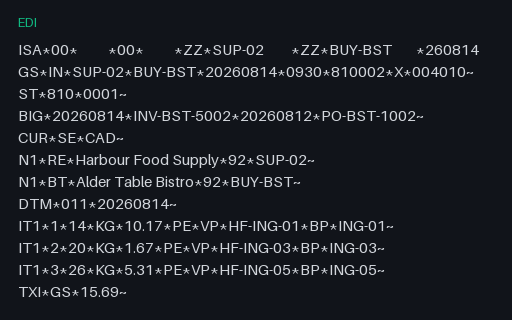
- ediAlder Table Bistro: ANSI X12 810 invoice with a wrong SE segment countANSI X12 810 invoice with a wrong SE segment count for Alder Table Bistro. Identical to edi-810-invoice.edi except for one element: SE declares 11 segments where 13 are present between ST and SE inclusive. The ISA, GS, GE and IEA control numbers, every data segment and the TDS total of 32953 are unchanged, so a parser that checks only syntax accepts the file and only a parser that recounts segments rejects it.
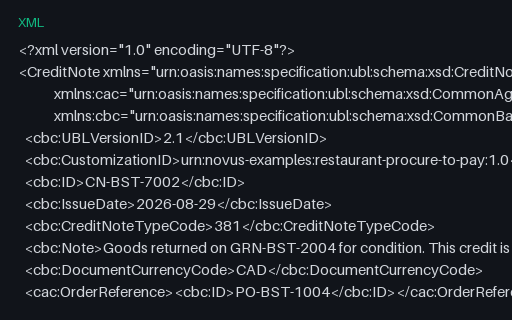
- xmlAlder Table Bistro: UBL 2.1 credit note XMLUBL 2.1 credit note XML for Alder Table Bistro. OASIS UBL 2.1 CreditNote for CN-BST-7002 with type code 381, a BillingReference to invoice INV-BST-5004 dated 2026-08-28, one CreditNoteLine of 5 l and a PayableAmount of 40.90 CAD. It carries the same over-credit as credit-note.pdf: 2 units more than GRN-BST-2004 records returned.
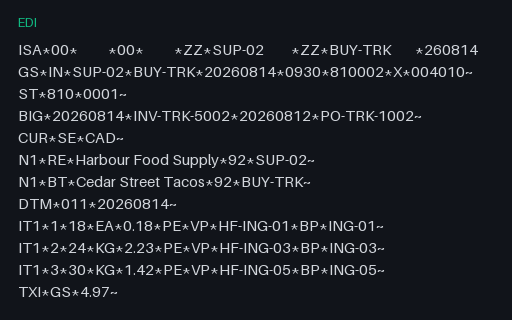
- ediCedar Street Tacos: ANSI X12 810 invoice with a wrong SE segment countANSI X12 810 invoice with a wrong SE segment count for Cedar Street Tacos. Identical to edi-810-invoice.edi except for one element: SE declares 11 segments where 13 are present between ST and SE inclusive. The ISA, GS, GE and IEA control numbers, every data segment and the TDS total of 10433 are unchanged, so a parser that checks only syntax accepts the file and only a parser that recounts segments rejects it.
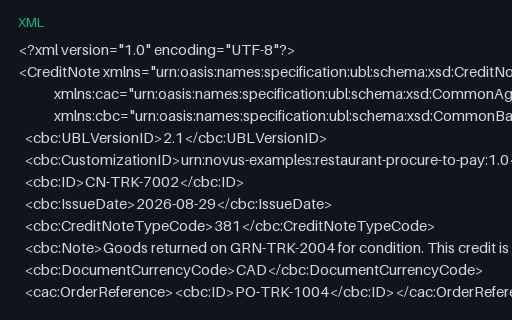
- xmlCedar Street Tacos: UBL 2.1 credit note XMLUBL 2.1 credit note XML for Cedar Street Tacos. OASIS UBL 2.1 CreditNote for CN-TRK-7002 with type code 381, a BillingReference to invoice INV-TRK-5004 dated 2026-08-28, one CreditNoteLine of 5 each and a PayableAmount of 1.10 CAD. It carries the same over-credit as credit-note.pdf: 2 units more than GRN-TRK-2004 records returned.
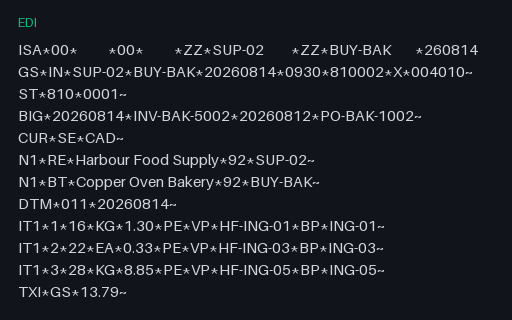
- ediCopper Oven Bakery: ANSI X12 810 invoice with a wrong SE segment countANSI X12 810 invoice with a wrong SE segment count for Copper Oven Bakery. Identical to edi-810-invoice.edi except for one element: SE declares 11 segments where 13 are present between ST and SE inclusive. The ISA, GS, GE and IEA control numbers, every data segment and the TDS total of 28965 are unchanged, so a parser that checks only syntax accepts the file and only a parser that recounts segments rejects it.
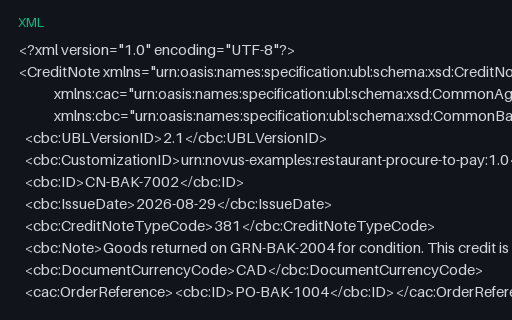
- xmlCopper Oven Bakery: UBL 2.1 credit note XMLUBL 2.1 credit note XML for Copper Oven Bakery. OASIS UBL 2.1 CreditNote for CN-BAK-7002 with type code 381, a BillingReference to invoice INV-BAK-5004 dated 2026-08-28, one CreditNoteLine of 5 kg and a PayableAmount of 25.94 CAD. It carries the same over-credit as credit-note.pdf: 2 units more than GRN-BAK-2004 records returned.
Generated by generation/restaurant_procurement.py. Free for any use, no attribution required, license.