
AVI — DivX (MPEG-4 ASP) Clip
The clip as DivX-style MPEG-4 ASP in an AVI container — the codec that defined early desktop video. For testing MPEG-4 Part 2 decoding and AVI conversion.
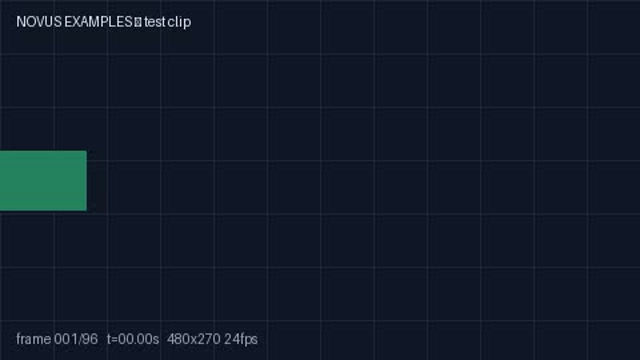
Rendered preview of the avi file (94.7 KB). Download above for the original.
Specifications
- Resolution
- 480x270
- Fps
- 24
- Duration
- 4s
- Audio
- none (video-only)
- Container
- AVI (RIFF)
- Codec
- MPEG-4 ASP (DivX)
Testing contract
Expected to pass- Scenario
- Probe the file, then decode it and confirm the stream inventory matches what the container advertises.
- Expected result
- One video stream and no audio stream: MPEG-4 ASP (DivX) in a AVI (RIFF) container, 480x270 at 24 fps, 4s. The absence of audio is deliberate and part of the contract - code that assumes every video file has a soundtrack fails here, and reporting a silent audio track that does not exist is equally wrong.
What is a .avi file?
AVI (Audio Video Interleave) is a legacy Microsoft multimedia container built on the RIFF structure that interleaves video and audio streams. It predates modern features, lacking robust support for advanced codecs, streaming, and multiple subtitle tracks. It remains common in older video files.
How to use this file
Use an example AVI to test RIFF-based demuxing, legacy codec handling, and converters that modernize older video into MP4 or MKV.
How to use this file for testing
“AVI — DivX (MPEG-4 ASP) Clip” is a deterministic Novus Examples fixture for Conversion testing. The same content exported across many formats and linked as a group, so you can convert one and diff against the expected twin.
Documented properties for this file: 4s · 24 fps. Compare results against paired or grouped companions on this page when present (clean↔damaged, searchable↔scanned, or format twins) so scores stay reproducible across runs.
Download the file once, keep the path stable in CI or local scripts, and treat the spec table as the contract: dimensions, seeds, field lists, and roles are intentional. Corrupt or invalid samples are labelled as such — expect parsers to fail loudly rather than silently accept them.
Media fixtures are short and synthetic by design. Prefer waveform or transcript ground truth in the same group when measuring ASR, trim, upscale, or sync tools; do not assume broadcast-quality masters.
Code examples
<video controls preload="metadata" width="640" src="clip.avi"></video>Related files
- aviAVI — Motion-JPEG ClipThe clip as Motion-JPEG in a classic AVI (RIFF) container — every frame an independent JPEG. For testing legacy AVI readers, MJPEG decoding, and AVI→modern-codec conversion.
- 3gp3GP — Mobile H.264 ClipThe clip as 3GP — the 3GPP mobile container from the feature-phone era. For testing 3GP demuxing and conversion.
- mp460 fps Clip (MP4)A 60 frames-per-second clip with a smoothly sweeping marker — double the usual frame rate. A fixture for testing high-frame-rate playback, frame-rate detection, and fps conversion (60→30 decimation).
- mp4A/V Sync — Beep + Flash (MP4, with audio)A five-second clip that flashes white and plays a 1 kHz beep on every whole second — the first clip in the library WITH an audio track. A direct fixture for measuring and correcting audio/video sync (lip-sync) offset.
- webmAlpha Channel — Opaque VP9 TwinThe same codec and container with NO alpha plane, as the control for the alpha clip in this group. Useful for checking that alpha detection reads the pixel format rather than assuming every WebM is transparent — and for confirming a compositing bug is in the alpha handling rather than in the player.

- webmAlpha Channel — VP9 in WebMVideo with a real per-pixel alpha channel: VP9 yuva420p in WebM, the one alpha path browsers decode natively. Composite it over a page background and the transparency is genuine, not a chroma key. Roughly 90% of each frame is fully transparent. Two traps this file exists to expose. First, auto-alt-ref must be disabled at encode time or libvpx silently drops the alpha plane, producing a valid file with no transparency and no error. Second, WebM stores VP9 alpha in BlockAdditional and signals it with AlphaMode=1, so FFmpeg's NATIVE vp9 decoder reports pix_fmt yuv420p and decodes fully opaque — you must force `-c:v libvpx-vp9` to see the alpha at all. Probing this file with default settings and concluding it has no alpha is the expected mistake.

Generated by generation/video.py. Free for any use, no attribution required — license.