
Point Cloud GT — Orb Dense Clean (PLY)
Dense, noise-free point cloud sampled on the orb surface — the reconstruction target for scoring a photogrammetry / point-cloud-cleanup tool.
ply
model/ply
- Format
- ASCII PLY
- Points
- 2600
- Role
- clean ground truth
- Shape
- orb
- Seed
- 3401
Binary ply: no in-browser preview. Download it above to open in a compatible application.
Specifications
- Format
- ASCII PLY
- Points
- 2600
- Role
- clean ground truth
- Shape
- orb
- Seed
- 3401
Testing contract
Reference control- Scenario
- Exercise Point Cloud GT — Orb Dense Clean (PLY) in its point cloud ai workflow. Dense, noise-free point cloud sampled on the orb surface — the reconstruction target for scoring a photogrammetry / point-cloud-cleanup tool.
- Expected result
- 2610 text lines, decoded as UTF-8; first nonempty line is 'ply'. Declared feature checks: points=2600; role=clean ground truth; shape=orb.
What is a .ply file?
PLY (.ply, Polygon/Stanford Triangle Format) is a flexible 3D format storing a list of vertices and faces with arbitrary per-element properties (position, colour, normals, confidence), in ASCII or binary. It is standard for scanned meshes and point clouds.
How to use this file
Use an example .ply file to test mesh/point-cloud parsers (Open3D, MeshLab), per-vertex colour handling, and PLY conversion.
How to use this file for testing
“Point Cloud GT — Orb Dense Clean (PLY)” is a deterministic Novus Examples fixture for Point cloud testing, Photogrammetry testing. A dense, noise-free point cloud paired with a sparse, noisy scan of the same surface, a reconstruction / denoise target for point-cloud tooling.
Documented properties for this file: seed 3401 · clean ground truth · ASCII PLY. Compare results against paired or grouped companions on this page when present (clean↔damaged, searchable↔scanned, or format twins) so scores stay reproducible across runs.
Download the file once, keep the path stable in CI or local scripts, and treat the spec table as the contract: dimensions, seeds, field lists, and roles are intentional. Corrupt or invalid samples are labelled as such, expect parsers to fail loudly rather than silently accept them.
3D and CAD fixtures carry one small, documented solid or scene. Convert and inspect against the known geometry, units, and structure; format twins let you diff interchange fidelity, and the 3D viewer previews the actual mesh.
Code examples
import trimesh  # pip install trimesh

mesh = trimesh.load("orb-dense-clean.ply")
print(mesh.bounds, mesh.faces.shape)
Related files
- plyPoint Cloud GT — Dome Dense Clean (PLY)Dense, noise-free point cloud sampled on the dome surface — the reconstruction target for scoring a photogrammetry / point-cloud-cleanup tool.
- plyPoint Cloud Input — Dome Sparse Noisy (PLY)Sparse, noisy scan of the same dome surface (700 points, σ=0.05) — a realistic reconstruction / denoise input to compare against the dense clean cloud.
- 3mf3MF — Manufacturing CubeA 10 mm cube as 3MF — the modern OPC-packaged manufacturing format (a ZIP of model XML plus relationships). For testing 3MF readers and slicers.
- binBIN — glTF Buffer CompanionBinary buffer companion for the textured mini glTF (positions, UVs, indices).
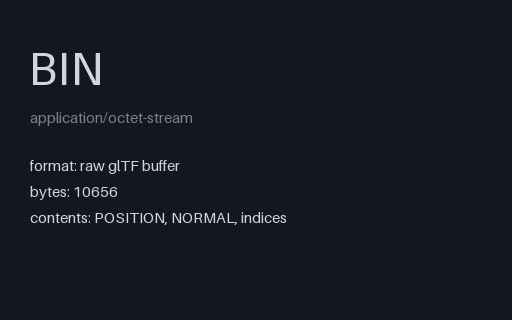
- binBIN — glTF External Buffer PayloadThe binary payload the external-buffer glTF in this group points at: tightly-packed positions, normals and indices with 4-byte alignment padding. Not viewable on its own — its bufferViews live in the JSON.
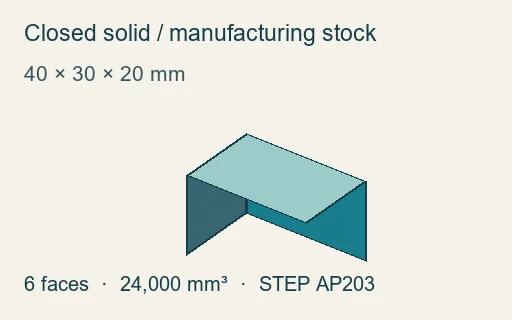
- stepClosed STEP stock block — 40 × 30 × 20 mmOne closed faceted BREP with six planar faces. Triangulation yields 12 triangles, eight unique geometric positions, bounds 0,0,0 to 40,30,20 mm, surface area 5,200 mm² and volume 24,000 mm³. Hard-normal vertices may be duplicated.
Generated by generation/models_ai.py. Free for any use, no attribution required, license.