
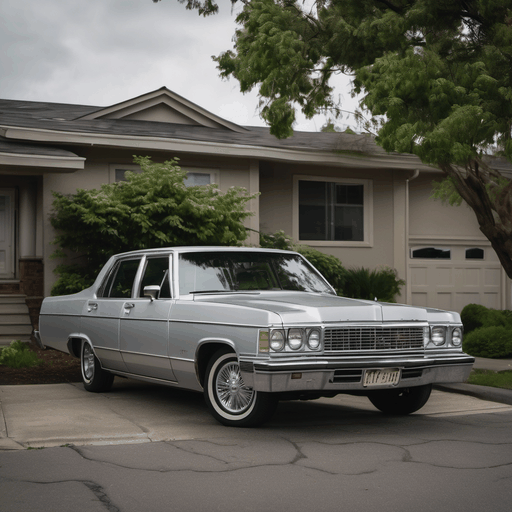
Silver sedan parked on a suburban (png palette256)
The same 512x512 photograph written as png palette256. A palette PNG carries indices and a colour table, not RGB pixels. Every member of this group is identical pixels, so a decoder returning different dimensions or a different pixel count has lost something rather than simply produced a different file; the 24-bit PNG in this group is lossless and is the reference the lossy members are measured against Source plate v-car-sedan.
Specifications
- Bit Depth
- 8
- Colour Mode
- P
- Palette Colours
- 256
- Lossless
- true
- Width
- 512
- Height
- 512
- Variant
- png-palette256
- Source Plate
- v-car-sedan.png
- Synthetic
- true
- Disclosure
- AI-generated / synthetic. Not a photograph of a real person, place or event.
- Schema Version
- 1
- Alt Text
- Silver sedan parked on a suburban street, overcast daylight
- Alt Text Source
- prompt
Testing contract
Expected to pass- Scenario
- Decode this file and the 24-bit PNG in the same group, compare dimensions and pixel count, then check the decoded properties against the ones declared in its specs.
- Expected result
- It decodes to 512x512 with colour mode P, 8 bits per sample. The encode is lossless, so it must decode to the reference pixel for pixel. Every member of this group is the same source image, so a reader that returns different dimensions has demonstrably lost something rather than read a different file.
What is a .png file?
PNG (Portable Network Graphics) is a raster image format using lossless DEFLATE compression. It supports full 8- or 16-bit-per-channel truecolor, palette, and greyscale modes with an optional alpha channel, but no animation. It is the standard choice for screenshots, logos, and graphics with sharp edges or transparency.
How to use this file
Use an example PNG to test image decoders, alpha-compositing, thumbnail generators, and format converters, or to verify that a pipeline preserves transparency and color depth on round-trip.
How to use this file for testing
“Silver sedan parked on a suburban (png palette256)” is a deterministic Novus Examples fixture for Media handling. Generated stills, clips and audio published in several encodings of identical content, so a media pipeline can be tested on format handling, quality loss and frame or sample extraction against a reference that is known rather than assumed.
Documented properties for this file: 512×512 · 8-bit. Compare results against paired or grouped companions on this page when present (clean↔damaged, searchable↔scanned, or format twins) so scores stay reproducible across runs.
Download the file once, keep the path stable in CI or local scripts, and treat the spec table as the contract: dimensions, seeds, field lists, and roles are intentional. Corrupt or invalid samples are labelled as such, expect parsers to fail loudly rather than silently accept them.
For image AI or enhancement tools, run the model or filter on this file and diff against the clean or ground-truth companion in the same group when available. Keep seeds and documented damage parameters in your evaluation notes so regressions are attributable.
Code examples
<img src="v-car-sedan-png-palette256.png" alt="Example image" width="640" loading="lazy">Related files
- webpA barista in her twenties (WebP q85)The same plate as WebP at quality 85, for format-handling coverage beside the PNG and JPEG encodings of identical pixels Plate owner-cafe.

- webpA Black man in his seventies (WebP q85)The same plate as WebP at quality 85, for format-handling coverage beside the PNG and JPEG encodings of identical pixels Plate p-market-sen.
- avifA Black man in his seventies with grey (avif lossy)The same 512x350 photograph written as avif lossy. AV1 still image: modern, small, and unsupported by a surprising amount of tooling. Every member of this group is identical pixels, so a decoder returning different dimensions or a different pixel count has lost something rather than simply produced a different file; the 24-bit PNG in this group is lossless and is the reference the lossy members are measured against Source plate p-market-sen.
- bmpA Black man in his seventies with grey (bmp 24bit)The same 512x350 photograph written as bmp 24bit. BMP stores rows bottom-up, so a reader that ignores that returns the image flipped. Every member of this group is identical pixels, so a decoder returning different dimensions or a different pixel count has lost something rather than simply produced a different file; the 24-bit PNG in this group is lossless and is the reference the lossy members are measured against Source plate p-market-sen.
- gifA Black man in his seventies with grey (gif 256)The same 512x350 photograph written as gif 256. GIF cannot hold more than 256 colours, so this is quantised by the format itself. Every member of this group is identical pixels, so a decoder returning different dimensions or a different pixel count has lost something rather than simply produced a different file; the 24-bit PNG in this group is lossless and is the reference the lossy members are measured against Source plate p-market-sen.
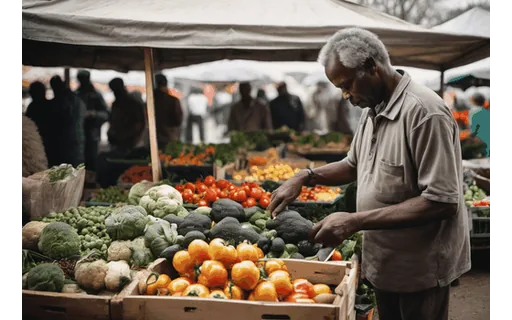
- heicA Black man in his seventies with grey (heic)The same 512x350 photograph written as heic. What an iPhone produces by default, and what a lot of pipelines still cannot read. Every member of this group is identical pixels, so a decoder returning different dimensions or a different pixel count has lost something rather than simply produced a different file; the 24-bit PNG in this group is lossless and is the reference the lossy members are measured against Source plate p-market-sen.
Generated by generation/image_format_wave.py. Free for any use, no attribution required, license.