
G char mage: frame before expansion
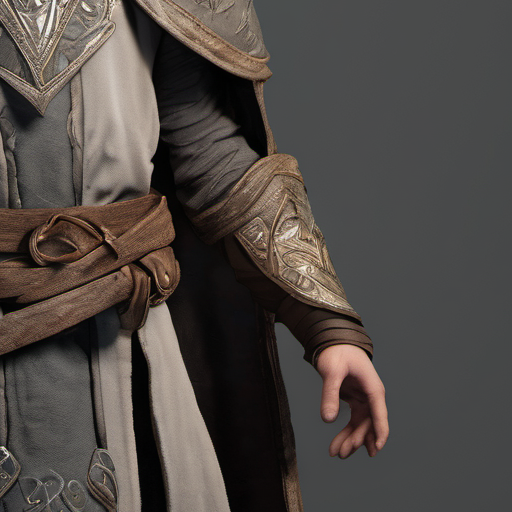
A 512x512 view of stylised fantasy mage character render, full body, neutral grey backdrop - the frame an outpainting tool is given, cropped from the published plate nss-g-char-mage_00001_.png. Its companion expands it to 512x704 with 192 pixels added above alone, so every row index shifts, and the boundary record in this group states the exact rectangle this image occupies inside that frame - so where it ended up can be checked rather than eyeballed.
Specifications
- Pad Name
- top-only
- Pad Left
- 0
- Pad Top
- 192
- Pad Right
- 0
- Pad Bottom
- 0
- Original Rect
- 0,192,512,704
- Feather Px
- 40
- Source Plate
- nss-g-char-mage_00001_.png
- Crop Box
- 497,473,1009,985
- Added Share
- 0.27273
- Synthetic
- true
- Disclosure
- Derived from an AI-generated plate. Synthetic, not a photograph of a real scene.
- Schema Version
- 1
- Width
- 512
- Height
- 512
- Role
- reference
- Alt Text
- Stylised fantasy mage character render, full body, neutral grey backdrop
Testing contract
Reference control- Scenario
- Feed this frame to an outpainting tool with the padding named in the boundary record, then find where this image ended up in what it returns.
- Expected result
- It is 512x512, and after a top-only expansion it must occupy exactly the rectangle 0,192,512,704. That is the claim worth testing: a tool that nudges or rescales the original by a few pixels still returns a picture that reads correctly.
What is a .png file?
PNG (Portable Network Graphics) is a raster image format using lossless DEFLATE compression. It supports full 8- or 16-bit-per-channel truecolor, palette, and greyscale modes with an optional alpha channel, but no animation. It is the standard choice for screenshots, logos, and graphics with sharp edges or transparency.
How to use this file
Use an example PNG to test image decoders, alpha-compositing, thumbnail generators, and format converters, or to verify that a pipeline preserves transparency and color depth on round-trip.
How to use this file for testing
“G char mage: frame before expansion” is a deterministic Novus Examples fixture for Inpainting. Images with cut-out regions (rects, circles, corners, strips, irregular tears) and matching masks for testing inpainting, generative fill, content-aware fill, and object-removal pipelines.
Documented properties for this file: 512×512 · reference. Compare results against paired or grouped companions on this page when present (clean↔damaged, searchable↔scanned, or format twins) so scores stay reproducible across runs.
Download the file once, keep the path stable in CI or local scripts, and treat the spec table as the contract: dimensions, seeds, field lists, and roles are intentional. Corrupt or invalid samples are labelled as such, expect parsers to fail loudly rather than silently accept them.
For image AI or enhancement tools, run the model or filter on this file and diff against the clean or ground-truth companion in the same group when available. Keep seeds and documented damage parameters in your evaluation notes so regressions are attributable.
Run your enhancement model on the degraded input and diff against the clean ground-truth companion in the same group; keep the documented degradation parameters and seed in your eval notes so scores are reproducible.
Code examples
<img src="g-char-mage-original.png" alt="Example image" width="640" loading="lazy">Related files
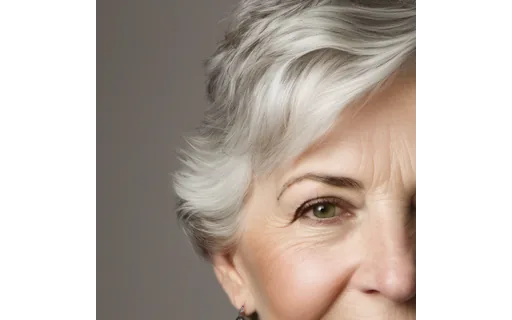
- pngA av f4: expanded canvasThe same view of head and shoulders portrait of an older white woman with short grey hair, plain cream background, expanded to 768x512 - 128 pixels added to the left and right, the symmetric case - so 33.3% of this frame is invented canvas. The original sits at pixels 128,0 to 640,512. Compare it INSET by 40 pixels: over that core it differs from the original by only 5.231/255, the VAE round trip, but over the whole rectangle by 6.293/255, because the pad deliberately feathers the original's outer edge into the new area. A test that expects the whole rectangle untouched fails on a correct tool.
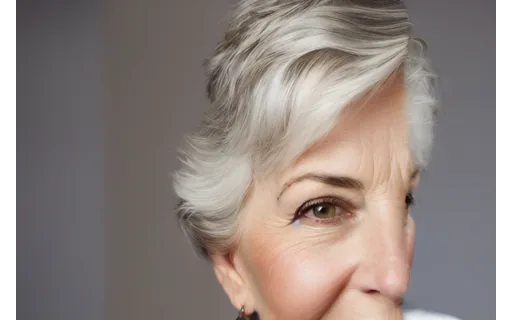
- pngA av f4: frame before expansionA 512x512 view of head and shoulders portrait of an older white woman with short grey hair, plain cream background - the frame an outpainting tool is given, cropped from the published plate nss-a-av-f4_00001_.png. Its companion expands it to 768x512 with 128 pixels added to the left and right, the symmetric case, and the boundary record in this group states the exact rectangle this image occupies inside that frame - so where it ended up can be checked rather than eyeballed.
- pngA av f5: expanded canvasThe same view of head and shoulders portrait of an east asian woman with glasses, plain warm grey background, expanded to 512x768 - 128 pixels added above and below, the symmetric case turned on its side - so 33.3% of this frame is invented canvas. The original sits at pixels 0,128 to 512,640. Compare it INSET by 40 pixels: over that core it differs from the original by only 5.482/255, the VAE round trip, but over the whole rectangle by 6.4/255, because the pad deliberately feathers the original's outer edge into the new area. A test that expects the whole rectangle untouched fails on a correct tool.
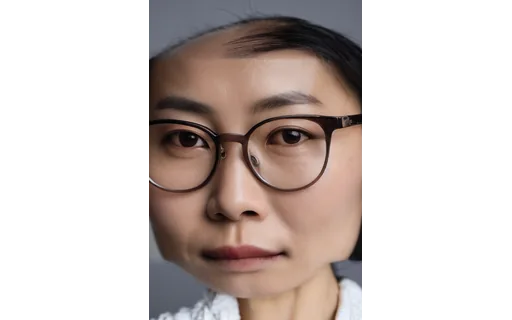
- pngA av f5: frame before expansionA 512x512 view of head and shoulders portrait of an east asian woman with glasses, plain warm grey background - the frame an outpainting tool is given, cropped from the published plate nss-a-av-f5_00001_.png. Its companion expands it to 512x768 with 128 pixels added above and below, the symmetric case turned on its side, and the boundary record in this group states the exact rectangle this image occupies inside that frame - so where it ended up can be checked rather than eyeballed.

- pngA av m3: expanded canvasThe same view of head and shoulders portrait of a bearded white man in his thirties, plain olive studio background, expanded to 704x512 - 192 pixels added to the right alone, so the original is no longer centred - so 27.3% of this frame is invented canvas. The original sits at pixels 0,0 to 512,512. Compare it INSET by 40 pixels: over that core it differs from the original by only 5.277/255, the VAE round trip, but over the whole rectangle by 6.19/255, because the pad deliberately feathers the original's outer edge into the new area. A test that expects the whole rectangle untouched fails on a correct tool.
- pngA av m3: frame before expansionA 512x512 view of head and shoulders portrait of a bearded white man in his thirties, plain olive studio background - the frame an outpainting tool is given, cropped from the published plate nss-a-av-m3_00001_.png. Its companion expands it to 704x512 with 192 pixels added to the right alone, so the original is no longer centred, and the boundary record in this group states the exact rectangle this image occupies inside that frame - so where it ended up can be checked rather than eyeballed.
Generated by generation/comfy_expand_wave.py. Free for any use, no attribution required, license.