
Multipage Scene TIFF (3 pages)
Three-page TIFF of synthetic scenes — fixture for multipage TIFF loaders and page extractors.
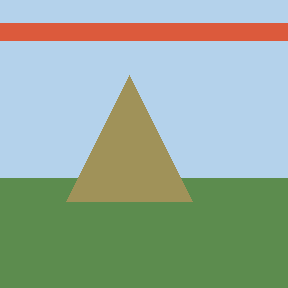
Specifications
- Width
- 288
- Height
- 288
- Pages
- 3
- Compression
- tiff_deflate
- Seed
- 1401
Testing contract
Expected to pass- Scenario
- Exercise Multipage Scene TIFF (3 pages) in its multipage sprite workflow. Three-page TIFF of synthetic scenes — fixture for multipage TIFF loaders and page extractors.
- Expected result
- Decoded geometry is 288×288 pixels in RGB mode; frame count is 3. Declared feature checks: pages=3; compression=tiff_deflate.
What is a .tiff file?
TIFF (Tagged Image File Format) is a flexible container that stores one or more raster images with a rich tag-based header describing layout, compression, and color. It supports uncompressed, LZW, and other codecs, high bit depths, multiple pages, and CMYK, making it common in publishing, scanning, and archival workflows. Its flexibility means reader support varies.
How to use this file
Use an example TIFF to test multi-page and high-bit-depth handling, tag parsing, and document-imaging or archival pipelines that must read varied compression and color models.
How to use this file for testing
“Multipage Scene TIFF (3 pages)” is a deterministic Novus Examples fixture for Conversion testing, Computer vision. The same content exported across many formats and linked as a group, so you can convert one and diff against the expected twin.
Documented properties for this file: 288×288 · seed 1401 · 3 pages. Compare results against paired or grouped companions on this page when present (clean↔damaged, searchable↔scanned, or format twins) so scores stay reproducible across runs.
Download the file once, keep the path stable in CI or local scripts, and treat the spec table as the contract: dimensions, seeds, field lists, and roles are intentional. Corrupt or invalid samples are labelled as such, expect parsers to fail loudly rather than silently accept them.
For image AI or enhancement tools, run the model or filter on this file and diff against the clean or ground-truth companion in the same group when available. Keep seeds and documented damage parameters in your evaluation notes so regressions are attributable.
Code examples
<img src="scene-multipage.tiff" alt="Example image" width="640" loading="lazy">Related files
- pngSprite Sheet — grid-2x2 (2×2)RGBA sprite sheet (2×2 cells of 64px) with numbered frames for atlas / CSS-sprite tools.
- pngSprite Sheet — grid-3x2 (3×2)RGBA sprite sheet (3×2 cells of 64px) with numbered frames for atlas / CSS-sprite tools.
- pngSprite Sheet — strip-4 (4×1)RGBA sprite sheet (4×1 cells of 64px) with numbered frames for atlas / CSS-sprite tools.
- pngCodec Ladder — Blocks PNG (288px)Same blocks scene encoded as png — rung on the Wave E codec ladder for quality / convert comparisons.
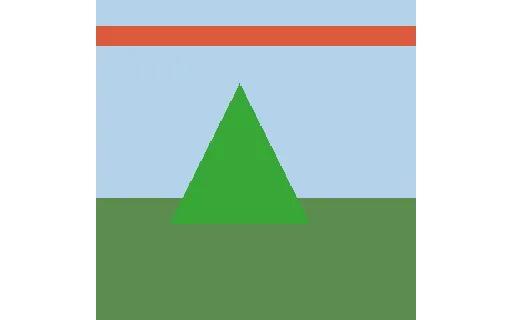
- jpgCodec Ladder — Blocks Q20 (288px)Same blocks scene encoded as q20 — rung on the Wave E codec ladder for quality / convert comparisons.
- jpgCodec Ladder — Blocks Q50 (288px)Same blocks scene encoded as q50 — rung on the Wave E codec ladder for quality / convert comparisons.
Generated by generation/images_wave_e.py. Free for any use, no attribution required, license.