
Fieldnote Supply Shop: Sales tax filing worksheet workbook
Sales tax filing worksheet workbook for Fieldnote Supply Shop. The worksheet as a single 20 column sheet. The permit numbers are text values with embedded hyphens and leading letters, so they survive a spreadsheet import that would otherwise reformat a bare numeric code, and the two empty permit cells stay empty rather than becoming zero.
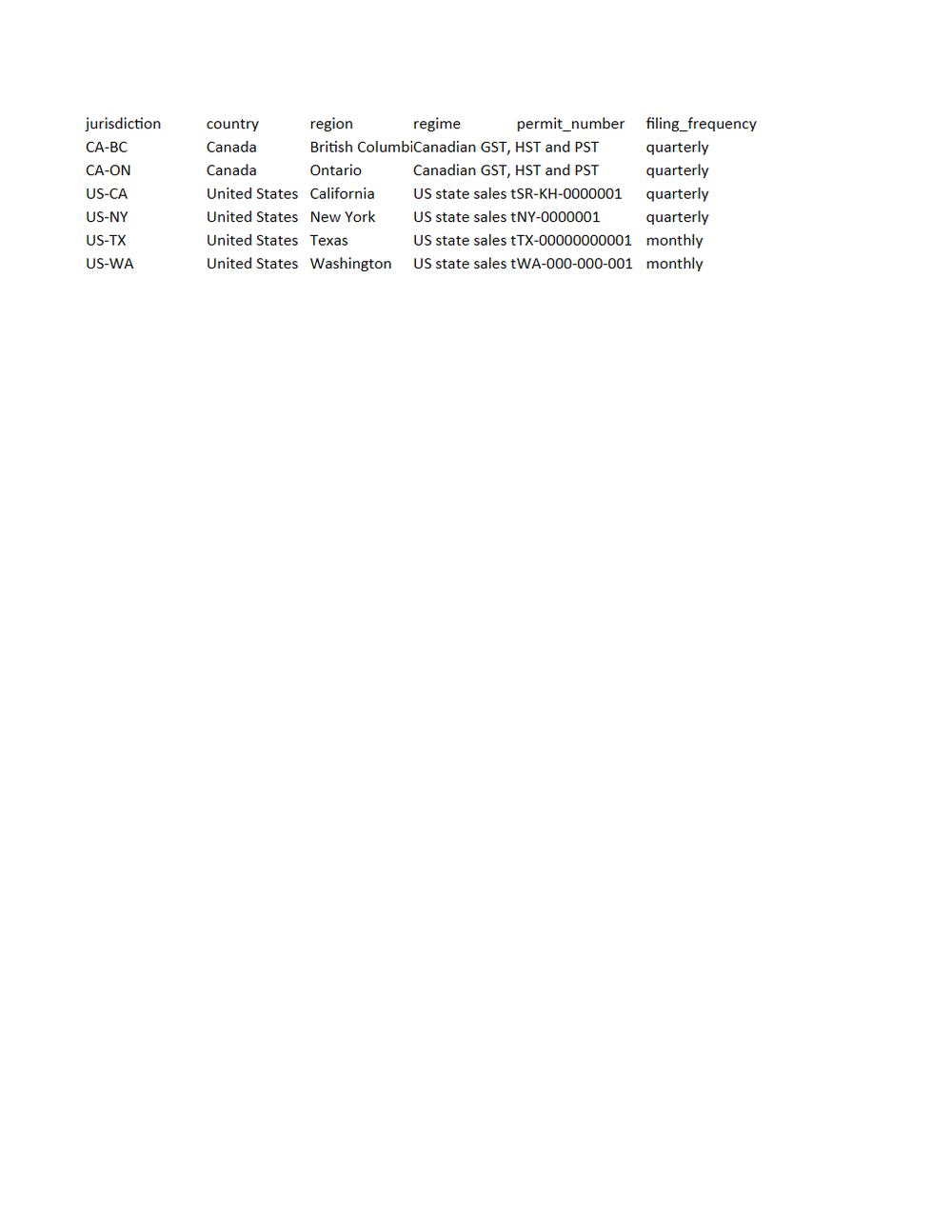
Rendered preview of the xlsx file (5.9 KB). Download above for the original.
Specifications
- Document Set
- tax
- Industry
- retail
- Source Kit
- retail-commerce
- Entity
- Fieldnote Supply Shop
- Synthetic
- true
- As Of
- 2026-09-08
- Sheets
- 1
- Columns
- 20
- Rows
- 6
Testing contract
Expected to pass- Scenario
- Open the sheet and check the permit_number column against sales-tax-filing-worksheet.csv.
- Expected result
- All 4 permit numbers read back as the same strings and the 2 empty cells are still empty. Numeric columns are stored as text at fixed decimal places so no value gains or loses a digit.
What is a .xlsx file?
XLSX is the default Microsoft Excel format, an Office Open XML spreadsheet stored as a ZIP archive containing worksheet XML, shared strings, styles, and formulas. It supports multiple sheets, cell formatting, charts, and calculated values. It is the standard for editable tabular workbooks.
How to use this file
Use an example XLSX to test spreadsheet parsing, formula and multi-sheet handling, shared-string extraction, and pipelines that read or generate Excel workbooks.
How to use this file for testing
“Fieldnote Supply Shop: Sales tax filing worksheet workbook” is a deterministic Novus Examples fixture for Data import. Realistic faker-generated datasets with documented schemas for testing import and ETL flows.
Documented properties for this file: 6 rows · 20 columns · 1 sheets. Compare results against paired or grouped companions on this page when present (clean↔damaged, searchable↔scanned, or format twins) so scores stay reproducible across runs.
Download the file once, keep the path stable in CI or local scripts, and treat the spec table as the contract: dimensions, seeds, field lists, and roles are intentional. Corrupt or invalid samples are labelled as such, expect parsers to fail loudly rather than silently accept them.
Document fixtures list their internal structure (pages, fields, tracked changes, embedded objects) in the spec table. Test extractors, converters, and OCR against that known structure, and compare searchable↔scanned or format-twin companions when present.
Code examples
from openpyxl import load_workbook

wb = load_workbook("sales-tax-filing-worksheet.xlsx")
ws = wb.active
print(ws.title, ws.max_row, ws.max_column)
Related files
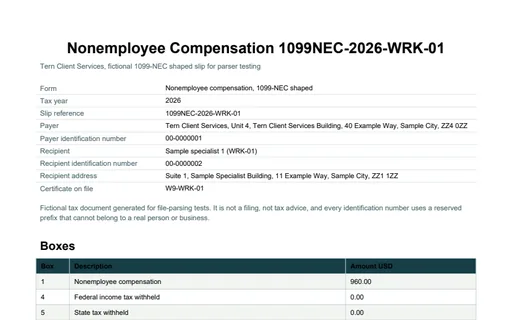
- pdfFieldnote Supply Shop: Information slip, 1099-NEC shaped, WRK-01Information slip, 1099-NEC shaped, WRK-01 for Fieldnote Supply Shop. A 1099-NEC shaped slip reporting 960.00 USD of nonemployee compensation to Sample specialist 1, being 16 recorded hours at 60.00 USD. Box 4 and box 5 are 0.00 because a payee certification is on file, and box 6 is empty rather than zero because there is no state identification number to report.
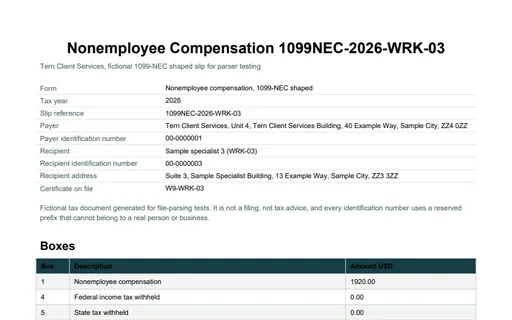
- pdfFieldnote Supply Shop: Information slip, 1099-NEC shaped, WRK-03Information slip, 1099-NEC shaped, WRK-03 for Fieldnote Supply Shop. A 1099-NEC shaped slip reporting 1,920.00 USD of nonemployee compensation to Sample specialist 3, being 32 recorded hours at 60.00 USD. Box 4 and box 5 are 0.00 because a payee certification is on file, and box 6 is empty rather than zero because there is no state identification number to report.
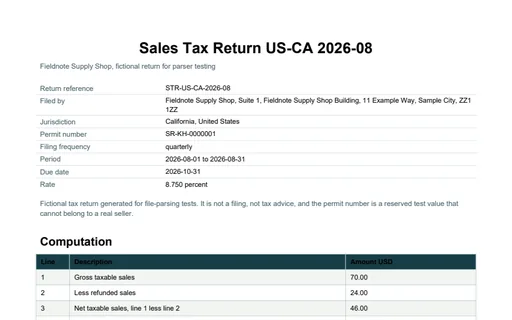
- pdfFieldnote Supply Shop: Sales tax return for CaliforniaSales tax return for California for Fieldnote Supply Shop. An eight-line California return for the 2026-08-01 to 2026-08-31 period. Net taxable sales 46.00 USD at 8.750 percent gives 6.12 collected; less 2.10 refunded the net tax due is 4.02, and after a vendor collection allowance of 0.03 the remittance is 3.99 USD. Every line number is the same line the worksheet column carries.
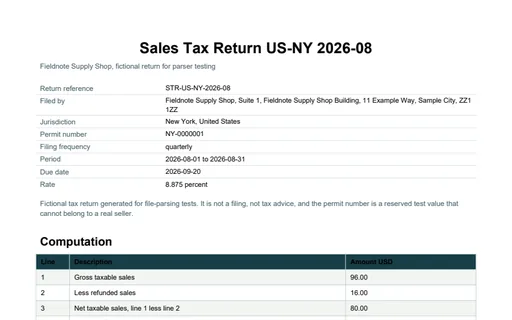
- pdfFieldnote Supply Shop: Sales tax return for New YorkSales tax return for New York for Fieldnote Supply Shop. An eight-line New York return for the 2026-08-01 to 2026-08-31 period. Net taxable sales 80.00 USD at 8.875 percent gives 8.52 collected; less 1.42 refunded the net tax due is 7.10, and after a vendor collection allowance of 0.00 the remittance is 7.10 USD. Every line number is the same line the worksheet column carries.
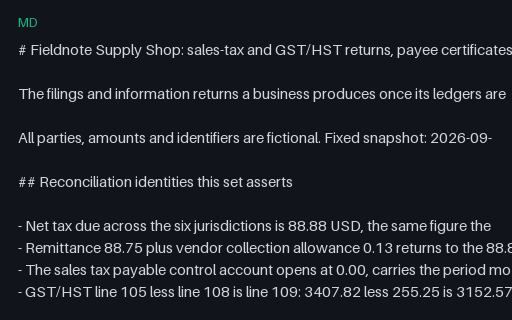
- mdFieldnote Supply Shop: tax document set READMEDocument set README for Fieldnote Supply Shop. 34 files, 1 of them intentionally invalid, with the reconciliation identities, the declared parameters and the measured size of each deliberate defect named in full.
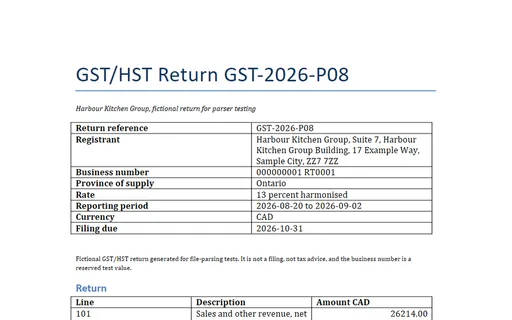
- docxHarbour Kitchen Group: GST/HST return (DOCX)GST/HST return (DOCX) for Harbour Kitchen Group. A six-line Canadian GST/HST return in CAD for Harbour Kitchen Group. Line 101 is 26,214.00 CAD of net sales, line 105 is 13 percent of it at 3,407.82, line 108 claims 255.25 of input tax credits on the 1,963.44 CAD of purchases that fall inside the reporting period, and line 109 is 3,152.57 CAD of net tax. Every figure is computed from the restaurant model rather than restated. The PDF twin in the same directory carries the identical text.
Generated by generation/industry_documents_two.py. Free for any use, no attribution required, license.