
Tern Client Services: Timesheet export workbook
Timesheet export workbook for Tern Client Services. One worksheet named Time entries with 24 data rows carrying the same values as timesheet-export.csv. Amounts are stored as text with two decimals so a value such as 100.00 is not displayed as 100 after a round trip.
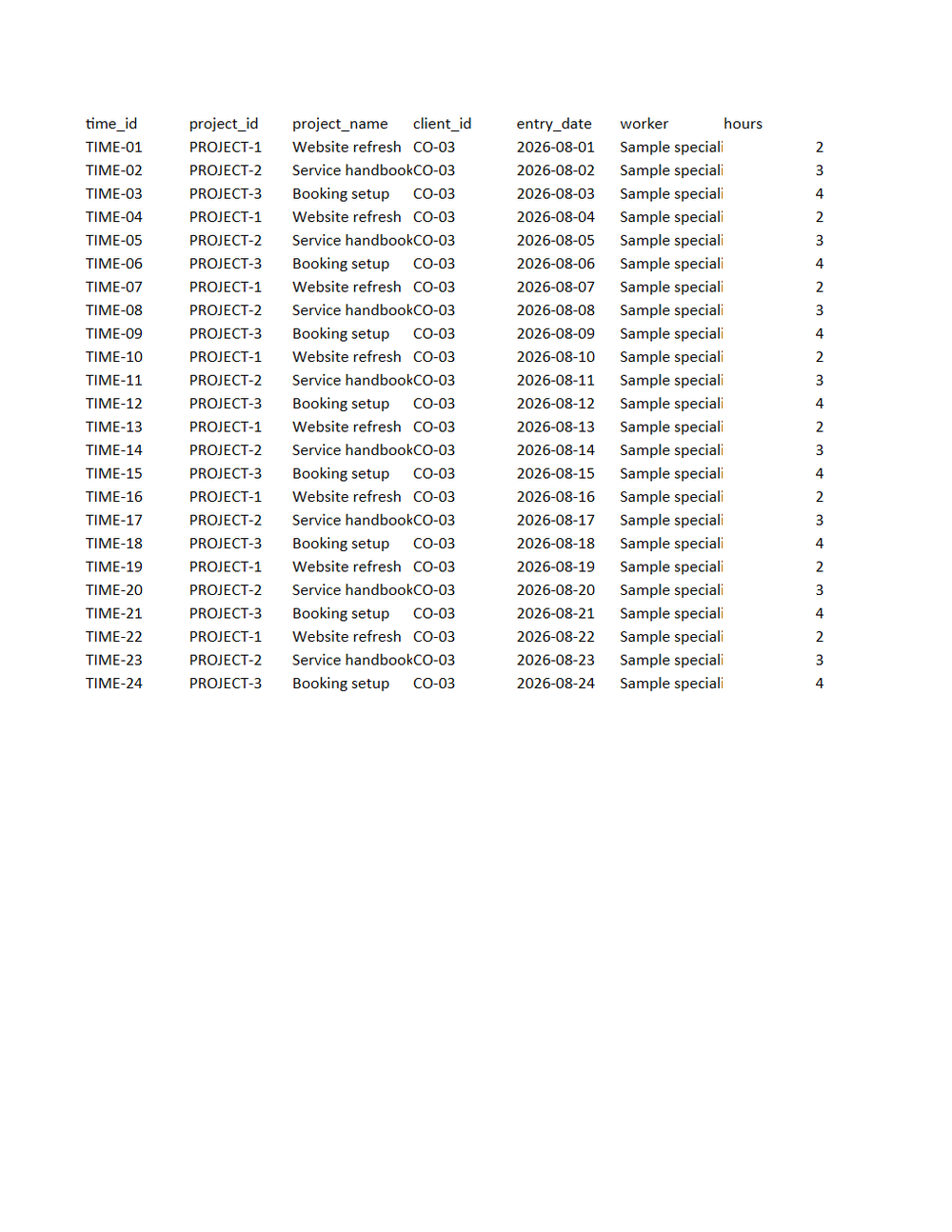
Rendered preview of the xlsx file (6.3 KB). Download above for the original.
Specifications
- Document Set
- professional-services
- Industry
- professional-services
- Source Kit
- crm-services
- Synthetic
- true
- As Of
- 2026-09-08
- Sheets
- 1
- Rows
- 24
- Columns
- 11
Testing contract
Expected to pass- Scenario
- Open the workbook and compare it against timesheet-export.csv cell by cell.
- Expected result
- Sheet Time entries has 25 rows and 11 columns, every cell matches the CSV, and the billable_amount column sums to 7200.00.
What is a .xlsx file?
XLSX is the default Microsoft Excel format, an Office Open XML spreadsheet stored as a ZIP archive containing worksheet XML, shared strings, styles, and formulas. It supports multiple sheets, cell formatting, charts, and calculated values. It is the standard for editable tabular workbooks.
How to use this file
Use an example XLSX to test spreadsheet parsing, formula and multi-sheet handling, shared-string extraction, and pipelines that read or generate Excel workbooks.
How to use this file for testing
“Tern Client Services: Timesheet export workbook” is a deterministic Novus Examples fixture for Data import. Realistic faker-generated datasets with documented schemas for testing import and ETL flows.
Documented properties for this file: 24 rows · 11 columns · 1 sheets. Compare results against paired or grouped companions on this page when present (clean↔damaged, searchable↔scanned, or format twins) so scores stay reproducible across runs.
Download the file once, keep the path stable in CI or local scripts, and treat the spec table as the contract: dimensions, seeds, field lists, and roles are intentional. Corrupt or invalid samples are labelled as such, expect parsers to fail loudly rather than silently accept them.
Document fixtures list their internal structure (pages, fields, tracked changes, embedded objects) in the spec table. Test extractors, converters, and OCR against that known structure, and compare searchable↔scanned or format-twin companions when present.
Code examples
from openpyxl import load_workbook

wb = load_workbook("timesheet-export.xlsx")
ws = wb.active
print(ws.title, ws.max_row, ws.max_column)
Related files
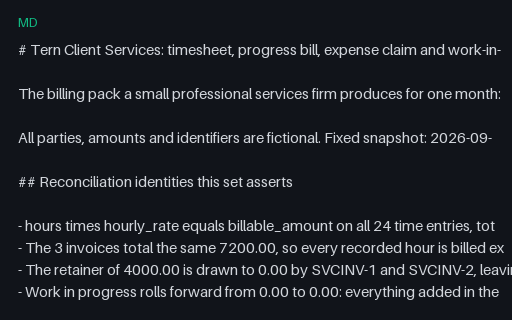
- mdTern Client Services: Document set READMEDocument set README for Tern Client Services. 27 files, 1 of them intentionally invalid, with the reconciliation identities and the exact defect in each broken file named in full.
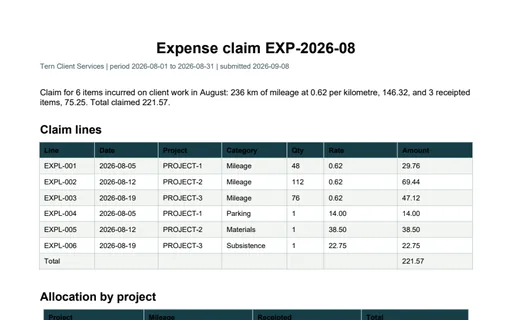
- pdfTern Client Services: Expense claim PDFExpense claim PDF for Tern Client Services. A one-page expense claim. The line table closes on 221.57 and the allocation table splits the same figure into 146.32 of mileage and 75.25 of receipted items across the three projects.
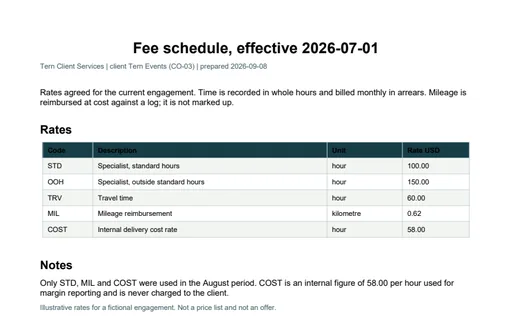
- pdfTern Client Services: Fee schedule PDFFee schedule PDF for Tern Client Services. A one-page rate card listing the same 5 codes as fee-schedule.csv with the standard rate at 100.00 per hour and mileage at 0.62 per kilometre. The notes state that COST is internal and never billed.
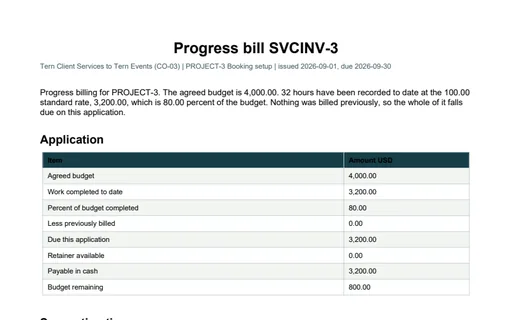
- pdfTern Client Services: Progress bill PDFProgress bill PDF for Tern Client Services. A one-page progress bill for PROJECT-3 against a 4,000.00 budget. It states 3,200.00 of work completed, 80.00 percent of budget, nothing previously billed, 3,200.00 payable in cash and 800.00 of budget remaining.
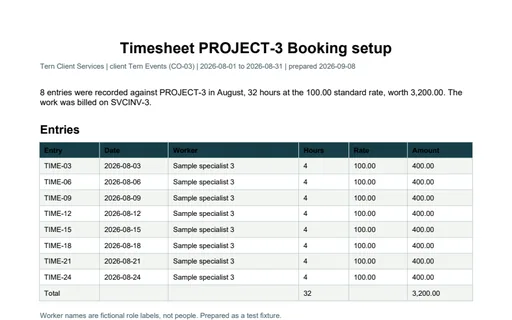
- pdfTern Client Services: Project timesheet PDFProject timesheet PDF for Tern Client Services. A one-page timesheet for PROJECT-3. The entry table lists 8 lines and closes on a Total row of 32 hours and 3,200.00.
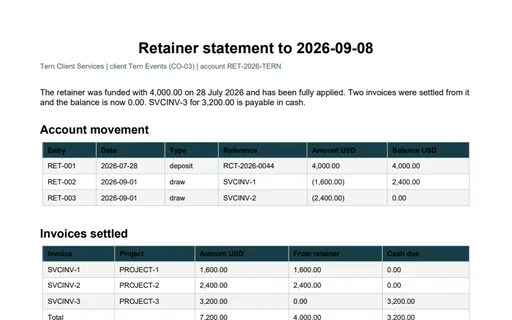
- pdfTern Client Services: Retainer statement PDFRetainer statement PDF for Tern Client Services. A one-page retainer statement. The movement table replays the three ledger entries to a closing balance of 0.00 and the invoice table shows 4,000.00 of the 7,200.00 billed taken from the retainer, leaving 3,200.00 in cash. Draws are printed in accounting parentheses.
Generated by generation/industry_documents.py. Free for any use, no attribution required, license.