
Pine Assembly Workshop: Shipment export workbook
Shipment export workbook for Pine Assembly Workshop. One worksheet named Shipments with a header row and 16 data rows carrying the same values as shipments-export.csv. Weights are stored as text, so the trailing zero in a figure such as 24.400 survives the round trip instead of being displayed as a shorter number.
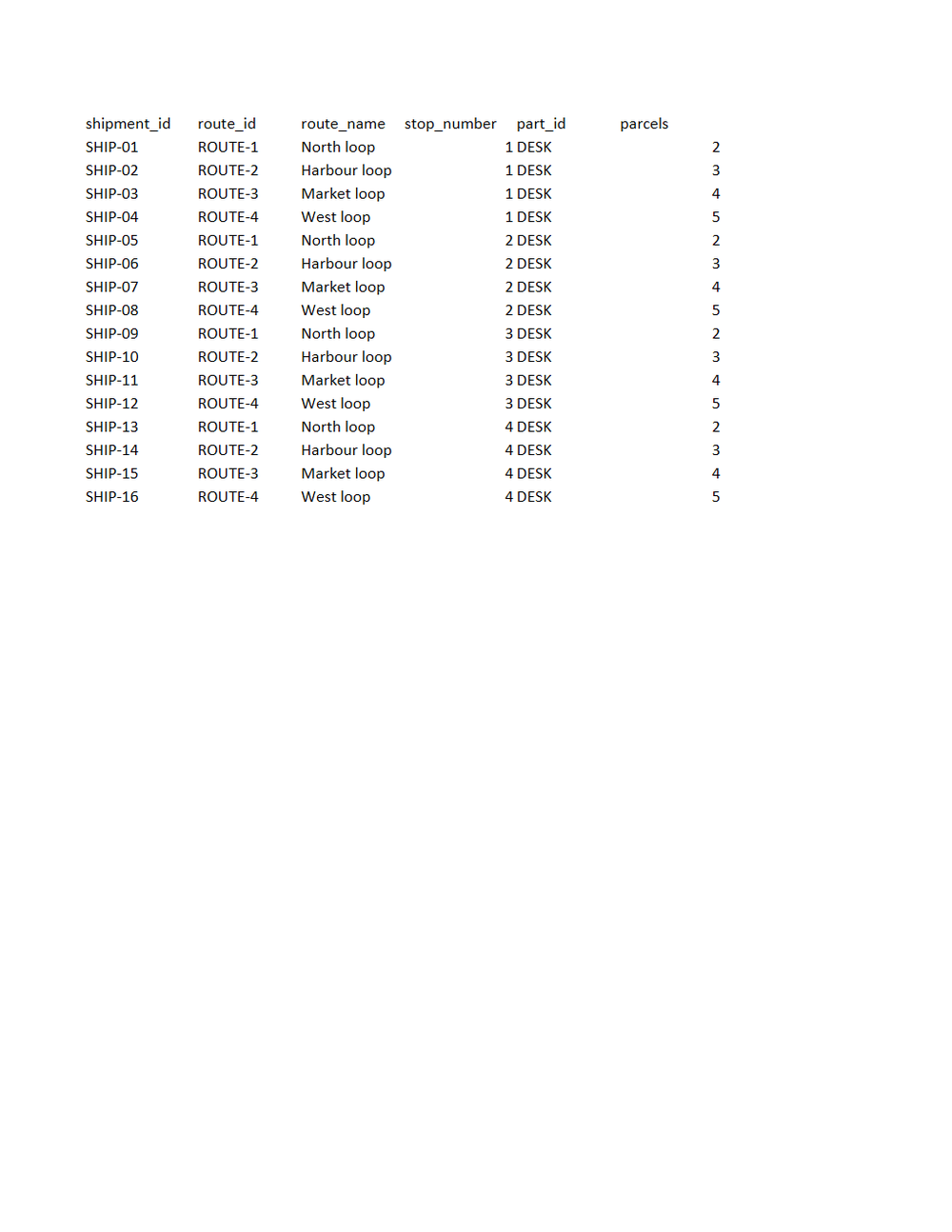
Rendered preview of the xlsx file (6.1 KB). Download above for the original.
Specifications
- Document Set
- logistics
- Industry
- logistics
- Source Kit
- inventory-manufacturing
- Synthetic
- true
- As Of
- 2026-09-08
- Sheets
- 1
- Rows
- 16
- Columns
- 14
Testing contract
Expected to pass- Scenario
- Open the workbook and compare its single sheet against shipments-export.csv cell by cell.
- Expected result
- Sheet Shipments has 17 rows and 14 columns and every cell matches the CSV, including three-decimal weights such as 24.400 that a numeric column would render shorter.
What is a .xlsx file?
XLSX is the default Microsoft Excel format, an Office Open XML spreadsheet stored as a ZIP archive containing worksheet XML, shared strings, styles, and formulas. It supports multiple sheets, cell formatting, charts, and calculated values. It is the standard for editable tabular workbooks.
How to use this file
Use an example XLSX to test spreadsheet parsing, formula and multi-sheet handling, shared-string extraction, and pipelines that read or generate Excel workbooks.
How to use this file for testing
“Pine Assembly Workshop: Shipment export workbook” is a deterministic Novus Examples fixture for Data import. Realistic faker-generated datasets with documented schemas for testing import and ETL flows.
Documented properties for this file: 16 rows · 14 columns · 1 sheets. Compare results against paired or grouped companions on this page when present (clean↔damaged, searchable↔scanned, or format twins) so scores stay reproducible across runs.
Download the file once, keep the path stable in CI or local scripts, and treat the spec table as the contract: dimensions, seeds, field lists, and roles are intentional. Corrupt or invalid samples are labelled as such, expect parsers to fail loudly rather than silently accept them.
Document fixtures list their internal structure (pages, fields, tracked changes, embedded objects) in the spec table. Test extractors, converters, and OCR against that known structure, and compare searchable↔scanned or format-twin companions when present.
Code examples
from openpyxl import load_workbook

wb = load_workbook("shipments-export.xlsx")
ws = wb.active
print(ws.title, ws.max_row, ws.max_column)
Related files
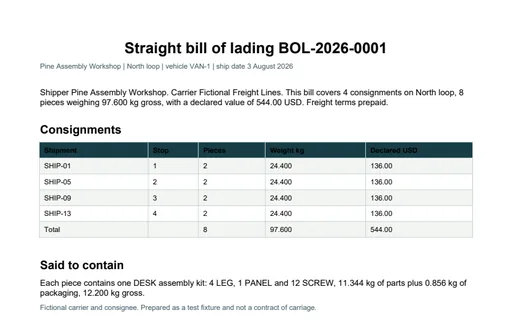
- pdfPine Assembly Workshop: Bill of lading BOL-2026-0001 PDFBill of lading BOL-2026-0001 PDF for Pine Assembly Workshop. A one-page straight bill of lading for North loop. The consignment table lists 4 shipments and closes on a Total row reading 8 pieces, 97.600 kg and 544.00 USD declared value.
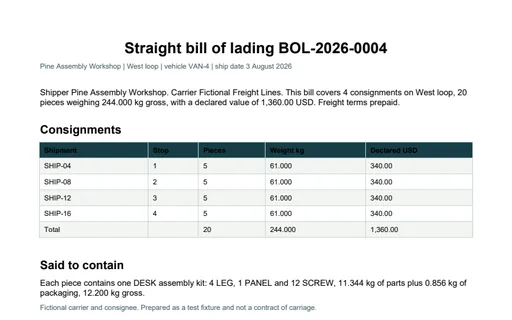
- pdfPine Assembly Workshop: Bill of lading BOL-2026-0004 PDFBill of lading BOL-2026-0004 PDF for Pine Assembly Workshop. A one-page straight bill of lading for West loop. The consignment table lists 4 shipments and closes on a Total row reading 20 pieces, 244.000 kg and 1,360.00 USD declared value.
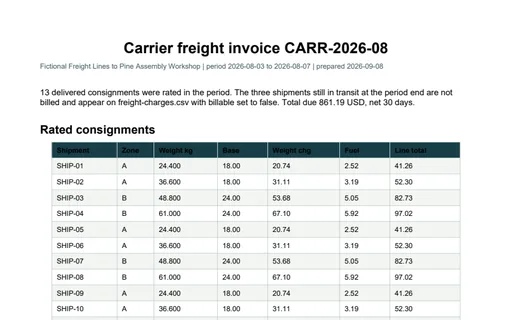
- pdfPine Assembly Workshop: Carrier freight invoice PDFCarrier freight invoice PDF for Pine Assembly Workshop. A one-page freight invoice listing the 13 delivered consignments and closing on a Total due row of 861.19 USD. The rate basis is printed in the footnote, so the document carries everything needed to re-rate it.
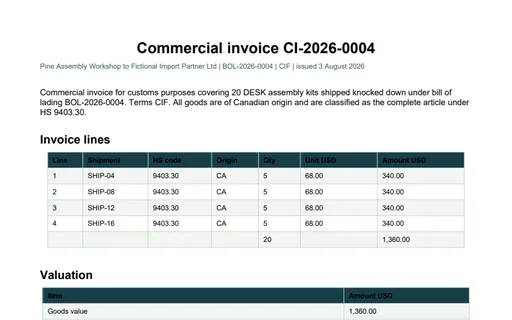
- pdfPine Assembly Workshop: Customs commercial invoice PDFCustoms commercial invoice PDF for Pine Assembly Workshop. A one-page commercial invoice for the BOL-2026-0004 export. The line table totals 1,360.00 USD over 20 units and the valuation table walks goods plus freight to a customs value of 1,748.08 and a total charges payable of 133.29.
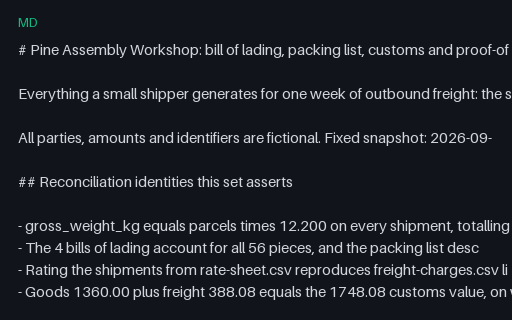
- mdPine Assembly Workshop: Document set READMEDocument set README for Pine Assembly Workshop. 30 files, 2 of them intentionally invalid, with the reconciliation identities and the exact defect in each broken file named in full.
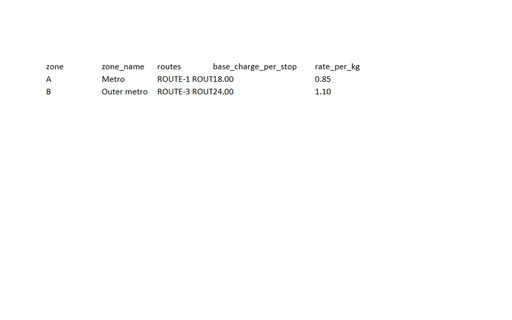
- xlsxPine Assembly Workshop: Freight rating workbookFreight rating workbook for Pine Assembly Workshop. Two worksheets: Rate sheet (2 zone rows) and Freight charges (16 rated shipments). The second sheet is derived entirely from the first plus shipments-export.csv, so the workbook carries both the inputs and the result of the same calculation.
Generated by generation/industry_documents.py. Free for any use, no attribution required, license.