
Fieldnote Learning Centre: Gradebook workbook, one sheet per course
Gradebook workbook, one sheet per course for Fieldnote Learning Centre. 3 worksheets, one per course, named for the course rather than numbered: Spreadsheet basics, Customer service, Workshop safety orientation. Each holds the 6 results for that course, so the workbook carries the same 18 rows as gradebook-export.csv split three ways.
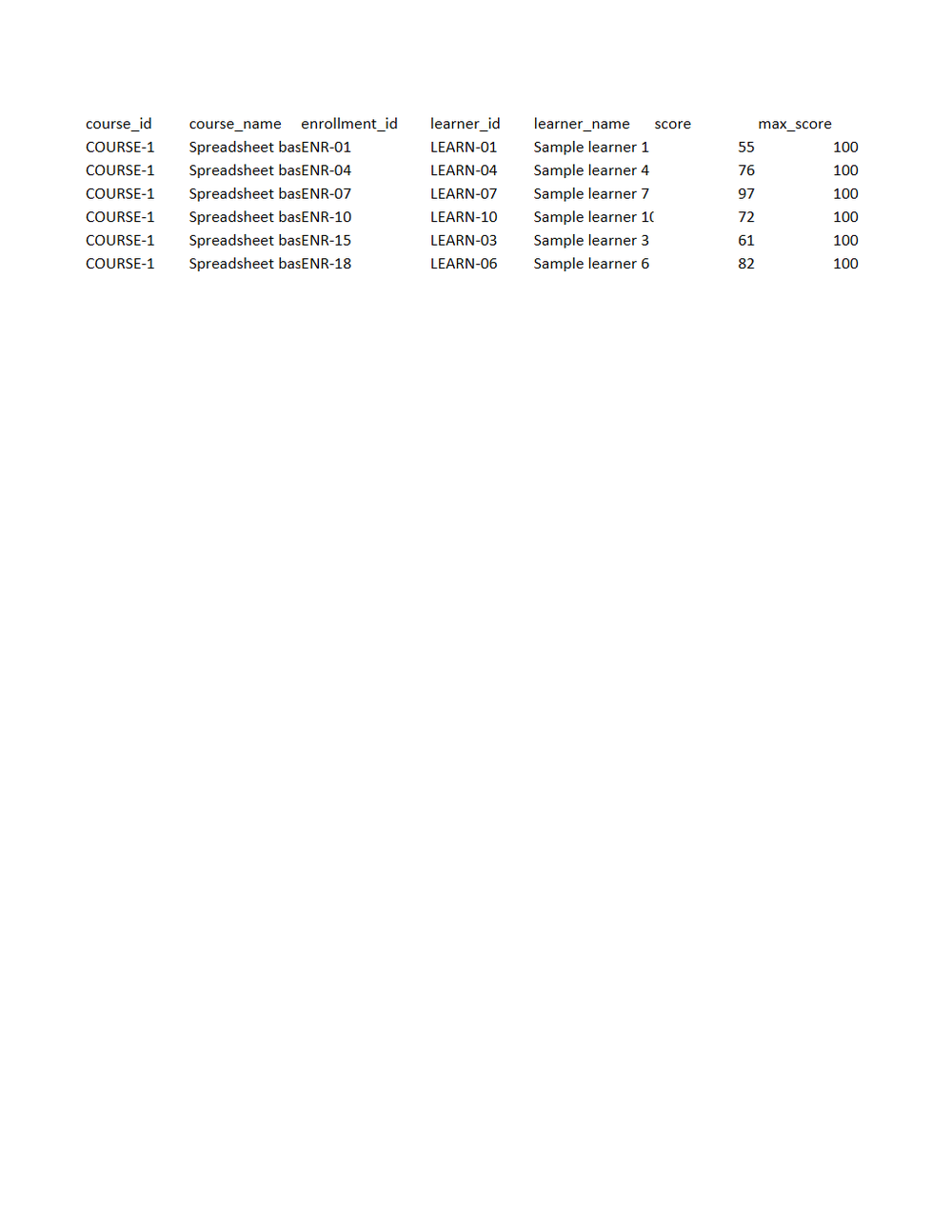
Rendered preview of the xlsx file (7.5 KB). Download above for the original.
Specifications
- Document Set
- education
- Industry
- education
- Source Kit
- education-training
- Synthetic
- true
- As Of
- 2026-09-08
- Sheets
- 3
- Rows Per Sheet
- 6
- Rows
- 18
Testing contract
Expected to pass- Scenario
- Open the workbook and reassemble the single gradebook from its sheets.
- Expected result
- The 3 sheets hold 6 data rows each, 18 together, and concatenating them reproduces gradebook-export.csv exactly. Sheet names are course names, so a reader that addresses sheets by index rather than by name still works but a reader that assumes Sheet1 does not.
What is a .xlsx file?
XLSX is the default Microsoft Excel format, an Office Open XML spreadsheet stored as a ZIP archive containing worksheet XML, shared strings, styles, and formulas. It supports multiple sheets, cell formatting, charts, and calculated values. It is the standard for editable tabular workbooks.
How to use this file
Use an example XLSX to test spreadsheet parsing, formula and multi-sheet handling, shared-string extraction, and pipelines that read or generate Excel workbooks.
How to use this file for testing
“Fieldnote Learning Centre: Gradebook workbook, one sheet per course” is a deterministic Novus Examples fixture for Data import. Realistic faker-generated datasets with documented schemas for testing import and ETL flows.
Documented properties for this file: 18 rows · 3 sheets. Compare results against paired or grouped companions on this page when present (clean↔damaged, searchable↔scanned, or format twins) so scores stay reproducible across runs.
Download the file once, keep the path stable in CI or local scripts, and treat the spec table as the contract: dimensions, seeds, field lists, and roles are intentional. Corrupt or invalid samples are labelled as such, expect parsers to fail loudly rather than silently accept them.
Document fixtures list their internal structure (pages, fields, tracked changes, embedded objects) in the spec table. Test extractors, converters, and OCR against that known structure, and compare searchable↔scanned or format-twin companions when present.
Code examples
from openpyxl import load_workbook

wb = load_workbook("gradebook-export.xlsx")
ws = wb.active
print(ws.title, ws.max_row, ws.max_column)
Related files
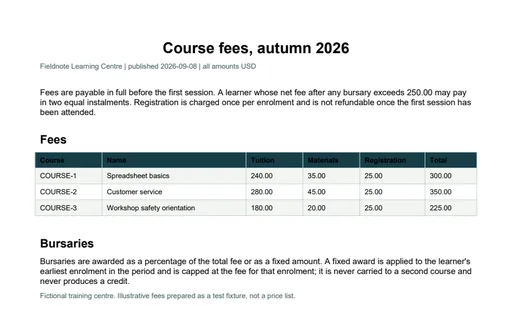
- pdfFieldnote Learning Centre: Course fee schedule PDFCourse fee schedule PDF for Fieldnote Learning Centre. A one-page fee card listing the same 3 courses as fee-schedule.csv, with the instalment threshold of 250.00 and the bursary rules printed underneath. The capping rule for fixed awards is the one the invoice register depends on.
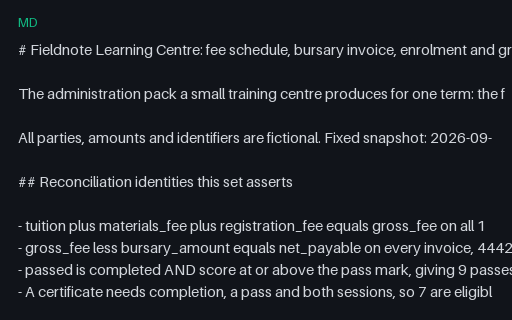
- mdFieldnote Learning Centre: Document set READMEDocument set README for Fieldnote Learning Centre. 24 files, 2 of them intentionally invalid, with the reconciliation identities and the exact defect in each broken file named in full.
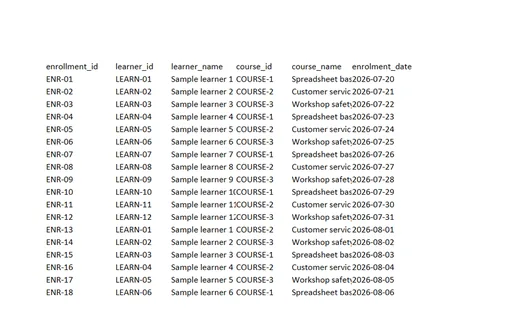
- xlsxFieldnote Learning Centre: Enrolment workbookEnrolment workbook for Fieldnote Learning Centre. Two worksheets: Enrolments (18 rows) and Fees (3 rows). Learner identifiers are stored as text, so LEARN-01 keeps its leading zero rather than being coerced, and the score column is text for the same reason a grade of 100 must not become 1.0E+02.
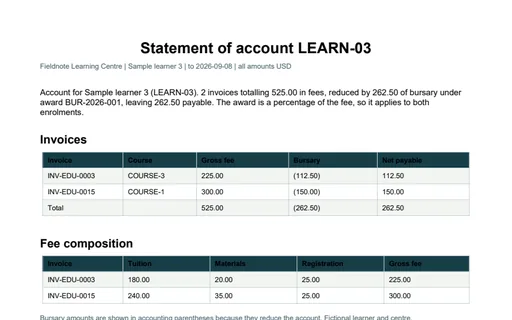
- pdfFieldnote Learning Centre: Learner statement of account PDFLearner statement of account PDF for Fieldnote Learning Centre. A one-page statement for LEARN-03 covering 2 invoices. The invoice table closes on 525.00 gross, (262.50) of bursary and 262.50 payable, and the composition table breaks each gross fee into tuition, materials and registration.
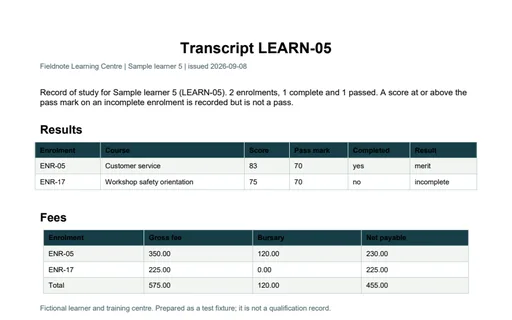
- pdfFieldnote Learning Centre: Learner transcript PDFLearner transcript PDF for Fieldnote Learning Centre. A one-page transcript for LEARN-05 listing 2 enrolments. One is a completed pass and one is incomplete with a score of 75, above the pass mark, recorded as incomplete rather than as a pass. The fee table closes on 575.00 gross, 120.00 of bursary and 455.00 net.
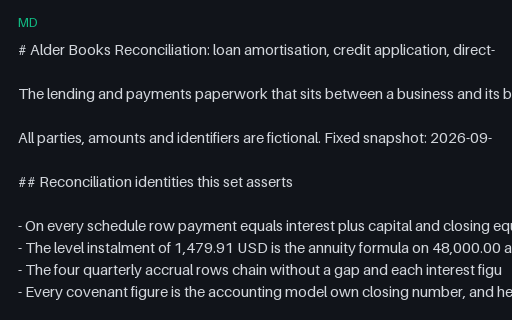
- mdAlder Books Reconciliation: banking document set READMEDocument set README for Alder Books Reconciliation. 25 files, 1 of them intentionally invalid, with the reconciliation identities, the declared parameters and the measured size of each deliberate defect named in full.
Generated by generation/industry_documents.py. Free for any use, no attribution required, license.