
Juniper Fitness and Clinic Administration — Workflow and import guide
Workflow and import guide for Juniper Fitness and Clinic Administration. Documents 5 source tables, exact expected totals and supported versus manual workflows.
# Juniper Fitness and Clinic Administration

Synthetic scheduling and resource-administration records for a shared fitness and clinic reception desk, without clinical or health information.

All entities and transactions are fictional. Snapshot: 2026-09-08.

## Start with the linked model

1. Open operations.xlsx and review the Summary sheet. Source tables contain stable primary keys and declared references.
2. Change source values in the workbook to explore the calculated totals and editable chart.
3. Compare output values with expected-results.json. The JSON Schema checks types; primary-key uniqueness and joins also require the listed semantic checks.
4. Use invalid-records.json only in a local validation harness. Its three cases exercise duplicate keys, wrong types and an orphan reference.

## Included tables

| Table | Records | Primary key |
| --- | ---: | --- |
| providers | 3 | provider_id |
| slots | 24 | slot_id |
| bookings | 18 | booking_id |
| resources | 3 | resource_id |
| communications | 18 | message_id |

## Expected totals

- Available slots: 24.00 slots. Sum slots.capacity over the included records.
- Occupied slots: 16.00 slots. Sum bookings.occupied over the included records.
- Booking records: 18.00 records. Count unique booking_id values in bookings.

## Platform mapping

primary-records.csv is a generic example table. It is not a native platform export. Where this kit includes a named profile, use that profile’s separate CSV and schema and review its compatibility level before uploading.

## Scope and assumptions

- No symptoms, diagnoses, patient history, medical identifiers or actual visitors are included. Communications are unsent draft examples.
Specifications
- Kit
- appointment-capacity
- Industry
- fitness-clinic-administration
- Schema Version
- 1
- Synthetic
- true
- As Of
- 2026-09-08
Testing contract
Reference control- Scenario
- Use workflow and import guide in the Juniper Fitness and Clinic Administration availability, reservations, cancellations, resource-administration, communications workflow.
- Expected result
- Documents 5 source tables, exact expected totals and supported versus manual workflows.
What is a .md file?
Markdown (MD) is a lightweight plain-text markup language that uses simple punctuation conventions to denote headings, lists, links, emphasis, and code. It is designed to be readable as-is and to convert cleanly to HTML. It is widely used for documentation, READMEs, and content authoring.
How to use this file
Use an example Markdown file to test parsers and renderers, verify GitHub-Flavored Markdown extensions like tables and fenced code, and exercise HTML-conversion pipelines.
How to use this file for testing
“Juniper Fitness and Clinic Administration — Workflow and import guide” is a deterministic Novus Examples fixture for Data import. Realistic faker-generated datasets with documented schemas for testing import and ETL flows.
Documented properties for this file: MD · 1,704 bytes. Compare results against paired or grouped companions on this page when present (clean↔damaged, searchable↔scanned, or format twins) so scores stay reproducible across runs.
Download the file once, keep the path stable in CI or local scripts, and treat the spec table as the contract: dimensions, seeds, field lists, and roles are intentional. Corrupt or invalid samples are labelled as such, expect parsers to fail loudly rather than silently accept them.
Document fixtures list their internal structure (pages, fields, tracked changes, embedded objects) in the spec table. Test extractors, converters, and OCR against that known structure, and compare searchable↔scanned or format-twin companions when present.
Code examples
import markdown  # pip install markdown

html = markdown.markdown(open("guide.md").read())
print(html[:200])
Related files
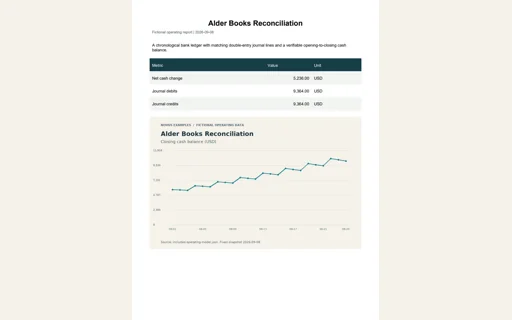
- pdfAlder Books Reconciliation — Operating report PDFOperating report PDF for Alder Books Reconciliation. Three readable pages summarize the same model, chart, source tables and usage instructions. Net cash change=5,236.00 USD; Journal debits=9,364.00 USD; Journal credits=9,364.00 USD.
- mdAlder Books Reconciliation — Workflow and import guideWorkflow and import guide for Alder Books Reconciliation. Documents 6 source tables, exact expected totals and supported versus manual workflows.
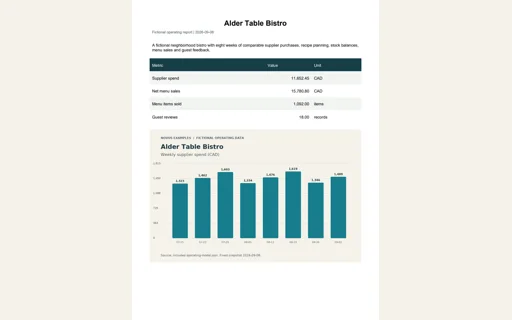
- pdfAlder Table Bistro — Operating report PDFOperating report PDF for Alder Table Bistro. Three readable pages summarize the same model, chart, source tables and usage instructions. Supplier spend=11,652.45 CAD; Net menu sales=15,780.80 CAD; Menu items sold=1,092.00 items; Guest reviews=18.00 records.
- mdAlder Table Bistro — Workflow and import guideWorkflow and import guide for Alder Table Bistro. Documents 18 source tables, exact expected totals and supported versus manual workflows.
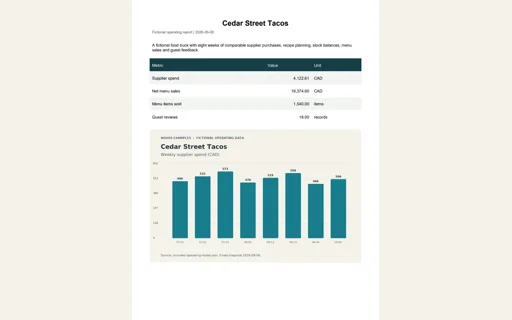
- pdfCedar Street Tacos — Operating report PDFOperating report PDF for Cedar Street Tacos. Three readable pages summarize the same model, chart, source tables and usage instructions. Supplier spend=4,122.61 CAD; Net menu sales=19,374.60 CAD; Menu items sold=1,540.00 items; Guest reviews=18.00 records.
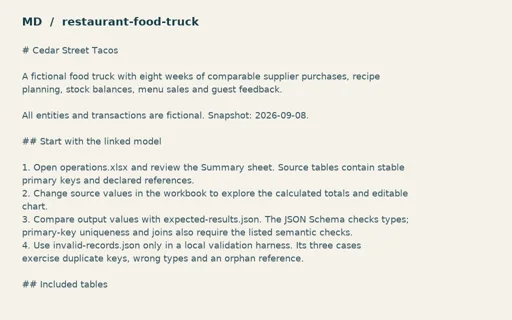
- mdCedar Street Tacos — Workflow and import guideWorkflow and import guide for Cedar Street Tacos. Documents 18 source tables, exact expected totals and supported versus manual workflows.
Generated by generation/business_fixtures.py. Free for any use, no attribution required, license.