
Juniper Workspace Cloud: Closing MRR by account
Closing MRR by account for Juniper Workspace Cloud. 6 accounts with the plan each one holds at 2026-09-30 and the recurring revenue that plan carries. Two accounts are cancelled and carry 0.00; the remaining four sum to 236.00, the closing figure on mrr-movement.csv.
csv
text/csv
- Document Set
- saas
- Industry
- software
- Source Kit
- saas-subscriptions
- Synthetic
- true
- As Of
- 2026-09-08
- Rows
- 6
Binary csv: no in-browser preview. Download it above to open in a compatible application.
Specifications
- Document Set
- saas
- Industry
- software
- Source Kit
- saas-subscriptions
- Synthetic
- true
- As Of
- 2026-09-08
- Rows
- 6
- Closing Mrr
- 236.00
- Encoding
- UTF-8
Testing contract
Expected to pass- Scenario
- Sum mrr_at_close and compare with the closing line of the movement report.
- Expected result
- The 6 rows sum to 236.00, matching the closing row of mrr-movement.csv; the two cancelled accounts contribute 0.00 and account ACC-02 carries 99.00 after its upgrade.
What is a .csv file?
CSV (Comma-Separated Values) is a plain-text tabular format where rows are lines and fields are separated by commas, with quoting rules for values that contain delimiters, quotes, or newlines. It has no formal type system and depends on encoding and dialect conventions. It is the most portable format for tabular data exchange.
How to use this file
Use an example CSV to test parsers against quoting and embedded-delimiter edge cases, header handling, encoding detection, and import pipelines into databases or spreadsheets.
How to use this file for testing
“Juniper Workspace Cloud: Closing MRR by account” is a deterministic Novus Examples fixture for Data import. Realistic faker-generated datasets with documented schemas for testing import and ETL flows.
Documented properties for this file: 6 rows · UTF-8. Compare results against paired or grouped companions on this page when present (clean↔damaged, searchable↔scanned, or format twins) so scores stay reproducible across runs.
Download the file once, keep the path stable in CI or local scripts, and treat the spec table as the contract: dimensions, seeds, field lists, and roles are intentional. Corrupt or invalid samples are labelled as such, expect parsers to fail loudly rather than silently accept them.
Data fixtures document their exact quirks (delimiters, encodings, null handling, schema, and row counts) in the spec table. Point your parser or importer at the file and assert it handles the documented edge cases; clean and deliberately-messy siblings make before/after diffs straightforward.
Code examples
import pandas as pd

df = pd.read_csv("mrr-closing-by-account.csv")
print(df.head())
print(df.dtypes)
Related files
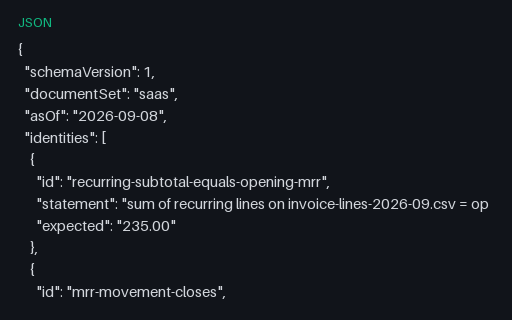
- jsonJuniper Workspace Cloud: Billing reconciliation assertionsBilling reconciliation assertions for Juniper Workspace Cloud. The six identities this set claims with their exact figures: opening MRR 235.00, closing MRR 236.00, September invoiced 245.00, usage 24.54 and lifetime billings equal to recognition at 1963.20.
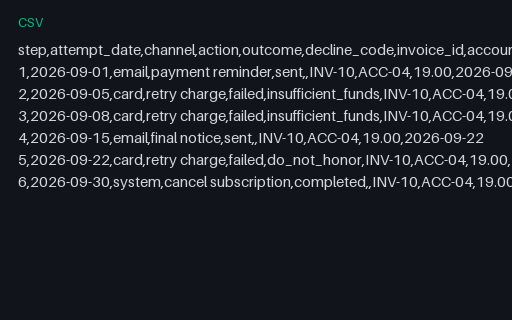
- csvJuniper Workspace Cloud: Dunning sequenceDunning sequence for Juniper Workspace Cloud. The 6 escalation steps against invoice INV-10 for account ACC-04, the one invoice in the model carrying an outstanding balance of 19.00. Steps run 2026-09-01 to 2026-09-30: reminder, two card retries that fail on insufficient_funds, a final notice, a third retry that fails on do_not_honor, then cancellation. Each row's next_action_date equals the attempt_date of the following row, and the last row has none.
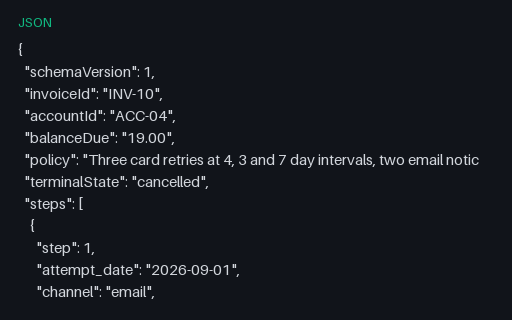
- jsonJuniper Workspace Cloud: Dunning sequence JSONDunning sequence JSON for Juniper Workspace Cloud. The same 6 steps as dunning-sequence.csv with the retry policy and the terminal state named. terminalState is cancelled.
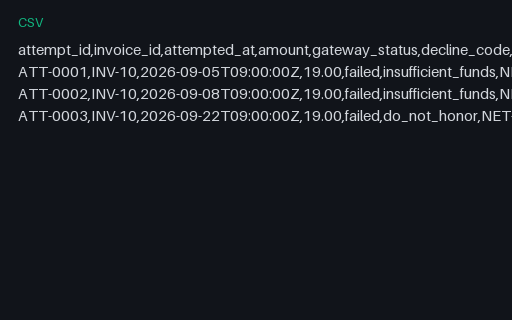
- csvJuniper Workspace Cloud: Failed payment attempt logFailed payment attempt log for Juniper Workspace Cloud. The 3 card attempts behind the dunning sequence, with UTC timestamps, the gateway status and the decline code. All three are for 19.00 against invoice INV-10 and all three failed, which is why the balance never moves.
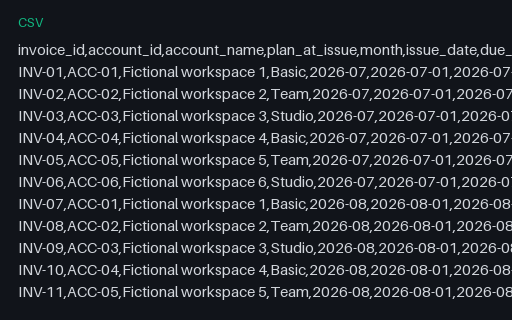
- csvJuniper Workspace Cloud: Invoice register widened to 40 columnsInvoice register widened to 40 columns for Juniper Workspace Cloud. The same 17 invoices as invoice-register.csv followed by 29 empty custom_field_NN columns, 40 in total. Every custom field is present in the header and empty in every row, which is what a billing platform export looks like when the tenant has defined no custom fields.
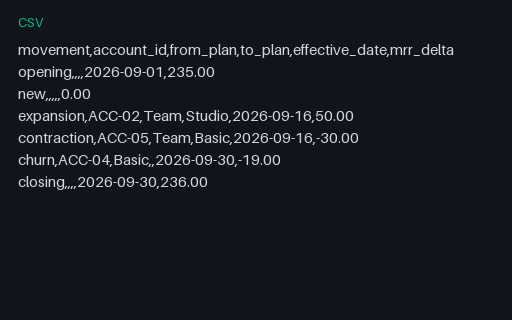
- csvJuniper Workspace Cloud: MRR movement reportMRR movement report for Juniper Workspace Cloud. Opening monthly recurring revenue 235.00 on 2026-09-01, expansion 50.00 from the Team to Studio upgrade, contraction -30.00 from the Team to Basic downgrade, churn -19.00 when account ACC-04 is cancelled on 2026-09-30, no new business, closing 236.00. The opening figure equals the recurring-line subtotal of invoice-lines-2026-09.csv exactly.
Generated by generation/industry_documents.py. Free for any use, no attribution required, license.