
Tern Client Services: Invoice register with retainer draws
Invoice register with retainer draws for Tern Client Services. 3 invoices totalling 7200.00, which is the whole of the August timesheet. 4000.00 of it was settled by drawing the retainer to nil and 3200.00 is outstanding on SVCINV-3. amount equals retainer_applied plus cash_due on every row, and every invoice is dated 2026-09-30, 22 days after the 2026-09-08 snapshot, so all three sit in the not yet due bucket.
csv
text/csv
- Document Set
- professional-services
- Industry
- professional-services
- Source Kit
- crm-services
- Synthetic
- true
- As Of
- 2026-09-08
- Rows
- 3
Binary csv: no in-browser preview. Download it above to open in a compatible application.
Specifications
- Document Set
- professional-services
- Industry
- professional-services
- Source Kit
- crm-services
- Synthetic
- true
- As Of
- 2026-09-08
- Rows
- 3
- Invoiced Usd
- 7200.00
- Retainer Applied Usd
- 4000.00
- Outstanding Usd
- 3200.00
- Encoding
- UTF-8
Testing contract
Expected to pass- Scenario
- Import the register and reconcile it against the timesheet and the retainer ledger.
- Expected result
- amount sums to 7200.00, equal to the billable_amount column of timesheet-export.csv. retainer_applied sums to 4000.00, equal to the two draws on retainer-ledger.csv, and outstanding sums to 3200.00, which is the SVCINV-3 amount.
What is a .csv file?
CSV (Comma-Separated Values) is a plain-text tabular format where rows are lines and fields are separated by commas, with quoting rules for values that contain delimiters, quotes, or newlines. It has no formal type system and depends on encoding and dialect conventions. It is the most portable format for tabular data exchange.
How to use this file
Use an example CSV to test parsers against quoting and embedded-delimiter edge cases, header handling, encoding detection, and import pipelines into databases or spreadsheets.
How to use this file for testing
“Tern Client Services: Invoice register with retainer draws” is a deterministic Novus Examples fixture for Data import. Realistic faker-generated datasets with documented schemas for testing import and ETL flows.
Documented properties for this file: 3 rows · UTF-8. Compare results against paired or grouped companions on this page when present (clean↔damaged, searchable↔scanned, or format twins) so scores stay reproducible across runs.
Download the file once, keep the path stable in CI or local scripts, and treat the spec table as the contract: dimensions, seeds, field lists, and roles are intentional. Corrupt or invalid samples are labelled as such, expect parsers to fail loudly rather than silently accept them.
Data fixtures document their exact quirks (delimiters, encodings, null handling, schema, and row counts) in the spec table. Point your parser or importer at the file and assert it handles the documented edge cases; clean and deliberately-messy siblings make before/after diffs straightforward.
Code examples
import pandas as pd

df = pd.read_csv("invoice-register.csv")
print(df.head())
print(df.dtypes)
Related files
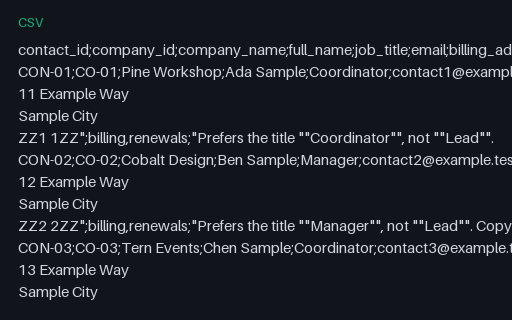
- csvTern Client Services: Contact export in the semicolon dialectContact export in the semicolon dialect for Tern Client Services. The same 8 contacts written with a semicolon delimiter. The billing_address field is still quoted because it contains newlines, but the tags field is now bare: "billing,renewals" needs no quotes when the delimiter is a semicolon, so the same value is quoted in contacts-export.csv and unquoted here. The file has 33 physical lines.
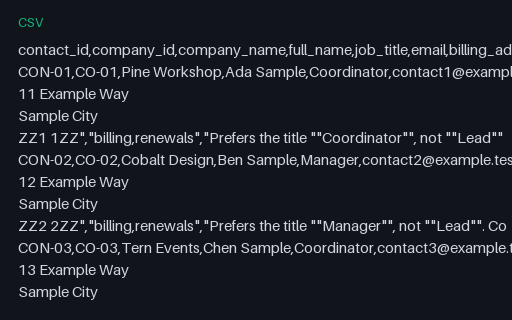
- csvTern Client Services: Contact export with quoted fieldsContact export with quoted fields for Tern Client Services. 8 contacts in 33 physical lines, because every billing_address is a four-line address held in one quoted field. The addresses also contain commas, the notes contain doubled double-quote characters where a quotation appears, and the tags field holds the comma-separated value "billing,renewals" inside quotes. Every one of those is correctly escaped RFC 4180.
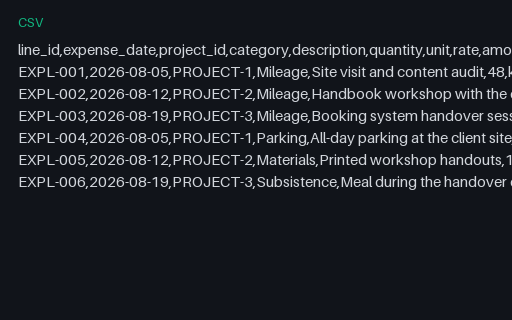
- csvTern Client Services: Expense claim whose mileage was paid at a superseded rateExpense claim whose mileage was paid at a superseded rate for Tern Client Services. The same 6 lines as expense-claim.csv, but the three mileage amounts were computed at the superseded 0.58 per kilometre while the rate column still reads 0.62. The mileage subtotal is 136.88 where 236 km at the stated rate is 146.32, so the claim is 9.44 light and totals 212.13 instead of 221.57.
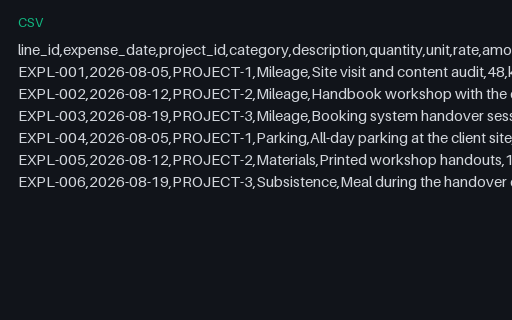
- csvTern Client Services: Expense claim with mileageExpense claim with mileage for Tern Client Services. 6 claim lines for August: 3 mileage lines worth 146.32 and 3 receipted lines worth 75.25, 221.57 in total. amount equals quantity times rate on every line, including the mileage lines where quantity is kilometres. Each line carries the project it belongs to and a receipt reference.
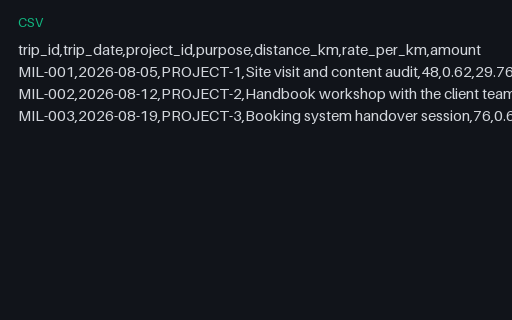
- csvTern Client Services: Mileage logMileage log for Tern Client Services. 3 client trips totalling 236 km. amount equals distance_km times rate_per_km on every row at the 0.62 per kilometre MIL rate from fee-schedule.csv, and the column sums to 146.32. Each trip names the project it was made for, so the mileage allocates cleanly to the three projects.
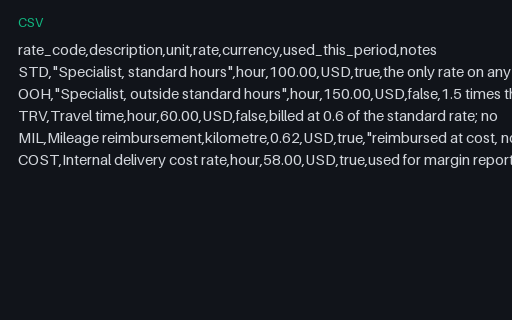
- csvTern Client Services: Professional fee scheduleProfessional fee schedule for Tern Client Services. Five rate codes. STD at 100.00 per hour is the only billing rate any time entry uses, which is why every row of timesheet-export.csv carries 100.00; OOH and TRV are defined but unused in this period and carry used_this_period false. MIL at 0.62 per kilometre is the mileage rate mileage-log.csv applies and COST at 58.00 per hour is the internal rate project-profitability.csv uses.
Generated by generation/industry_documents.py. Free for any use, no attribution required, license.