
CSV with Leading-Zero Identifiers
SKU identifiers that start with zeros. Spreadsheet tools often coerce these to numbers and drop the zeros — keep them as text.
sku,qty
000123,4
000045,1
007890,12
Specifications
- Rows
- 3
- Quirk
- SKU values must stay strings
- Suite
- parser-edges
Testing contract
Expected to pass- Scenario
- Exercise CSV with Leading-Zero Identifiers in its edge cases workflow. SKU identifiers that start with zeros.
- Expected result
- 3 data records using ',' delimiters and UTF-8; header fields are sku, qty; data-record widths (columns:count) are {"2":3}. Declared feature checks: quirk=SKU values must stay strings; suite=parser-edges.
What is a .csv file?
CSV (Comma-Separated Values) is a plain-text tabular format where rows are lines and fields are separated by commas, with quoting rules for values that contain delimiters, quotes, or newlines. It has no formal type system and depends on encoding and dialect conventions. It is the most portable format for tabular data exchange.
How to use this file
Use an example CSV to test parsers against quoting and embedded-delimiter edge cases, header handling, encoding detection, and import pipelines into databases or spreadsheets.
How to use this file for testing
“CSV with Leading-Zero Identifiers” is a deterministic Novus Examples fixture for CSV parsing, Data import. Clean and deliberately messy CSVs, quoted commas, embedded newlines, ragged rows, odd delimiters, and encodings.
Documented properties for this file: 3 rows. Compare results against paired or grouped companions on this page when present (clean↔damaged, searchable↔scanned, or format twins) so scores stay reproducible across runs.
Download the file once, keep the path stable in CI or local scripts, and treat the spec table as the contract: dimensions, seeds, field lists, and roles are intentional. Corrupt or invalid samples are labelled as such, expect parsers to fail loudly rather than silently accept them.
Data fixtures document their exact quirks (delimiters, encodings, null handling, schema, and row counts) in the spec table. Point your parser or importer at the file and assert it handles the documented edge cases; clean and deliberately-messy siblings make before/after diffs straightforward.
Feed the file to your parser and assert it handles the documented quirks, quoted delimiters, embedded newlines, ragged rows, or invalid syntax; the valid↔invalid distinction is labelled in the title.
Code examples
import pandas as pd

df = pd.read_csv("leading-zero-ids.csv")
print(df.head())
print(df.dtypes)
Related files
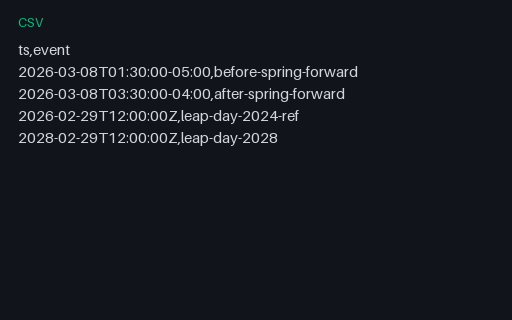
- csvCSV DST and Leap-Day TimestampsTimestamps spanning a US spring-forward DST gap and leap-day dates for timezone and calendar edge-case testing.
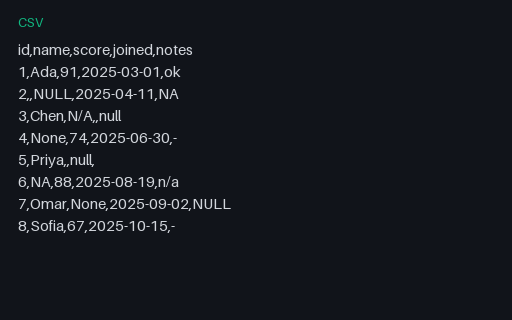
- csvCSV with Mixed Null RepresentationsA CSV where missing values are written seven different ways — empty string, NULL, NA, N/A, null, None, and a dash — across text and numeric columns. A fixture for testing null-detection and coercion in CSV importers.
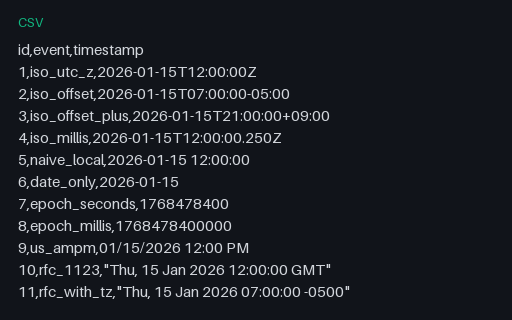
- csvCSV with Mixed Timestamp FormatsA CSV listing timestamps in eleven formats — ISO 8601 with Z and numeric offsets, millisecond precision, naive local, date-only, Unix epoch in seconds and milliseconds, US AM/PM, and RFC 1123. A fixture for testing date parsing and timezone normalisation.
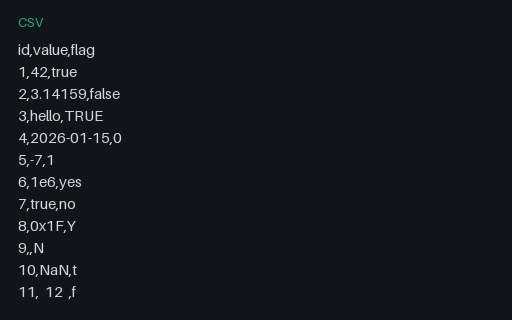
- csvCSV with Mixed-Type ColumnsA CSV whose 'value' column mixes integers, floats, scientific notation, dates, hex, thousands separators, and whitespace, and whose 'flag' column mixes a dozen boolean spellings. A torture test for type inference and schema detection.
- csvWide CSV — 1000 ColumnsA CSV with 1000 columns and a handful of rows — a stress test for parsers, spreadsheet importers, and databases with column limits or per-row buffering assumptions. Deterministic (fixed seed).
- csv10,000-Row CSVA CSV with 10,000 data rows — for testing streaming parsers, memory handling, and import performance.
Generated by generation/data_b2_edges.py. Free for any use, no attribution required, license.