
Testing PDF Forms and OCR With Paired Fixtures
Use a documented AcroForm and a text-vs-scanned PDF pair to test form parsers, fillers, and OCR accuracy.
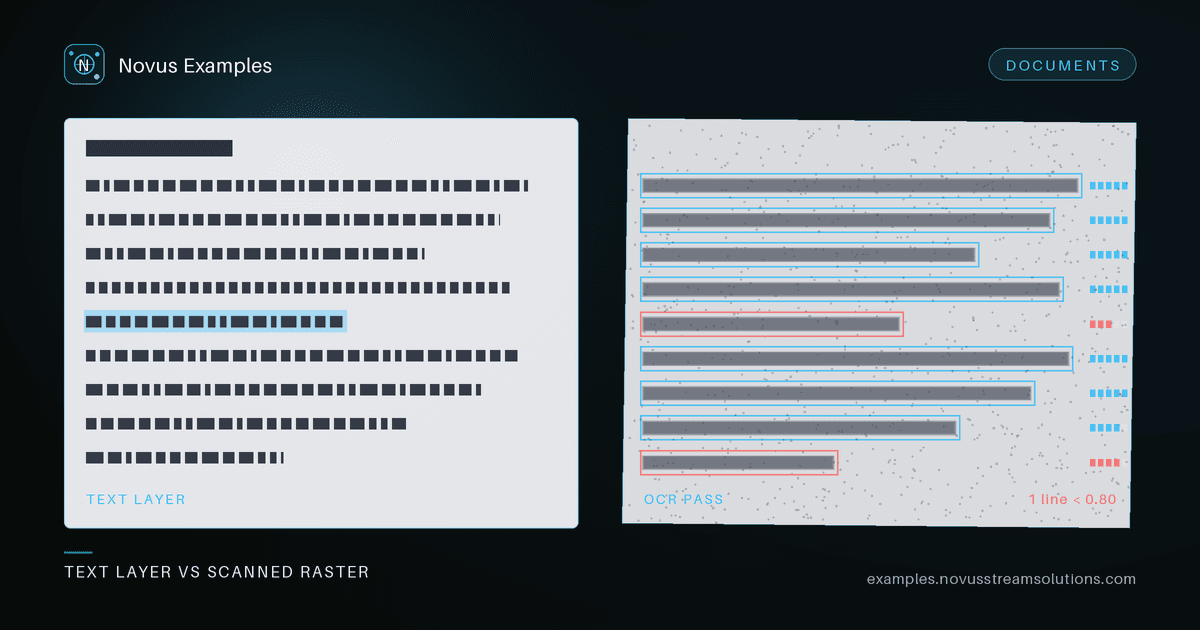
PDF pipelines fail in ways unit tests rarely catch: a form field with an unexpected type, a scanned page that OCR mangles, a corrupt xref table that crashes your reader. You cannot write good tests against files you generated yourself, because you already encoded your own assumptions into them. What you need are fixtures with known, documented contents that you did not author. This post walks through two testing themes — PDF forms and OCR — using paired fixtures where one file is the ground truth for the other.
AcroForm is the interactive form layer inside a PDF: a set of named fields (text boxes, checkboxes, radio groups, dropdowns) attached to page widgets. To test a parser or filler, you need the field names, types, and expected values written down. Without that documentation you are guessing, and a passing test only proves your code agrees with itself.
Start with a fillable AcroForm PDF whose field inventory is published alongside it. That inventory is your assertion source.
Load the form and enumerate its fields. Check three things against the documented list:
- Names match exactly, including any hierarchical or dotted parent names.
- Types are correct — a checkbox reported as a text field will silently break downstream logic.
- Options for choice fields (radio export values, dropdown entries) are complete and in order.
Extraction is only half the contract. Fill each field, save the document, reopen it, and read the values back:
- Text fields preserve unicode, long strings, and empty values.
- Checkboxes and radios serialize to the correct export value, not just a visual tick.
- The saved file still validates and the AcroForm dictionary is not orphaned.
A round-trip that survives a save-and-reload is the strongest signal your filler is production-ready. For broader coverage of editing and parsing scenarios, see the PDF editor and parser fixtures.
OCR accuracy is meaningless without a reference. If you only have a scanned image, you can eyeball the output but you cannot score it. The fix is a matched pair: the same document as an image-only page and as real, selectable text.
Use an image-only scanned PDF together with its paired text version. The text version is your ground truth. Because the words are identical, any difference between your OCR output and the extracted text is measurable error.
- Extract the reference string directly from the text PDF's content stream — no OCR involved. This is your gold standard.
- Run your OCR engine over the scanned twin to produce a candidate string.
- Normalize both: collapse whitespace, and decide up front whether case and punctuation count.
- Compute character error rate (edit distance over characters) and word error rate (edit distance over tokens) between candidate and reference.
- Assert against a threshold, and log the diff so regressions surface which words drifted.
Track CER and WER over time. A model swap or a preprocessing change that quietly raises error rate will show up immediately instead of in a user complaint. The OCR test fixtures collect more of these matched pairs for different layouts.
Two more fixture types round out a PDF test suite.
Bookmarks and the table of contents drive navigation. Use a bookmarked 10-page PDF to verify your reader builds the correct outline tree, that each entry resolves to the right page, and that nesting depth is preserved.
Reading order is its own failure mode, and a quiet one. Text in a PDF is positioned, not flowed, so extraction returns glyphs in whatever order the producer wrote them — which for a two-column layout is frequently line-by-line straight across both columns, interleaving two unrelated sentences. The output is plausible-looking prose that means nothing, and it passes any test that only checks whether text was extracted. Assert on a known phrase that spans a line break within one column, so an interleaved result fails.
Error handling deserves the same rigor as the happy path. Intentionally corrupt PDFs — broken xref tables, truncated streams, malformed headers — let you confirm your code fails gracefully with a clear error instead of hanging, crashing, or leaking a raw stack trace to users.
Browse the full Documents library to assemble a suite, and grab the PDF fixtures to start scoring your form and OCR pipelines today. All files are free to use, no attribution required.
Continue this workflow
Was this article helpful?
Found an error? Send a correction.